
Laden Sie die App herunter


Kundendienst
Copyright © 2025 Desertcart Holdings Limited
Laden Sie die App herunter
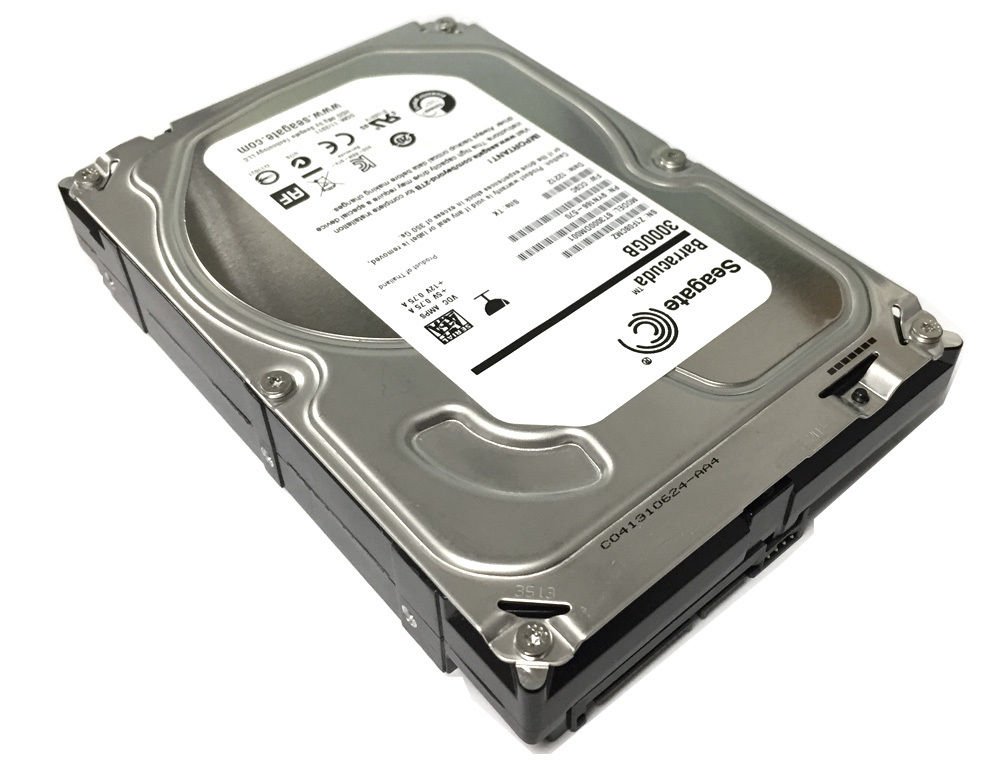
🚀 Elevate Your Storage Game!
The Seagate 3TB Desktop HDD offers a robust storage solution with a SATA 6Gb/s interface and advanced technologies like AcuTrac and OptiCache, making it perfect for a variety of applications including desktops, gaming systems, and network storage.


| ASIN | B005T3GRLY |
| Best Sellers Rank | #973 in Internal Hard Drives |
| Customer Reviews | 4.3 4.3 out of 5 stars (3,197) |
| Date First Available | September 22, 2011 |
| Is Discontinued By Manufacturer | No |
| Item Weight | 1.38 pounds |
| Item model number | ST3000DM001 |
| Language | English |
| Manufacturer | Seagate |
| Product Dimensions | 4 x 1 x 5.8 inches |
R**E
Excellent for home Raids/NAS/Server/Other -- cheap!
To the point : Buy these drives!Excellent for home Raids/NAS/Server/Other.Price per value unbeatable at the moment. It is cheap!Sale price I have seen personally on Amazon ($89/$99/$109) elsewhere I have seen it for $119. All of these are great price per value if you catch the sale.Detail review:These drives to not have TLER (built-in time-error recovery). TLER is usually available on enterprise drives which are far more expensive than these model/similar type drives. That said, there is no reason why you should not consider this drive model or any non-enterprise type for any home built system/NAS/Server/Raid setup. I have two custom-built servers; A Raid-5 NAS (Five 2TB Green WD drives) and a backup server where I used twelve of these 3TB seagate drives for my backup server in Raid-6.Regardless of what other reviews will say, the only reason you should consider enterprise drive is if you really have a business or corporation to have this extra layer of redundancy in place or if you have the money for these type of drives. But if you are trying to save a buck and are on the ledge of if I should buy an enterprise drive or not? ... go for the non-enterprise-drives. For home usage, non-enterprise drives will work just as well with the same performance. Don't read into the hype you need raid specific drives. Unless you are a DBA managing tons of data you do not need it. Yes, drives do fail but no less than an enterprise drive.I got twelve of these drives from Amazon for the price of $99.00/$109.00. The drives went down to $89.00 during the lightening sale but I missed out on that. The price/value is worth it... so shop around when there is a sale. At the time, Amazon limited one drive sale per account. I called in some favors from a few friends to order the drive for me as a gift. If needed, I can return the item in the case of DOA. This is the best way to take advantage of the one item per account bind limitation sale.All drives of all brands has the potential to fail or DOA regardless of where they are made. Anyone says different have no idea what they are talking about. These are sensitive hardware with precision moving parts... you would be surprised how items are bounced around during shipments. You really can't blame all DOA's on shipping but its something to take into consideration. There is also user fault for failed drives as well as many other viable reasons. Of the 40+ drives I have ordered across 2 decades from multiple brands I never had one failed. Does this means or verify anything? No! but maybe people should not get too worked up about failed drives. RMA the drives for a free replacement in most cases. You must not have done something correctly if you cannot RMA for a replacement drive. Annoyed that you have to RMA a drive because it was DOA or failed? ....Knowing the nature of drives or any equipment for that matter there is the potential it can be DOA ...and if the thought never came up that the item could be DOA/defective? you are delusional and should not pretend you know what you are talking about.These drives and my other branded drives are working 24/7 without breaking a sweat. The random reads and write speeds are 112MB/sec for Raid 6. This is without any sort of tweaking... just a straight raid-6 setup without any SSD cache. For the raid 5 setup I am using software raid. For the 12-drive array I am using an Adaptec 16-port raid controller. Some tweaking it will be easy to bump up the random reads and writes.For those that complain they are seeing less space on drives when installed: All drives will have less usable space than advertised. For example, without going into too much detail a 3TB once installed will grant you just over 2.7 TB of usable space. Also be sure your Mobo can support/see larger drives over 2TB.
J**2
Great drive. Firmware update was easy.
For those of you who are not aware of it, this drive has some kind of firmware problem that makes the drive chirp from time to time. Whatever the problem it, Seagate fixed it with a firmware update recently. In order to update the firmware, you need to set your hard drive mode in BIOS to IDE (not AHCI), then download the bootable iso version (I don't trust microsoft to get in between me and my firmware updates). Boot from the cd the iso created, select "d" for download new firmware. Wait 20 seconds or so. When it says it's done, turn off your computer. At bootup, enter BIOS and switch back to AHCI. You are done. I haven't had any chirping or any other problems with this drive.It's 3 platters only, with 1TB each. This means is consumes less power than its brethren with more platters, and the performance is good. I have it hooked to a 6.0 GbPS SATA port. Runs great, quiet, etc.In the past I've always bought Western Digital drives but in the wake of the flood, WD appears to be keeping its prices way high for a long time. even on their wimpy green drives. I mean, it was like 10 months ago or something, people! Good reason to switch to Seagate. Seagate, on the other hand, has lowered prices to something in the same ballpark as pre-flood levels--though they haven't progressed past where they were at the time.Anyway, I have a 1 TB version of this drive in my main computer (the firmware update said it didn't need updating) and a 3 TB version (which I updated myself) in my home fileserver.What I want to know is when is Seagate going to use these great 1TB platters in a 4 and 5 platter configuration. I already have a 4TB seagate drives (barricuda XT) that I pulled out of an external enclosure (for some reason they never sold the 4 TB version as a bare drive). It has 5 platters. Why not make 4 or 5 platter Barricudas using the 1Tb platters? It has to be trivial. I could use the space on my fileserver.By the way at the time I bought this you could get the same drive in an external enclosure for $10 less. I was very tempted to buy that and then rip it out of the enclosure, as I did my Barricuda XT, but I decided $10 was enough to pay for a valid warranty and the option of returning it if it didn't work right away. Didn't end up needing that, but better safe than sorry.I will check back in and mark it down if the drive goes down or misbehaves any time soon. If you don't see that, it's still working like a champ.
TrustPilot
vor 3 Wochen
vor 4 Tagen