
🎨 Elevate your digital canvas—where precision meets portability!
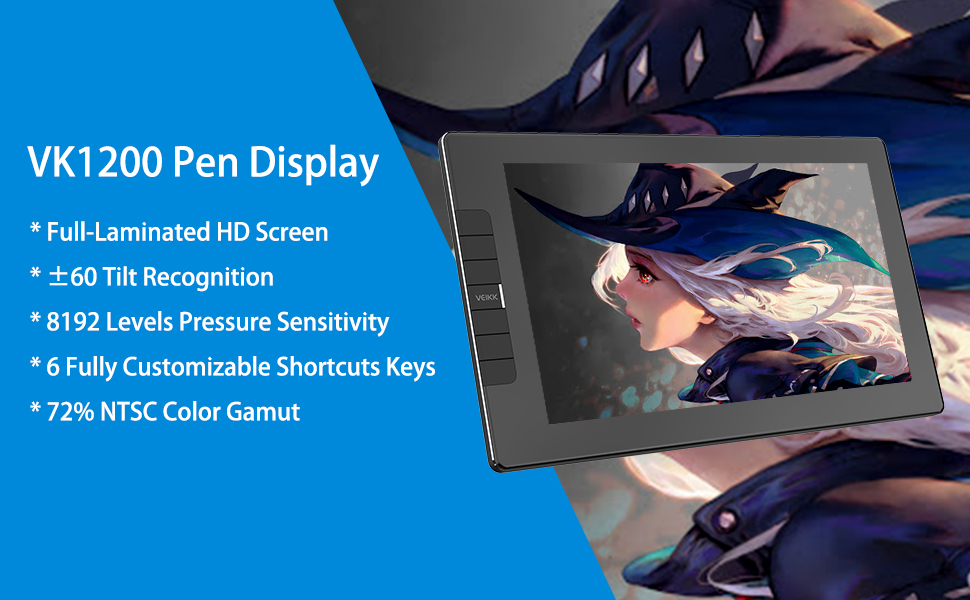
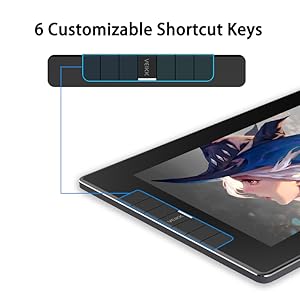
The VEIKK VK1200 is a premium 11.6-inch graphic drawing tablet featuring a full-laminated HD IPS screen with 120% sRGB color gamut and anti-glare coating. It comes with two battery-free pens offering 8192 levels of pressure sensitivity and 60-degree tilt functionality for natural, precise strokes. Six customizable shortcut keys enhance workflow efficiency. Its slim, all-metal design with anti-slip pads ensures durability and portability. The package includes extensive accessories like extra nibs, a pen holder, artist glove, and cleaning cloth, backed by a 1-year warranty and lifetime driver updates—ideal for professional and aspiring digital artists seeking high performance at a competitive price.


| ASIN | B08LPYK5CX |
| Best Sellers Rank | #5,267 in Computers ( See Top 100 in Computers ) #27 in Graphic Tablets |
| Item model number | 656 |
| Manufacturer | VEIKK |
| Product Dimensions | 35.5 x 23 x 5.2 cm; 1.5 kg |
A**S
Just Received my New Veikk VK1200 screen display tablet. It arrived very quickly and at first glance looks awesome! Inside you get: VK1200 pen display tablet with an 11.6” working area ( making it one of Veikks smaller screen display tablets, however the size does allow for easy use on the go fitting nicely into a laptop bag or rucksack) Not 1 but 2 of their 8192 levels of pen pressure stylus’s ( these are also battery free so no charging necessary) 2x felt pen protector cases An Inkwell shaped pen pot ( this also houses the replacement Nibs for the stylus) 20x spare Nibs ( more than any other manufacturer I have seen “ Well done Veikk” ) A USB Multi cable for connecting to the PC/Laptop HDMI Cable for the screen display An extra Nib remover ( there is also one built into the pen pot) Branded Smudge guard glove Branded Cleaning cloth Quick start Guide and driver installation instructions Looking at the actual tablet being only 12mm thick it is very slim but also extremely sturdy with next to no flex in the machine. There are 6 quick access keys along the side ( the centre one is not a button) these are extremely simple to programme in the driver settings The colour out put matched my 27” monitor straight away but the options to change this is also simple. The stylus is very sleek with a nice textured feel along the length with a flared tip for gripping when in use and the two quick access buttons built in work great (also worth mentioning these pens also support up to 60% tilt perfect for shading) The back of the tablet host 4 gripper pad's to stop it from sliding around on the desk. After trying it our for a couple of hours I noticed no heat coming from the tablet, meaning this will work well for longer sessions, the pen is very reactive and the pressure sensitivity was picking up even the lightest of strokes. (side note to this is that there is a range when using the quick access buttons on the stylus so bare this in mind when using) There was very little parallax from the nib of the stylus to the cursor on screen. I would have liked to have seen a stand for this tablet as it does take a lot to get used to not being able to use the hotkeys with your thumb, but this can be remedied with book or a cheap laptop stand. The last point I would like to make on this is the price…….. God its going cheap, for the equivalent tablet you can easily add another 100 on top of the price to get the same (if not Less) as you’re getting here! this is a bargain. All in all this is a great little tablet, your getting a lot for your money with this buy and I would seriously recommend this for any one that is starting out on their digital journey Great Job Veikk, keep up the amazing work
M**D
When it arrived the first thing to notice is the quality of the packaging. Well made, strong and feels very premium with lots of it being recyclable. In the box you get a lot more that you do with any competitor drawing tablets, for example two pens with spare nibs which is incredibly useful. Setting up on a Mac is quite straightforward too, just two cables to plug in and a driver to download - and within minutes you’re ready to go. The first thing I noticed is the quality of the screen surface itself. The pens glides across effortlessly without running away with you. Very easy to control. The screen resolution and colour vibrancy are very high quality at this price point. Very sharp and colour accurate when compared to the main monitor. In use I used it with Photoshop and Sketch and found it performs equally well in both. The pen sensitivity and pressure velocity work really well allowing for a very natural feel of stroke. It performs well when used making fast strokes across the surface. The configurable buttons down the side also add ease to your work flow. If you’re looking to make the jump or experiment with digital art, this tablet is the perfect starting point.
M**S
NOTES: I was testing this tablet on windows 10 using clip studio paint, so I don't know how it interacts with other operating systems or software. I also can't speak to long-term durability as I was only testing this tablet short-term (on and off for a few weeks). I can't really speak to how it holds up in comparison to other budget brands specifically, since I don't have much experience with brands outside of Wacom! please keep these things in mind. PROS: - it didn't get warm for me at all while using it, I used it for several hours at a time and never noticed any prominent heat when touching it. - parallax is slightly noticeable if you look for it, but it's pretty standard for display tablets to have at least a little bit of this. it's unnoticeable when used at a normal viewing angle so it shouldn't impact your workflow at all. - the pen on this model is a lot nicer than their previous pen models, it feels better to hold and generally just looks nicer aesthetically. it's also a battery-free pen, so no need to charge it. it comes with 2 pens included in the package which is a really nice bonus! it allows you a safety net if you ever lose or break your first pen. - the tablet is left hand friendly! there's an option in the driver settings to change the tablet's rotation so that you can flip the tablet around and use it with the shortcut buttons on the other instead, which allows lefties to use this tablet with all the express keys still accessible to them. - the express keys are nice, the buttons don't require too much pressure to activate and have a good tactile feel to them when pressed. 6 keys is also a pretty decent number that should allow you to map most of your important shortcuts. their mapping is able to be customised to whatever shortcuts you'd like, but of course that's standard for shortcut keys on tablets. - it's pretty sheer, the screen isn't reflective so the display stays readable even in brighter rooms. it starts to get a little bit of a white glare over it when it's under intense light, but normally people aren't working under super intensely lit conditions so I don't think this would impact anyone. - it comes with a matte screen protector already pre-applied which is really handy. the protector does lower the display quality a tiny bit as it makes the display a little fuzzier, but it's hardly noticeable unless you're looking for it (and in my opinion is worth it for the nicer drawing feel). the screen protector is removable if you'd rather work without it, but most people prefer them as they provide a more paper-like texture to draw on, so the tablet coming pre-applied with one saves you from having to manually apply one. - it doesn't require a power outlet to use, which increases its portability quite a bit. all you need is an HDMI port and 1-2 USB ports on your computer (it can work with just the black USB if your computer can provide enough power with that alone, but if not then the secondary red USB can be plugged in too). please note: if you're a mac user you're likely going to need to buy an HDMI adapter (if you don't already own one) since apple computers typically don't have HDMI ports on them. the tablet doesn't come with an adapter for this. CONS: - the pen doesn't have an eraser on the end of it, so if you're coming from Wacom products that usually do have an eraser then you might miss that feature. it has 2 fully customisable buttons on it so you can easily map one of them to switch to the eraser which makes up for it, but personally I enjoy pens having an eraser tip so this is just a nitpicky preference for me. - it doesn't come with a stand included, so you would have to buy one separately if you don't already have one unless you decide to use it flat on your table/desk (but I wouldn't recommend that; using a tablet flat on a table isn't very ergonomic and can cause wrist + posture issues over time). - getting the drivers to work was more fiddly than I would've liked. they're very straightforward to initially install and they worked adequately once I fixed the detection issue, but I ended up having to do quite a bit of troubleshooting before the driver would recognise the tablet (which is important because you can't change any driver settings if the driver doesn't detect the tablet). if you're not particularly tech-savvy you might get frustrated troubleshooting tech problems like these, but it should also be noted that this isn't a problem specific to VEIKK; if you google any tablet brand you'll always find some people having an issue setting any of them up. it's often a problem with your operating system/files or sometimes faulty cables, so you should keep in mind that this can happen with any tablet. - the tablet does have tilt support, but the tracking for it falls short; the calibration doesn't really account for the pen tilting. when you tilt your pen at an angle that's different than the angle you calibrated it with, the cursor becomes notably offset. if you don't use tilt in your work this doesn't matter, but if tilt is a staple of your process then this would be a drawback for you. - the active area is exceptionally small for a display tablet (11.6"). it has the measurements described on the listing so you know what you're getting in theory I suppose, but in reality the size borders on being a little too small in my opinion. your drawing software's interface is going to eat up some of your screen space, so your actual canvas ends up being even smaller than the already quite small active area is. if you're fine with adapting to the small space to save money, need a smaller tablet due to lack of real-life space, or just want to go smaller for the added portability then this doesn't really matter—it's certainly still usable at this size. it's a similar size to the iPad Pro, so if you can comfortably work on that then you would be fine with this. I just find it a tad too small for me personally. FINAL THOUGHTS: ultimately, most of my cons for this tablet were driver related. I don't really have any complaints about the hardware because the quality of the build looks and feels fairly nice, it doesn't feel cheap to hold or use at all. I don't want to dock the rating too much just for a few software hiccups because it's still functional despite them, and VEIKK may streamline some of the tech issues I ran into at some point anyway since drivers can easily be updated. overall it isn't a bad budget tablet for people who can't afford more expensive/larger tablets (or if you just want a smaller one). I encourage everyone to do their own research as well however and pick a product that fits your needs the best.
K**L
This entry level drawing pad has a lot to show despite its low price compared to other screen drawing pads on the market. In the box you get a generous quantity of nibs that come with the pad, along with two pens and a glove. The pad itself feels really comfortable in your hand and has an elegant clean design. The size is just slightly bigger than my Ipad Pro 9.7inch so it’s a nice and portable. It works well especially with a laptop because you don’t’ have to sit far from the computer screen and instead draw on your lap or on a table where you can get right up close to the drawing. After you connect it to the computer with the HDMI and USB cables it comes with, you have to download the software from the Veikk website. While you are there you can also check their FAQ as it has a more detailed explanation of how to install it depending on what system you have. After the software has installed and the pen is working correctly, calibration is very simple and is just a matter of clicking on plus signs that show up. You can also adjust the pressure and the buttons mapping but I left it because the default setting already felt nice. I used it with my MacBook Pro and Photoshop. Drawing was easy and the pen behaved as you’d expect. Lines were clean and I was able to get a variety of thickness as would if I was using a normal pen and paper. The surface does not feel like glass but a rougher more paper-like finish, which is what you would want. So the pen felt good and natural. I can recommend this for anyone who wants to upgrade to a screen tablet. People starting out in illustration are the obvious target. Professionals will prefer a larger screen but this will serve as backup for them. It’s one of the best tablets I’ve used.
R**M
The first thing I thought of when seeing the vk1200 was how amazing the tablet looks, it's sleek, simple and very high quality, has a good weight and is glass with a screen protector, this is good as it adds a little texture to the feeling of drawing which is important. Connection to the computer was straight forward, the included hdmi and usb cables firmly connect to the right side of the tablet, I was able to power the tablet using just one usb port on both my desktop and my laptop, the cable does include a second usb connection in case one port isn't supplying enough. I've been using this tablet for digital drawing and the results have been great, the two pens included have a slight texture coating feel to them and come with plenty of spare nibs and an upright pen holder to store them in. It took a little time to get used to the pen as I feel the detection point is quite high up inside the pen, it's something that felt a lot better once I ran the calibration settings in the driver. I did run into one little issue with the software during initial setup however, it did not like that I had more then two screens in my multi setup so I had to change to only one screen and the tablet as a second before I could properly move my cursor and calibrate the screen, i'm sure this will be sorted out as it's software related not hardware. For the price I can recommend this tablet to anyone who wants to buy their first screen tablet and even those who want to take a screen tablet with them on their travels, You just need a laptop with a hdmi port and you are ready to go!
TrustPilot
vor 1 Monat
vor 2 Monaten



