We remain fully operational. Our teams are working around the clock to ensure your deliveries continue safely.

Laden Sie die App herunter


Kundendienst
Copyright © 2025 Desertcart Holdings Limited
Laden Sie die App herunter
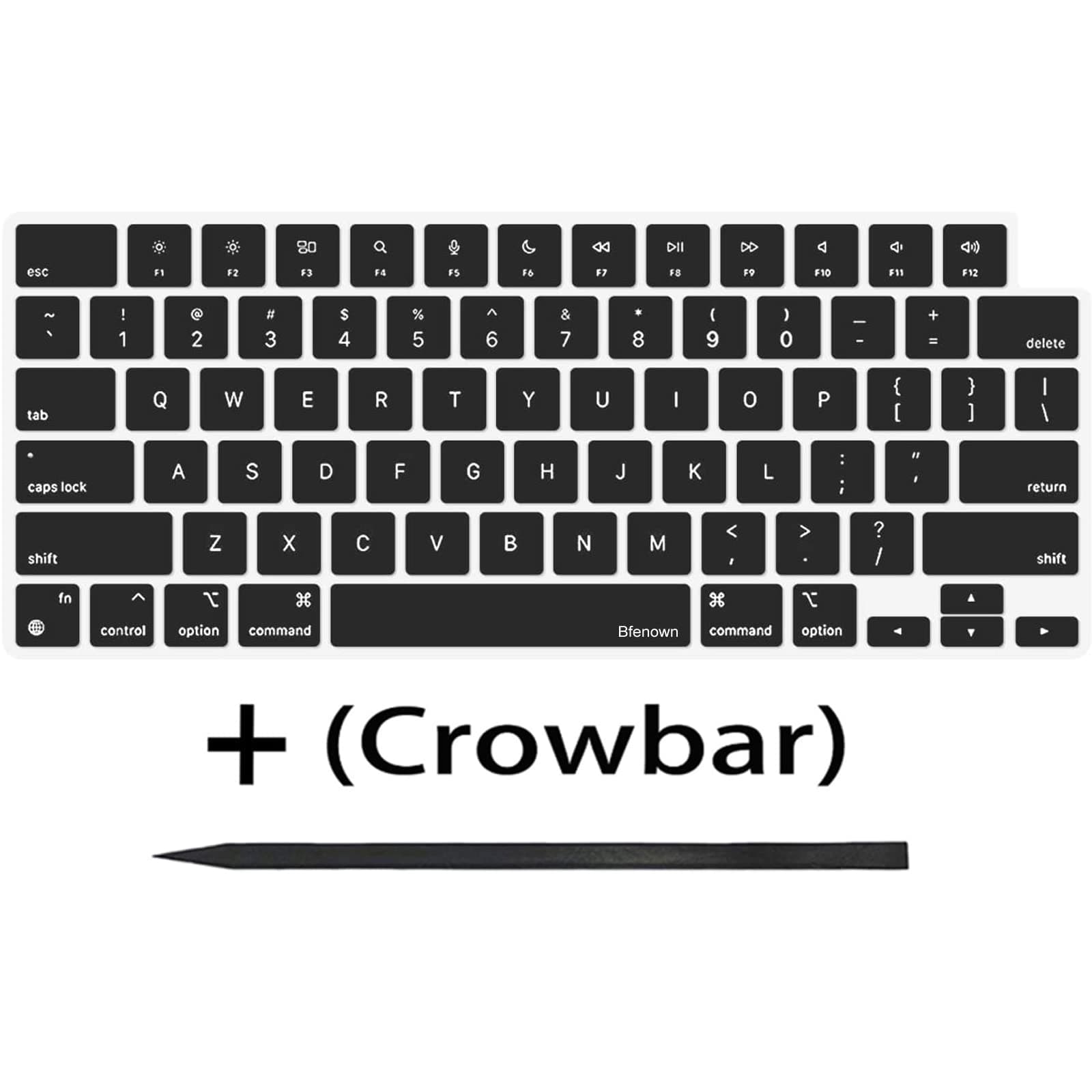
⌨️ Upgrade your MacBook’s vibe—because your keyboard deserves a glow-up!
This Bfenown replacement keycap set offers a full 104-key US layout designed specifically for 2021-2022 MacBook Pro M1 Pro and Max 14" & 16" Retina models. Made from durable silicone with superior backlight transmission, it perfectly matches Apple’s original keys in color and feel. The package includes a crowbar tool for easy installation, helping you maintain your keyboard’s pristine performance and appearance without costly repairs.


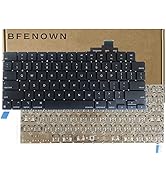


| ASIN | B09NN6FC1F |
| Antenna Location | Personal |
| Best Sellers Rank | #21 in Laptop Computer Replacement Parts |
| Brand | Bfenown |
| Built-In Media | 1 Full Set US keycaps + 1pcs crowbar |
| Button Quantity | 104 |
| Color | BLACK |
| Compatible Devices | 2021 MacBook Pro 14-inch, 16-inch |
| Connectivity Technology | For Keycaps Replacement |
| Customer Reviews | 4.6 4.6 out of 5 stars (94) |
| Enclosure Material | Silicone |
| Hand Orientation | Ambidextrous |
| Is Electric | No |
| Item Dimensions L x W x H | 28"L x 11"W x 0.19"H |
| Keyboard Backlighting Color Support | Single Color |
| Keyboard Description | Flexible |
| Keyboard Layout | QWERTY |
| Manufacturer | Bfenown |
| Model Number | 5be72dbe-cb84-418b-a0b0-ef54fd4416bb |
| Number of Keys | 1 |
| Number of Sections | 1 |
| Power Source | Wired |
| Processor Count | 1 |
| Style Name | Contemporary |
| Switch Type | Mechanical |
| Unit Count | 1 Count |
| Warranty Description | 6 months |
| Water Resistance Level | Not Water Resistant |
K**U
Great buy! Fits Macbook M1 Pro
Please watch a YouTube video when installing, as it makes it so much easier and prevents damage. Otherwise, I was able to install all the keys onto my M1 MacBook Pro with relative ease. It feels great. While it's pretty early on, it feels better quality than the original MacBook's ABS plastic, so here's hoping it won't become shiny.
A**T
These Are Identical to Apple's Keys
Was very skeptical purchasing this given that it is not an official Apple product. I only had to replace some keys that looked faded from use, so I was worried they would appear to be a slightly different shade of black from the Apple ones. Well, not only do they look identical color-wise, but they also allow the same amount of light through them from the backlight, so they are impossible to distinguish from the original Apple keys I left in place. These keys are perfect. On top of that, the crowbar that is included works very well. You have everything you need in this product to replace your MacBook's keys. Would highly recommend.
C**B
Absolutely Fantastic! Much needed refresh to my 2021 MacBook Pro!
Absolutely Fantastic! My keys had developed a shine because of so much use. Drove me nuts because my computed looked old and tired. After replacing the keys, they are back to that premium mat look and feel. Couldn't be happier! FYI, I was nervous about popping the keys off my macbook pro. I watched the videos... And after your first couple of keys, you get the hang of it.
Z**R
Good fit and matching look
I bought this for my 14" M4 MacBook Pro to replace the Shift key after I messed up the clips on the original key trying to reinstall it. I also replaced the left Command key since some paint had worn off on the bottom side. Both keys blend in perfectly and all the clips and tabs underneath were in the right places to fit properly.
M**M
needs your patience and determination, but rewarding results
My keys (on A2442, M1 MacBook Pro 14”) got a worn, greasy look over time, and I couldn’t remove discoloration specifically on larger, most often used keys such as spacebar or return key. Although this keycap set was not perfect, it is definitely the right product for the job: since the finish is matte versus original satin appearance, I had to replace the entire keycaps after replacing the spacebar and other larger ones at the bottom (see the photo for the difference). otherwise you have to live with a kind of bandaid on your keyboard. It is like the new paint, supposed to be the same color and finish, which would never match 5-year or older paint on the wall. It took over two hours for me to replace entire keys, while watching the instructional videos. The removal and installation procedures for the letters are the same, but the following keys require a special order for removal not to break the hinges inside, inside the installation order. ESC, Tab, Caps lock, Shift, Functions, Control, Option, Command, Delete, Return, and most notoriously arrows. The ones with a metal hook inside are very tricky to install. Specifically, I wasn’t able to make a perfect installation of the ESC key, which was different from the instructional video. The ESC key in A2442 is larger than what’s shown in the video, with one metal hook at the lower part. Basically you are not supposed to just press the upper part but rather slide in from below, which I did not understand quite a while. As other users pointed out, watch the instructional videos and mentally prepare for the possibility of breaking something, and do not lose your patience. If you are a person without it, I wouldn’t recommend replacing the entire keys. After the completion, I am 98% satisfied with the appearance and feel of the new key caps, with the exception of the ESC key which is not completely level.
L**N
Loveee
Very happy with this product, I bought a refurbished MacBook Pro and its keys were very shiny with use. They were really easy to replace, besides the bigger keys (space &shift) but you’ll get the hang of it. The color match is amazing and it matches the original keys.
L**N
Quality Product
These caps made my 2021 14" MacBook Pro look like new. I replaced all but the f1 to f12 and I cannot tell the difference. The OEM and replacement caps seem identical. The 'tab' button didn't seem to fit, but all other keys worked out well.
A**1
منتج ممتاز وخامه اكثر من ممتازه انصح بشراؤه بشده بدون تردد
C**S
Honestly, I cannot tell any differences between these and the original MacBook keycaps. This does require some skill to do properly, especially for the mods and spacebars that use stabilizer wires. The tool they provide helps a lot, its thin to reach under the keycaps and made of plastic which helps prevent any scratches you could accidently do with a metal tool, though a playing card and toothpick can also get the job done if your set does not come with the tool.
C**D
My OCD can see the tiniest difference in the thickness of the letters. They are ever so slightly thinner than the originals on my keyboard. I had to replace two keys. Is it enough of a difference to make me want to switch them all out? I think not.
H**Y
The keys are good quality, but the mentioned crowbar was NOT included. So that created some headaches as I did not have anything thinner than a credit card.
TrustPilot
vor 2 Wochen
vor 2 Wochen