
Laden Sie die App herunter


Kundendienst
Copyright © 2025 Desertcart Holdings Limited
Laden Sie die App herunter
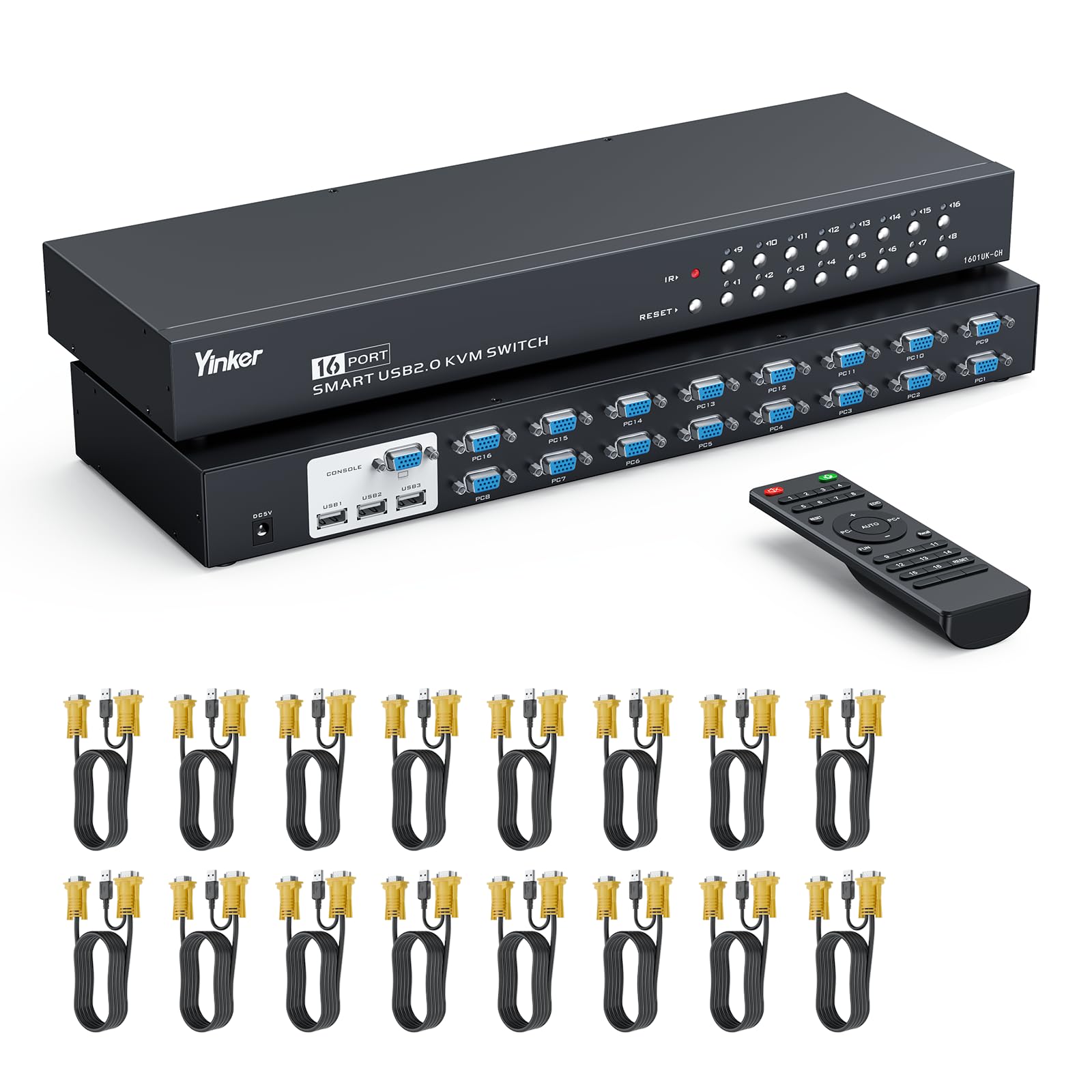
🔄 Master your multi-PC setup with one sleek switch—because multitasking deserves a pro upgrade!
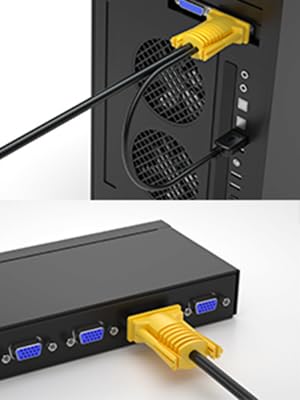
The Yinker 16 Port KVM Switch is a rack-mountable 1U 19'' console solution that enables centralized control of up to 16 computers via VGA and USB 2.0. Featuring integrated 2-in-1 KVM cables, 2-way switching through panel buttons or IR remote, and support for high-resolution displays up to 1920x1440, it offers a clutter-free, plug-and-play experience compatible with multiple OS platforms. Ideal for IT managers and professionals seeking efficient, scalable workstation management.




| ASIN | B097YB33LN |
| Actuator Type | Push Button |
| Best Sellers Rank | #341 in KVM Switches |
| Brand | Yinker |
| Brand Name | Yinker |
| Circuit Type | 2-way |
| Color | Black |
| Connectivity Protocol | Vga |
| Connector Type | Usb,wireless |
| Contact Material | Copper |
| Contact Type | Normally Open |
| Control Method | Remote |
| Controller Type | Panel Button/IR Remote |
| Current Rating | 2 Amps |
| Customer Reviews | 4.3 out of 5 stars 89 Reviews |
| Included Components | KVM Switch + 16-pack KVM Cables + IR Remote + Power Adapter + User Manual |
| International Protection Rating | IP56 |
| Item Dimensions | 16.9 x 5.3 x 1.7 inches |
| Manufacturer | Yinker |
| Model | 1601UK-CH |
| Mounting Type | Panel Mount |
| Number of Items | 1 |
| Number of Positions | 16 |
| Operating Voltage | 12 Volts (DC) |
| Operation Mode | ON-OFF |
| Switch Type | 2-way Switch |
| Terminal | Physical |
| UPC | 796042176840 |
| Unit Count | 1.0 Count |
| Upper Temperature Rating | 80 Degrees Celsius |
R**A
Yinker 8 port KVM switch.
Had issue with one of the ports not working. Customer service was quick to help with new replacement. Unit works great no issues switching between pc's.
A**P
A cost-effective product.
Even when compared with other companies’ so-called high-end models, it is in no way inferior in terms of functionality. It would be even better if it came with two different cable lengths.”
D**E
Greatly simplifies...
I've been through a few KVMs trying to keep up with cable types and good simple switching, I may have found the right option now. I needed 5 ports, so this gives me room to grow, and while I had some hesitation over the single cable with USB tail, it seems to work on Intel Nuc with Linux, MacBook Pro, Mini and an Odroid. Selection is seamless, and the remote buttons with indicators are exacly what I needed for my desktop. I dropped a star for 2 reasons. One of the cables doesn't make good contact in a NUC; holding it sideways helped. And I'm having some trouble with it staying synced with my MacBook Pro. Video and connected USB (audio in the monitor) drop when it does this, and while I think the issue is mostly the MacBook, it didnt do it as much on my previous KVM. But definitely a win for simplifying cabling and ease of use.
L**N
Server Must Have
I always love a good server rack accessory. This is a super nice unit, and it fit my server rack perfectly! It comes with a few different brackets, so I believe it will be compatible with a lot of standard set-ups. The whole thing seems to be made out of aluminum or similar, so the build quality is very nice. It is pretty thin, I would say 1U or less in size. It does come with its own VGA -> VGA+USB adapters, which is really convenient! It also has a wired remote which is pretty nice to have. I don’t notice any delays with the pictures, and it switches from input to input pretty quickly. I would say that this unit is definitely worth it for the price, and it makes a very convenient accessory to most server set-ups!
A**R
Amazing Support!
Great product. Great seller with amazing support! I had a problem with my KVM switch a year after I purchased it (I use it every day) and the seller's support was instant and good! I highly recomand this seller, they stand behind their product!!
J**I
100% non-functional after 5 months and maybe 10 uses.
I have 2 of these Yinker KVM switches; one for my network rack and another I use on another rack at my bench work station. The work bench KVM started with cycling through all of the lights and would not allow me to select an individual input. I would unplug and plug back in it's power and it would start to work after a couple cycles of that. Then it started to jump to the 8th input and slowly blink; eventually leading to the 8th channel being the only channel that will light up, even when plugging into a different input; and NOTHING WORKS. Only a 30day warranty on these so BUYER BE WARE!
R**N
Works fine
It went in easily. You have to put all the computers close by (I stand the laptops on the back edge in a plastic file divider). The wiring supplied is excellent, hdmi + usb at the port end, separate hdmi and usb at the computer end. Except if your computer has the hdmi port on the opposite edge from the usb ports, you need to buy a 1 ft usb m to usb f cable to reach across the laptop. I have it in series with a 4 port usb3.0 switch, as one of the 4 choices, with no problem. Not using the remotes.
J**S
Doesn't work with an almost new HP Probook laptop
I have about 7 different computers I want to use with this switch. I had a 4 port switch, which (usually) worked fine, but not enough ports so I recently bought this 8 port switch. So far I've tried 4 other computers of different varieties and they all work fine, but my almost new HP PROBOOK laptop does not! My keyboard and mouse do work with the laptop, but the monitor does not. When I switch to the port with the laptop, the laptop obviously sees something. The screen starts bouncing around, but is blank and eventually says "Scanning for signal", then about 10 seconds later, says "no HDMI signal", and finally "Going into standby mode". I removed the HDMI part of the cable from the HDMI port on the laptop and ran a plain HDMI cable directly from the HDMI laptop port to the second HDMI port on the monitor. This works fine. However, I would have to manually switch the monitor from "HDMI 1" to "HDMI 2" (multiple button pushes of tiny, invisible buttons at arms length) to switch back and forth between the laptop and any of the other computers, which defeats the whole point of the KVM. At some point it would be easier to just manually plug and unplug the monitor and USB cables. Is this a known problem with my particular laptop, since it works fine with my other computers? Is there a firmware update or secret setting option (either with the KVM or the laptop) that fixes this? Has anyone else experienced the same problem? Amazon has offered my a refund, but I would rather that it worked correctly!
TrustPilot
vor 5 Tagen
vor 2 Monaten