
Laden Sie die App herunter


Kundendienst
Copyright © 2025 Desertcart Holdings Limited
Laden Sie die App herunter
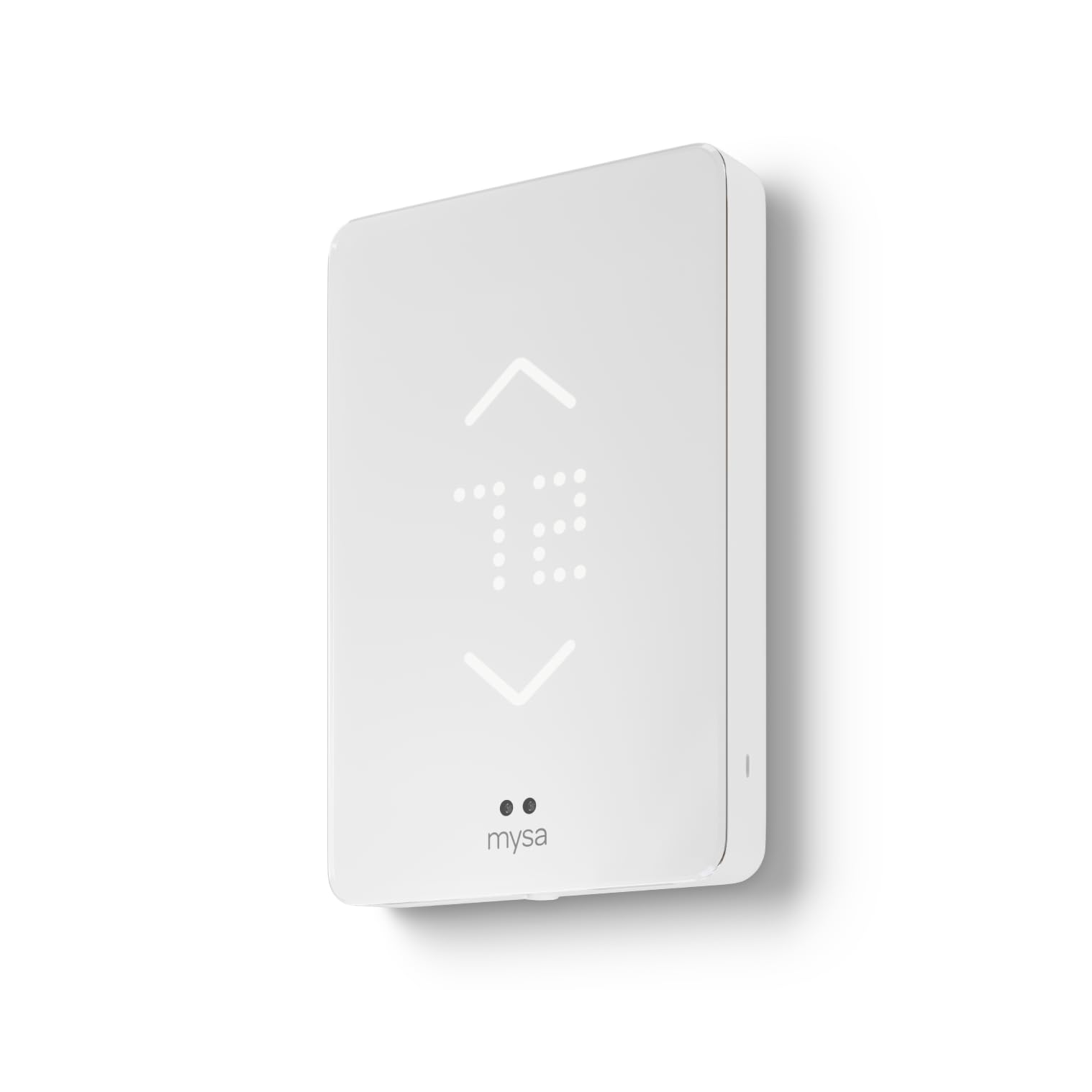
🔥 Stay cozy, connected, and in control — the future of baseboard heating is here! 📲
The Mysa Smart Thermostat is a sleek, Wi-Fi-enabled thermostat designed specifically for high-voltage electric baseboard heaters (120-240V) supporting up to 3800W. It offers advanced features like adaptive brightness, voice control compatibility (Alexa, Google Home, Apple HomeKit), and a free, user-friendly app for remote scheduling, zoning, and real-time temperature and humidity alerts. Easy to install and backed by responsive tech support, Mysa transforms traditional baseboard heating into a smart, energy-efficient experience tailored for modern homes.


| ASIN | B09FQ9L3Q6 |
| Additional Features | Audible Touch Feedback, Adaptive Display Technology, Energy Insights, Geofencing, Scheduling |
| Backlight | Yes |
| Best Sellers Rank | #22,298 in Tools & Home Improvement ( See Top 100 in Tools & Home Improvement ) #48 in Home Programmable Thermostats |
| Brand | Mysa |
| Brand Name | Mysa |
| Color | White |
| Connectivity Protocol | Wi-Fi |
| Connectivity Technology | WiFi, NFC |
| Control Method | App, Touch |
| Control Type | App Control, Button Control and Voice Control |
| Controller Type | Amazon Alexa, Android, Apple HomeKit, Google Assistant, iOS |
| Customer Reviews | 4.5 out of 5 stars 1,275 Reviews |
| Display Type | LED |
| Finish Types | Smooth |
| Included Components | 1 x Mysa for Electric Baseboard Heaters V2 Thermostat, 1 x Welcome Booklet, 2 x Mounting Screws, 3 x Wire Nuts, 1 x Wiring Instructions |
| Item Dimensions D x W x H | 0.8"D x 3.5"W x 5.1"H |
| Item Type Name | smart baseboard thermostat |
| Item Weight | 510 Grams |
| Manufacturer | Empowered Homes |
| Material Type | Plastic |
| Model Name | BB.2.0.01.NA-US |
| Model Number | BB.2.0.01.NA-US |
| Mounting Type | Wall Mount |
| Power Source | Corded Electric |
| Product Dimensions | 0.8"D x 3.5"W x 5.1"H |
| Product Style | Electric Baseboard Heaters V2 |
| Screen Size | 3.5 Inches |
| Shape | Rectangular |
| Special Feature | Audible Touch Feedback, Adaptive Display Technology , Energy Insights, Geofencing , Scheduling |
| Specific Uses For Product | For high voltage electric heating systems: • Baseboard heater • Convector (short cycle) • Fan-forced convector (long cycle) • Radiant ceiling heating |
| Specification Met | energy |
| Temperature Control Type | Heating |
| UPC | 821661113898 |
| Voltage | 240 Volts |
| Wattage | 3800 watts |
P**K
Great product, Amazing tech support
Amazing product and great tech support service from Mysa! I had the old knob style thermostat for baseboard heating in 6 different rooms at two separate locations. The knobs eventually broke and I ended up replacing them over and over. I was fed up with this and wanted something more modern that I could also monitor remotely. I use the baseboard as a backup heating system to a heat pump and wanted a reliable thermostat that I could program and monitor remotely. These are fantastic. I am not an electrician so was worried about installing a 240V thermostat. I found the correct breakers to power off the existing thermostat and each time verified that the power was off using a meter. You can take a picture of your wiring setup and tech support can help you with the connections as well as trouble shooting. Generally when you send a tech support email to most companies you are lucky to get a response. My response was given on a Sunday in 6 minutes from when I asked my question. Process that for a minute - 6 minute response on tech support is “real time” and on a Sunday no less. I was able to continue the job without any delay. Tip: Make sure to take a picture of your current wiring setup as that can come in handy if you ever need tech support. The app is intuitive, easy to use, and it’s very easy to install and connect to the thermostat. Once connected you can adjust the brightness (can even turn it off when you’re sleeping and have it “awaken” when you approach), temp display in F or C, and various programming options like most smart thermostats. My version also has humidity level which I find useful for monitoring damp locations. Great product and great service. Extremely happy!
C**.
Excellent product for older homes
My home was built in 1968, and has a bunch of baseboard heaters. I’d been using other methods to heat the house since baseboard heat is expensive, and the old analog thermostats were either just ‘on’ or ‘off’. I found the Mysa thermostats via my power company who sold them to me at a subsidized price. Once I got a few and saw how good they are, I bought the rest from Amazon and have now installed them in every room. Installation For those of you who don’t read directions, do yourself a solid and at least glance at the wiring diagram and simple instructions that come with the unit. You’ll need to be SURE you’ve turned off the right breaker at the box before you start removing your old thermostat. I used a Fluke-branded voltage pen to verify there was nothing live before I inserted a screwdriver. Once you manage to not electrocute yourself, the rest of the installation is a breeze. The first unit took me about 15 minutes. Now I can install a unit in about five minutes. Set-up I’m iPhone-based, and had zero issues setting the unit up. Download their app, and it walks you through every step of the way. The app is very well thought out and intuitive, with a pleasant UI and common sense functionality. (As of this writing, there’s no dark mode yet, but I’m just picking knits.) You can add your thermostat to both the Mysa app, and any of the major home automation services. I use Apple Home and had no issues adding the units there. Usage The units can be operated manually, or you can set up a schedule on the app. The scheduling is as granular as you want to make it, so if you need a room to go up/down in temperature five times in a single day, you can program that if you want. You can also set up heating zones to control multiple units at once. I have my living room and kitchen tied together, so they both turn on/off simultaneously. Impressions Overall, these thermostats are very well-designed, packaged, and implemented. It’s clear a lot of thought and care went into the design and testing, with end-user usability being a top priority. Full disclosure: I’ve only had these installed in all rooms for three days now. During that time, I’ve noticed MUCH more evenly heated rooms throughout the house. One super cool thing about these units, is they’re not just on/off, but can modify voltage to the baseboard heaters to only make them use as much electricity as is needed to keep the room at a desired temperature. Overall I’m pretty thrilled with these thermostats. They look great, they’re easy to use, are solidly built, and integrate well with existing tech. Time will tell how much money I wind up saving on my power bill, but they are for sure a worthy upgrade for my older abode.
D**N
Full version vs. Lite version
This thermostat is easy to install, configure, and operate. It is significantly better than a similar Mysa baseboard heat thermostat, known as the "Lite' version. This thermostat can send email alerts for extremely high or low ambient temperature conditions, but the "Lite" version cannot do this. So far the unit is working perfectly. Also, this unit only switches one of the two hot lines of a 240 volt circuit. In the United States, we normally switch both hot lines. This is not a problem for my application, as the thermostat is switching the 120 volt coil of a double pole 240 volt relay.
A**I
Great product and UX
tldr; I’m happy with the quality of this product, the install process, and the well designed UI/UX/app experience. The product is highly configurable and provides a good cost analysis per room and for the whole house. I’ve never had electric wall heaters until I moved to my new home and was disappointed to find the old-style dials to adjust temperature. My last home had forced air central heating with a Nest thermostat. I did some searching and came across this product. I decided to take the plunge and invest $500+ in buying these thermostats for the four rooms that have electric wall heaters. When I pulled off the old thermostats all but two of them were a puzzle in themselves. I had extra wires that didn’t match the colors of the install guide. I didn’t know what a line vs load was. So, after a short 101 on electrical boxes and using a trusty multimeter I was able to figure out how to wire up each box separately. I have 240V electric wall heaters, so that added to some of the difficulty in wiring and remaining safe. I’ve now completed the install and I have to say that I love the way this product looks on the wall with the dot-based display. It made an otherwise old-looking home now more modern and I think it will help when/if I decide to sell this home later. Configuring the home took a little bit of time to understand what the geofencing feature was, how to set schedules, and what eco-mode is (I turned it off) and early-on was. I decided to start with pairing each thermostat and configuring only in the Mysa app instead of in Apple Home. Not sure if I’ll switch up to Apple Home. I’m looking forward to tweaking settings as I watch the usage and cost analysis for the home. One final thing that’s minor, but a sign of good design to me - the thermostat smiles at you as a way to indicate that you’ve installed your wires correctly. That level of care in designing the product is found throughout and makes me think that the people who built this thing enjoyed what they were building. Update 12/14/24: I’ve found many issues since installing that I’m hoping to have resolved via support. Until then I’m going to reduce to 4 stars. 1. The sensing displays don’t turn off after waking up, which means that I have to manually set them to 0% every time I go to bed. 2. The geofencing doesn’t seem to actually work. I’ve noticed that the units don’t go into Away mode when I leave, so they continue to heat while I’m gone. 3. Even the manual mode of switching to Away doesn’t seem to work. I have it to switch to 41 degrees F - the minimum set point, but nothing changes. Update 12/17/24: Back up to 5 stars, but things could be improved by Mysa. 1. I’m not sure if there was a fix / firmware update to the above, but I’m noticing my display is shutting off at night after a 1-3 min delay after waking up. It would be great if this was configurable. 2-3. Bad UI on this one. When looking at the configuration it looks like all the rooms were set to go to the min set point of 41 degrees, but you have to click SAVE even if the configuration was there by default. Now, even manually setting to the Away mode is working. Update 1/15/25: The adaptive brightness feature is still not fixed. I have it set to 0% so it should be off completely, but it still stays on when I’m going to bed and if I wake up in the middle of the night it is also on. I like to sleep in complete darkness, so this is very frustrating. Lowering to 4 stars until they fix this.
R**A
Fantastic, great for baby proofing since they have a child lock function
This is AMAZING! I bought three of them for my condo and they have been an absolute life-changer and game changer. I bought them to baby proof (Mysa has baby proof lock setting) for my toddler so he couldn’t turn the old fashioned knobs anymore, leaving the heaters on. Installation was done by pros but super easy. App works fantastic, I can control the heat from anywhere. Super super recommend, thank you Mysa for making these!
M**R
Good baseboard heat controller
We have a number of Nest thermostats and have been impressed with their simple appearance and great functionality. Alas, they cannot handle high voltage systems like baseboard heat. There aren't terribly many options. We went with the Mysa. Their appearance is almost primitive by today's high-res standards. Very simple. However, unlike some other options, you are not totally at the mercy of an app. Temperature can be adjusted up and down on the thermostat, itself. I really wanted that. As for the app, it does most anything you can imagine with scheduling, pre-heat option, energy consumption, etc. More than meets my needs. One thing that worked out rather nicely are the dimensions of the thermostat. My heater runs the length of a wall with a bank of windows above it. There is no really good spot on the wall to place the thermostat. When I removed the old, rotary dial thermostat, I found the hole just right for the Mysa. I had to put in a couple of spacing blocks so I could screw on the backplate of the thermostat, but that was it. No installing an electrical box. No snaking a wire down to the heater. Neat and clean. And the Mysa works great. Nice!
J**R
Horrible Support
Functionally the Mysa worked well. But when I had an issue, their Customer Support is non-existent. Using their website, I opened an incident & never got a response. I waited a week and tried their CHAT, got the BOT at 1st, then referred to an agent who NEVER joined the chat. So, no support, no Ph Number to call. I will buy a new thermostat from another manufacturer.
A**B
Seems to work well so far, I just wish it was cheaper
I have a 70s era house with resistive electric heating so I have a thermostat in every room. I wish Mysa was cheaper so I could replace all my t-stats but for now I just put one into my largest zone (kitchen/dining room). The Mysa thermostat feels very solid and was pretty easy to install though the instructions aren't perfect. In my case, I had black/white coming from my electrical panel but my heater uses red wires. They didn't have this scenario on their instructions so I had to figure it out myself by using the black/white wiring instructions for the line side then the black/red wiring instructions for the load side. I got there in the end though. My main complaint is that according to their support site, there is no way to switch between Celsius and Fahrenheit on my thermostat. There is an option under my account in the app but it doesn't change anything. Seems really dumb and it has been a bug for at least 6 months now since the support article was updated 6 months ago. I did contact their support for an update on the issue and got a reply back from their AI support agent basically regurgitating what the support article said. I'll wait until next week though and see if a real person responds. It is the weekend so I wouldn't be surprised if they only worked Monday to Friday. I'll update this review if I get any more info. Update 12/8/2024: I guess they fixed the issue with not being able to change from Celsius to Fahrenheit but didn't update their support site or the AI autoreply bot. (There is a setting when you're viewing the thermostat you want to change.) I am quite pleased to see that the app tracks your electricity usage as well as the ambient temp and humidity levels. Updated my rating to 5 stars now with my only remaining complaint being the cost. Update 12/19/2025: I now have 4 of my 7 thermostats on the Mysa system and I'm still very pleased. I had limited energy savings last year with only one Mysa tstat installed because other zones that still had old tstats had heat leaking into the zone with Mysa. It is difficult to estimate but my estimate for energy savings in December so far over last year is about 25% lower usage by being able to manage my thermostats more. The temperature has averaged about the same this year as it was a couple months last winter but my estimated usage is trending to being 25% to 40% lower. Most of that energy savings is probably because I can keep the thermostats at 60°F when I'm not home and then turn it up only in the rooms I'm using while at home. I'm still a fan of having the usage at the thermostat level but I'm not using it as much as I previously though I would. I might get Mysa Lite tstats for my remaining 3 rooms just so I don't have the old 70s era tstats around. As of now though, I have those tstats turned to the minimum temp so I don't think they are turning on much if at all.
TrustPilot
vor 1 Monat
vor 1 Monat