We remain fully operational. Our teams are working around the clock to ensure your deliveries continue safely.

Laden Sie die App herunter


Kundendienst
Copyright © 2025 Desertcart Holdings Limited
Laden Sie die App herunter


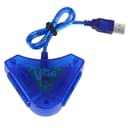
🎮 Relive your retro gaming glory with modern PC ease!
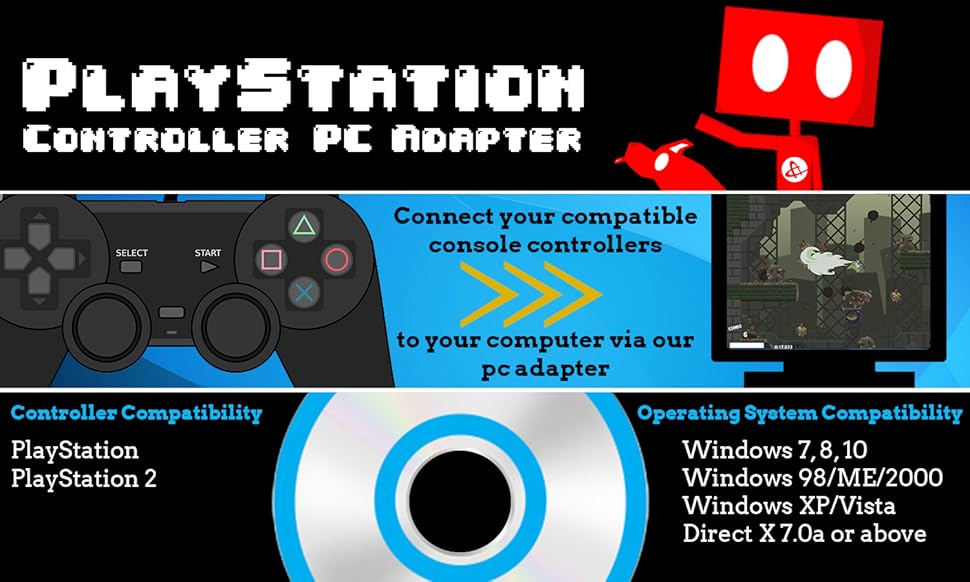
The HDE PSX PS2 USB Dual Controller to PC Adapter Converter bridges classic PlayStation controllers and peripherals to modern Windows PCs with plug-and-play simplicity, full DualShock vibration support, and customizable button mapping—perfect for nostalgic gamers and DDR enthusiasts seeking authentic gameplay on contemporary systems.

| ASIN | B01J4JVFXI |
| Brand | HDE |
| Color | Transparent Blue |
| Customer Reviews | 3.5 3.5 out of 5 stars (1,101) |
| Date First Available | June 27, 2007 |
| Hardware Platform | playstation_2 |
| Is Discontinued By Manufacturer | No |
| Item Dimensions LxWxH | 6.6 x 4.8 x 1 inches |
| Item Weight | 4 ounces |
| Item model number | HDE-H05 |
| Manufacturer | HDE |
| Operating System | PlayStation 2 |
| Product Dimensions | 6.6 x 4.8 x 1 inches |
E**R
Worked for Cobalt Flux Dance Pads on Windows 10
I have a pair of Cobalt Flux dance pads I originally got to play DDR on my PS2. I tried a lot of different driver and adapter combinations to get my Windows 10 laptop (running Stepmania 5.1) to recognize their input properly. After many hours of failure, I finally got some success with an old "Trenro Dual PlayStation/PlayStation 2 to PC USB Controller Adapter" that I had purchased from Amazon long ago. This was nearly perfect, though it did swap the pads around so the one plugged into the left slot was player 2 and the one in the right was player 1. This HDE Adapter looked almost exactly the same, so I gave it a try, and voila! It worked on Windows 10 (I didn't even need to install any drivers), and when I ran joy.cpl (a joystick/controller diagnostic program that comes with Windows), I could see that each button press registered reliably. I was able to map all the buttons in StepMania, including "Start" and "Select" from my cobalt flux control box that converts from the pad pin out to PS2). I just had to enable the Axis Fix feature in StepMania for the up/down and left/right jumps (through Options -> Input Options -> Advanced Input Options -> Axis Fix), so that two opposite directional arrows will be recognized at once. So many of the other adapters available just don't seem to work with PS2 dance pads, so I was very happy to find this.
G**N
Not for Windows 7 64-bit
This is an echo of some other reviews I read but I figured I'd be right up front about it. Doctor Who is a great show. You should watch it. On topic, I can't honestly give the item a rating because I wasn't able to use it, so I'll go with the one star. I read the regular description, and while I normally look over the reviews as well, this time I didn't. At least not for this iteration. This little blue plastic deal is on Amazon multiple times, so I think I had looked over one of the other ones at some point before getting this one and missed the "it doesn't work on Windows 7 64-bit" part. I probably browsed it while watching Doctor Who. I wanted something to use my PS2 controllers with the PSCX2 emulator because the cheap USB PS3 controller did not separate the analog sticks from the D-pad and buttons (kinda dumb, but that's another product entirely). So my entire goal was finding something to get me some analog sticks to work. I plugged it in initially, and I got the same basic result as my USB controller except that the analog sticks did nothing. I installed the drivers on the CD-R that came with it (yeah, a CD-R; my cheap USB controller came with the same brand of mini CD-R of worthless drivers), and still nothing. I searched the internet for drivers, and nothing I found worked. Sure, the buttons worked, but I need those analog sticks. Not even my sonic screwdriver that people tell me is just a toy. I don't believe them. It totally unlocks my car doors if I'm secretly holding my keyfob in my other hand. I thought about trying it again later, but then I remembered how long I worked on that USB controller to no end, and I decided to just return the silly thing and try something else. Does it work? Sort of. I got the buttons to all work, so it does read the controller and translate it to something the computer can see. Several people say it works, so perhaps their OS is different from mine. On Windows 7 64-bit, though, it will not. Don't waste your time with it. On the bright side, I did also get a Mayflash N64 to USB converter and it worked fine, so I'm trying the Mayflash version of the PS2 to USB that does GameCube and Xbox as well. Maybe there will be some love there. Just like people love Doctor Who. And those Fempiror things.
R**.
I don't bloody believe it! IT WORKS!!!
It works!! It ACTUALLY works!! No CD, no setup, no driver, no bull!! It has a few kinks, however; I can get it do lateral movements (up, down, strafe, etc), and Control Stick and Action Buttons Work (O,X, Square, Triangle, etc); they count as "Joy Buttons". But getting the Controller Stick to recognize Aiming is tricky... I have trouble getting that to work.... maybe you could make it work?.... You still have to rely on the keyboard for Chat and other Functions, and the Mouse for Aiming (FPS) or Menu Interface; so DON'T chunk that Mouse thinking the Controller does everything! If I can't get the Aiming to work like a Consel FPS, I just use the Mouse to Aim with my Right Hand, and the Controller's Left Thumb Stick in my Left Hand for latteral movement (up, down, strafe, etc); it works well that way.. ;) heh heh. Of coarse, you can always reverse the Controlls if your Right Handed (the Action Buttons to Move). But the BOTTOM LINE IS: it works. It's not perfect, it's a ways off from replacing those expensive PC Controllers (which do work), and it's not a full release from a Keyboard (I recomend a Wireless), but it sure beats that clunky, tank-like Mouse and Keyboard style! (No dis to any Keyboard users- if you can master it, more power to you) Score 1 for us Controller Purists! The time for Consel x PC Crossover is here! Well, sort of. At least affordably!
A**R
The item was as described, and arrived on time. Works on Playstation Classic also. Thank you!
J**L
Al momento ha funcionado muy bien , tengo con el producto alrededor de 1 0 2 meses.
S**V
Beim ersten steckplatz wird der analoge linke stick nach oben nicht erkannt, sonst alles schick
F**L
I have an old Liksang SmartJoy Dual that run flawlessly without drivers. PS2 HDE offiical website claim that the adapter does not need drivers for Windows 10. The Built-in driver see the device, but fail to detect buttons press. The disc included 8 driver, I used the double vibration driver (The one suggested by some reviews). The driver fail to install if you dont have Direct x 7. (WOW its 2020 nobody use Directx 7 anymore) The driver still load, but crash .DLL library in the config pannel with Windows 10 1909. Seriously, unless you got a Windows XP or a linux distro that support this junk save your money and buy an PS4 Controller. Microsoft does not support PS4 controller, but at least Steam does so you wont waste your money. Thank me later.
A**O
EL PRODUCTO NO ME SIRVIO A MI POR QUE MI TAPETE DE BAILE ESTA DAÑADO TENDRE QUE PROBAR CON UN CONTROL DE PS
TrustPilot
vor 3 Wochen
vor 1 Monat