We remain fully operational. Our teams are working around the clock to ensure your deliveries continue safely.

Laden Sie die App herunter


Kundendienst
Copyright © 2025 Desertcart Holdings Limited
Laden Sie die App herunter
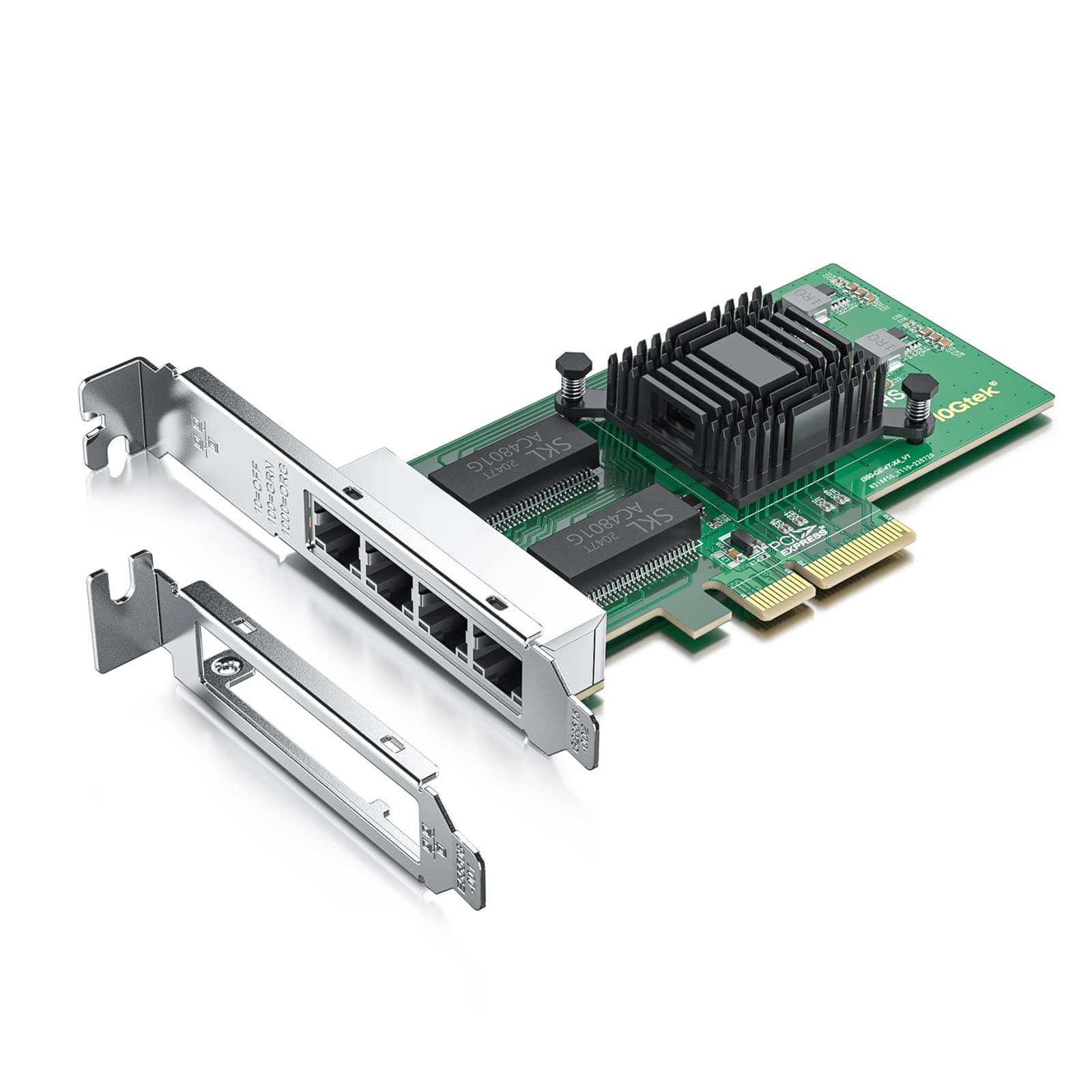
🚀 Quad-port speed meets eco-smart efficiency — network like a pro, power like a boss!
The 10Gtek Intel 82580 Quad-Port Gigabit Ethernet Adapter leverages the trusted Intel I350 chipset to deliver reliable 1Gbps connectivity across four RJ45 copper ports. Featuring PCI Express 2.1 x4 interface with 5 GT/s throughput, it supports advanced power-saving technologies like Energy Efficient Ethernet and DMA coalescing. Compatible with a wide range of operating systems and equipped with both low-profile and full-height brackets, this NIC is engineered for professional-grade networking in virtualized and high-demand environments.


| ASIN | B01H6NE4X2 |
| Best Sellers Rank | #25,782 in Computers ( See Top 100 in Computers ) #46 in Network Cards |
| Brand | 10Gtek |
| Color | 4-RJ45 |
| Compatible Devices | Computers (with PCI Express slots) |
| Compatible Operating System Family | Windows |
| Customer Reviews | 4.6 4.6 out of 5 stars (996) |
| Data Link Protocol | Ethernet |
| Data Transfer Rate | 1000 Megabytes Per Second |
| Hardware Interface | PCIE x 4 |
| Item Weight | 191 g |
| Manufacturer | 10Gtek |
| Mfr Part Number | 82580-4T-(I340-T4/E1G44HT)-(Intel-1pc)jp |
| Model Number | 82580-4T-(I340-T4/E1G44HT)-(Intel-1pc) |
| UPC | 603149410732 |
R**D
Nachdem der Ethernet Anschluss meines Family Controllers immer mehr zickte und die über Fritzbox und Netgear Switch angeschlossene Synologie DSM 720+ / DS223 i.d.R. nur noch mit 11 MBps diente, wurde es Zeit für eine neue Netzwerkkarte, die mit meinem ASUS Z390 (Intel Chipsatz) wieder mit größer Faktor 10 Daten austauschen sollte. Ich hatte mir zuvor den Intel Driver und Support Assistenten kostenfrei heruntergeladen, der sofort die eingesteckte Karte erkannte und den richtigen Treiber installierte. Einmal die Fritzbox gebootet und nun stabile 113 MBps mit meinen Synologys. DSL bringt abhängig vom Provider volle Leistung mit 250 Mbps bei Download. Aus meiner Sicht eine gute Investition, vor allem wenn ich daran denke wieviel Zeit ich mit Fehlerrsuche und Kabeltausch verbracht habe.
T**M
When building a Linux system the last thing you want to deal with is weird drivers. So I always look for Intel or Broadcom chipsets in ethernet cards. Intel chipsets in particular are pretty much guaranteed to work. Most of the servers I build have Intel I350 ethernet cards for a reason. They're fast, reliable, and use the rock-solid "igb" driver that you can be absolutely certain will be included in the stock kernel from any Linux distribution The I350 controller chip has been in production since 2011 and Intel plans to manufacture it through 2031. It's fast, reliable, inexpensive, and uses only 2.8W of power. Those features, combined with the high availability of the chip has made it ubiquitous on server motherboards. As a result it's extremely well supported by any operating system you might want to use. Thie PCI interface on the card identifies itself as being built by Beijing Sinead Technology Co. The ethernet MAC address has the correct prefix (98:b7:85) for Shenzhen 10Gtek Transceivers, which matches the name of the seller on Amazon. That's always a good sign; they're using properly assigned MAC addresses rather than just cloning some other card. The card appears to be identical to the I350 cards sold by Intel. The only difference is the price, which is less than half what Intel charges. I'll probably buy more of these in the future. Great pricing and like the other 10Gtek products I've purchased in the past it's a solid product.
N**L
Je souhaite mettre les NIC sur esxi 7 impossible !!! Expliquer moi comment faire svp
N**N
Die Netzwerkkarte ist für mein internes Netzwerk verantwortlich. Sehr gut ist, dass die MAC-Adresse auf einem Aufkleber zu finden ist. Falls Sie die drei folgenden 4 Zeilen nicht verstehen, lassen Sie sich von einem Debian-Kenner instruieren; ICH WERDE KEINERLEI WEITEREN ANFRAGEN IN AMAZON DAZU BEANTWORTEN. Mit den 4 Zeilen ist alles Relevante geschrieben. Falls Sie die Zeilen veröffentlichen, ist das Copyright beizufügen. Debian-Linux (© by Dipl. Ing. Peter Pranter, 2024 ... ) Wenn Sie die Intel-Treiber (non-free) installiert haben, wird die Karte als "e1000e" erkannt. Falls Sie "udev" installiert haben, müssen sie folgende Zeile in den "70-persistent-net.rules" einfügen: SUBSYSTEM=="net", DRIVERS=="?*", ATTR{address}=="<MAC-Adresse>", NAME="<Netzwerkname>"
C**L
Simple à implémenter et efficace.
TrustPilot
vor 2 Monaten
vor 2 Wochen