We remain fully operational. Our teams are working around the clock to ensure your deliveries continue safely.

Laden Sie die App herunter


Kundendienst
Copyright © 2025 Desertcart Holdings Limited
Laden Sie die App herunter
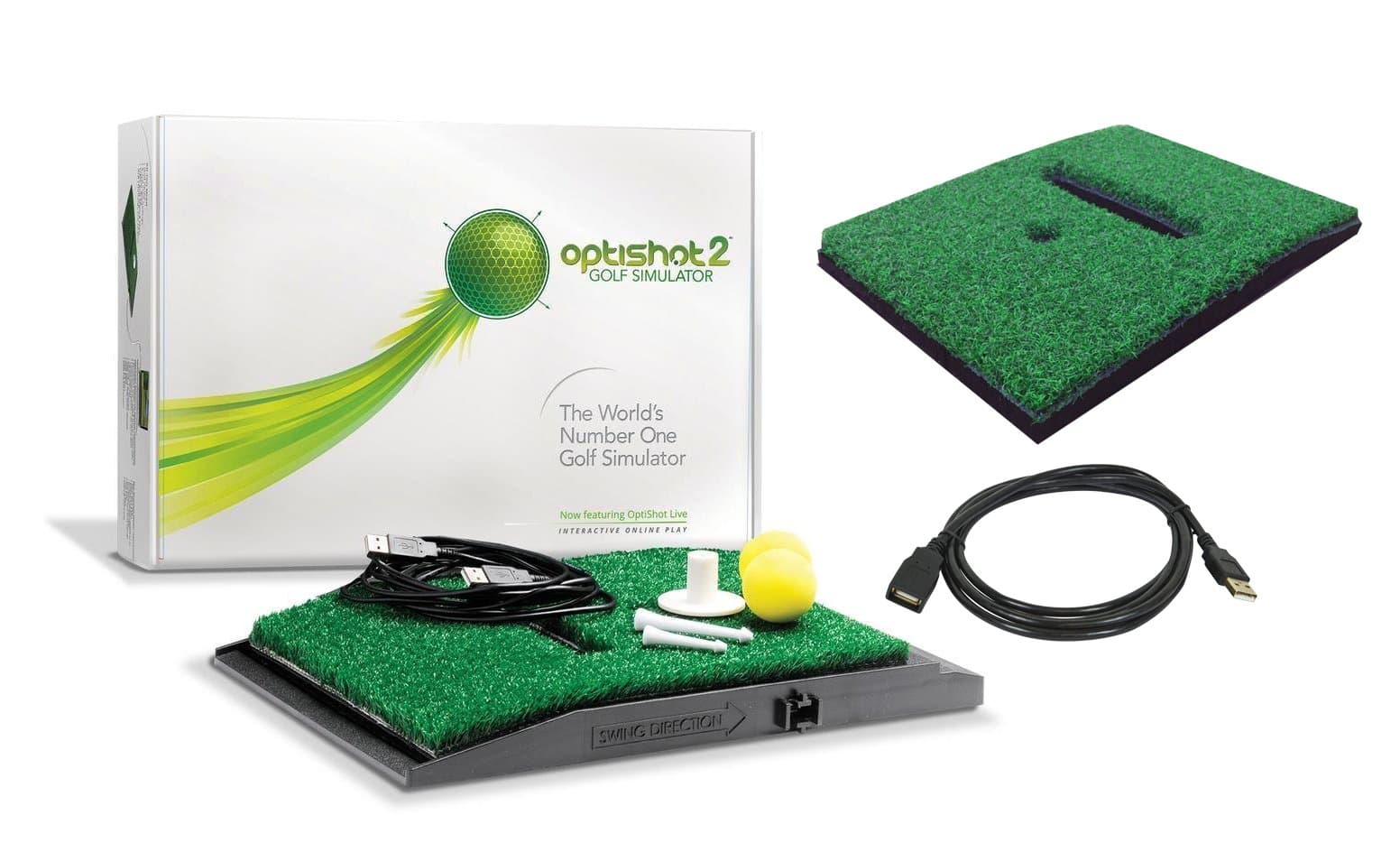


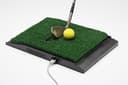


🏌️♂️ Elevate your home game with pro-level precision and endless play!
The OPTISHOT 2 Golf Simulator Bundle delivers a cutting-edge indoor golf experience with 16 high-speed infrared sensors that track your swing in real time. Designed for Mac and PC, it includes an extra replacement turf and a 15ft USB extension cable for versatile setup. Durable and easy to use, it connects to HDTVs or projectors, offering a realistic, year-round training solution that fits perfectly in any home or office space.




| ASIN | B01FRKUTEY |
| Brand | OPTISHOT |
| Brand Name | OPTISHOT |
| Cable Type | USB |
| Color | Bundle |
| Compatible Devices | PC, Projector, Television |
| Connector Gender | Male-to-Female |
| Connector Type | USB Type A |
| Customer Package Type | Standard Packaging |
| Customer Reviews | 3.6 3.6 out of 5 stars (52) |
| Date First Available | December 10, 2014 |
| Frequency | 48 MHz |
| Indoor/Outdoor Usage | Indoor |
| Item Dimensions LxWxH | 16.3 x 11.3 x 4.1 inches |
| Item Package Dimensions L x W x H | 16.7 x 11.8 x 5.5 inches |
| Manufacturer | optishot |
| Number of Pins | 4 |
| Package Weight | 3.92 Kilograms |
| Part Number | OptiShot 2 Golf Simulator |
| Shape | Round |
| Special Feature | High Speed |
| UPC | 736024512259 736024513232 721577163140 |
| Unit Count | 1 Count |
S**9
The Best Simulator for the Average Golfers Home!
This is the best product for any golfer. When the seasons aren't in the favor of golfers, many would like to keep there swing continuing through the seasons. When you go out to use a simulator, the cost is very high, and to have one at home is awesome. The first comment I will make is if you go into purchasing this product assuming you will get the same accuracy as a $10,000 simulator, you shouldn't purchase this. Expensive professional simulators use ball tracking to provide the most accurate 'simulation' to an actual hit outdoors. They also require large equipment, and in most cases a dedicated room to be used solely for the golf simulator. This simulator uses swing (club) tracking to provide calculations and assumptions on where the ball should go. This will provide you with a lot of information about each swing. You will see the path of your club, with face angle and swing speed. This data is accurate and very useful. The courses are designed beautifully and the software has been flawless. We use the simulator in the family room, with no ball and net. We project the computer onto the TV; more about that below. As far as computers, this requires you to plug in a USB into a computer and run the program to play. I currently use this with a I7 dell laptop. It seems that the software is not graphics intensive, hence we are running on maximum quality with no issues with frame rate. The setup we have is the computer is connected to our receiver which is connected to a 4K TV. The computer is outputting 4K so even though the software is not native 4K in quality, there was a noticeable difference with changing the Windows output settings to 4K over 1080P. Basically you do not need a net, projector and everything else to enjoy this. Using only the mat with a TV and computer works perfect. The other option that works would be use a MacBook with an Apple TV. You can use Airplay Mirroring on a Mac to an Apple TV and stream the game onto your TV without having to connect HDMI to your Mac. This is a great option if you don't have a computer you could dedicate to this setup. The software has worked perfectly on Mac as well and runs natively without any issues. The quality has been fantastic. We have hit the plastic and the sensor lights multiple times with clubs at full speed and have had no issue, honestly there isn't even a scratch. You will be surprised when you see that this product is heavy and is built like a tank. In the combo they include the extra mat and extension USB cable which is nice. The quality of the turf seems to be fantastic after daily use for the past 2 months. Optishot includes many premium courses for purchase which are quite expensive and we haven't felt the need to purchase them as there is a wealth of courses included in the software for free and with the ability to change conditions you could change the way the courses play from green speed to weather, They also have a season pass you can purchase and can compete in tournaments. We haven't tried that so I can't speak to the quality of that. For the price, you can't beat this for golf training. Look at golf training aids such as radar monitors for driving ranges that cost upwards of 200 and sometimes 300 to 350 dollars, when this is in the same range but is a lot more fun to use and still seems quite beneficial even without a ball.
G**L
Good value purchase
I bought this Optishot because I was contemplating buying a golf membership at the golf course on base. I knew I was going to be moving in 4 months and the price was the same for a membership and the Optishot 2. I did about 3 weeks worth of research before pulling the trigger on a $300+ purchase. When I recieved the Optishot it was very well packaged. I use a MacBook Pro so I downloaded the MacBook software without any issues. I have been using it about 4-5 days a week for about a month now and I will say I absolutely love it. It is a lot more accurate than I thought it would be. I have read reviews that said it didn't register if you topped the ball, but I can assure you (unfortunately) that it will register if you top the ball or if you do the exact opposite. On that subject I have found it very durable, I have hit down it very hard multiple times and It has not even shown the slightest ware. The extra turf pad it comes with is nice, but I don't foresee needing it any time soon. I made a makeshift mat to stand on to be at the same level as the Optishot, however I would recommend buying the mat that goes with it. I tried to buy that but they wouldn't ship it overseas. The one negative thing I would say about this machine is the short game is somewhat hard to use. I like to use a flop shot if I am within about 10-20 feet of the green but with the sensors it only registers it as having my club face way to open and shows it as a mis-hit. Overall I am very happy with the purchase and would recommend to a friend. Pros: Price Durability Driving/50+ yard Accuracy Cons: <50 yards accuracy
T**R
Cheaply made game...nothing more.
Very inaccurate. Impossible to really gain anything from this. Don't buy this if you are looking to improve your game in any way. It is not even a real simulator...it is nothing more than a inaccurate game. Wish I could return it for a refund but I dont have the option. Must be out of my return window. This will just take up dust as I wont ever use it again.
M**O
... this toy quite often and it has helped me fine tune my golf swing
I use this toy quite often and it has helped me fine tune my golf swing. I set it up in my garage and use the "Almost Golf" balls. I truly like it and will continue using it. Information provided is club head speed, path through the hitting zone and face angle. The only bit of information I want is angle of attack.
J**N
OptiShot 2
For $400 works pretty well. Irons are fairly accurate but the woods not so much. If you place white tape on the bottom to help smooth it out it will show consistent results. I would suggest you watch some of the videos on youtube to give you ideas on how to make your clubs more accurate.
L**O
Not near worth the price!!!
This product does not pick up on my swing, for the amount paid, I am now passed return status and the accuracy is poor. I am disapointed in the product and not being able to detect most of my swings. Was hoping to put this to great use on days of weather issues or working part of the day. Wish there was something I could do. But not worth the money you pay.
TrustPilot
vor 1 Monat
vor 4 Tagen