Some deliveries may take a little longer than usual due to regional shipping conditions.

Laden Sie die App herunter


Kundendienst
Copyright © 2025 Desertcart Holdings Limited
Laden Sie die App herunter




🔧 Diagnose smarter, not harder — join 200,000+ pros upgrading their workflow!
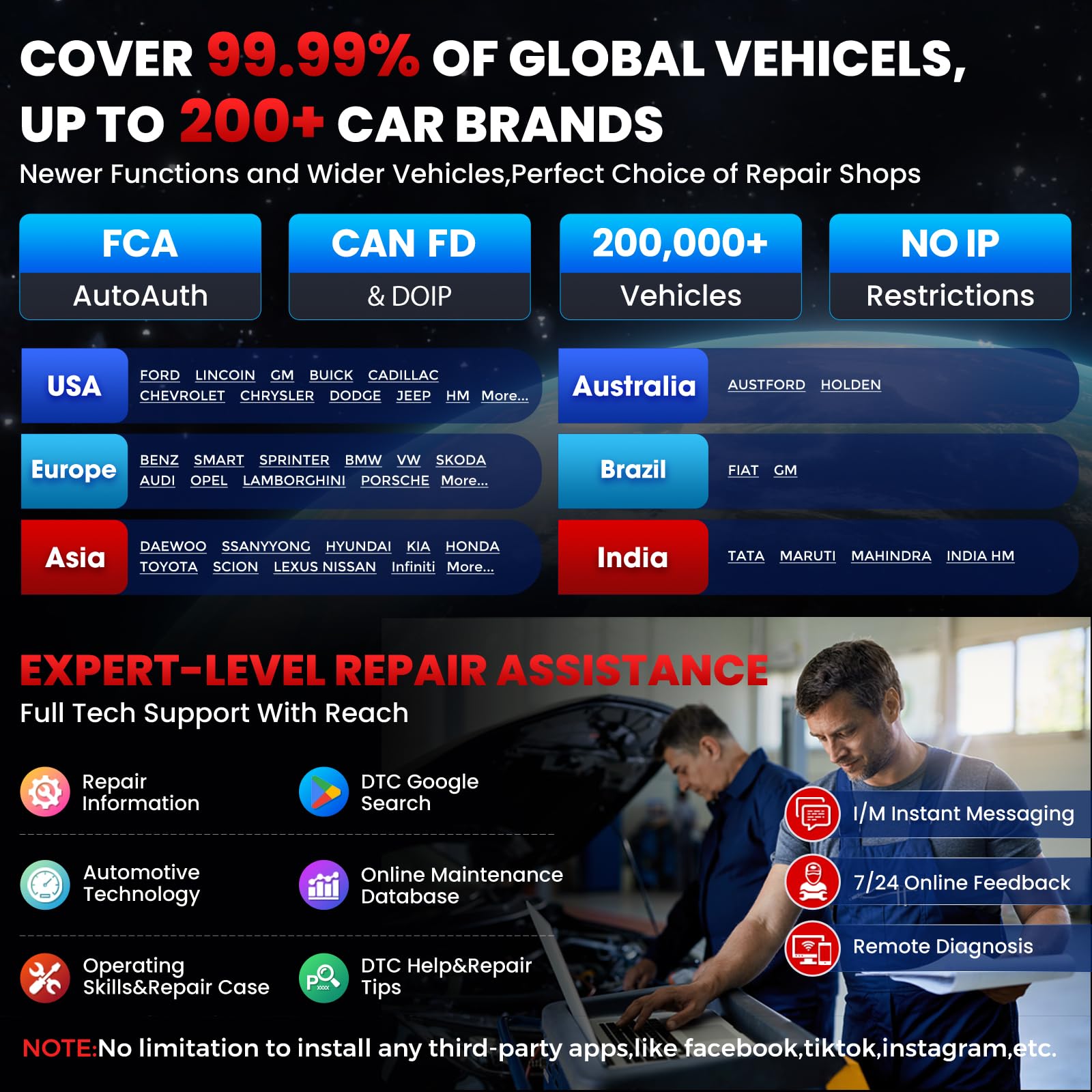
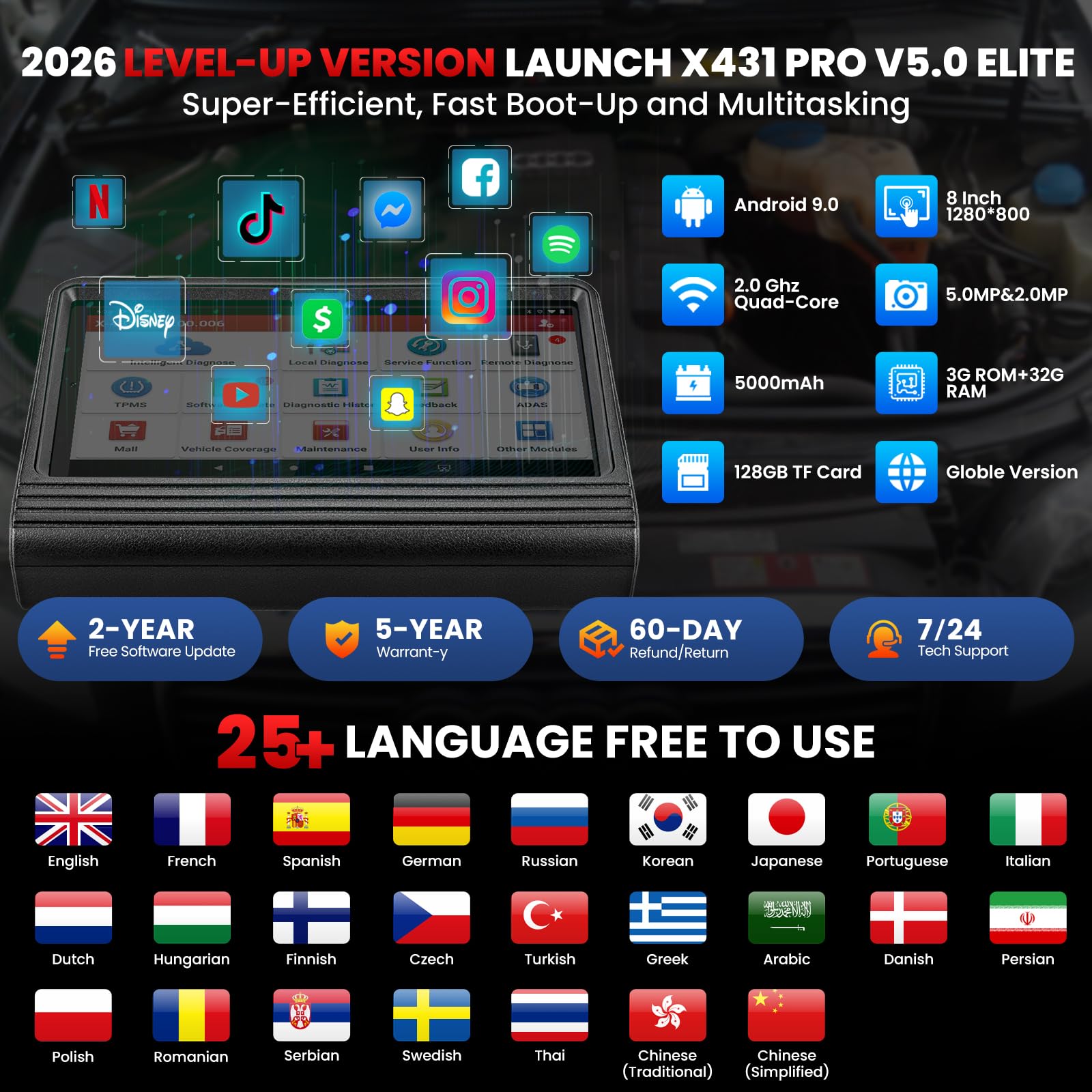
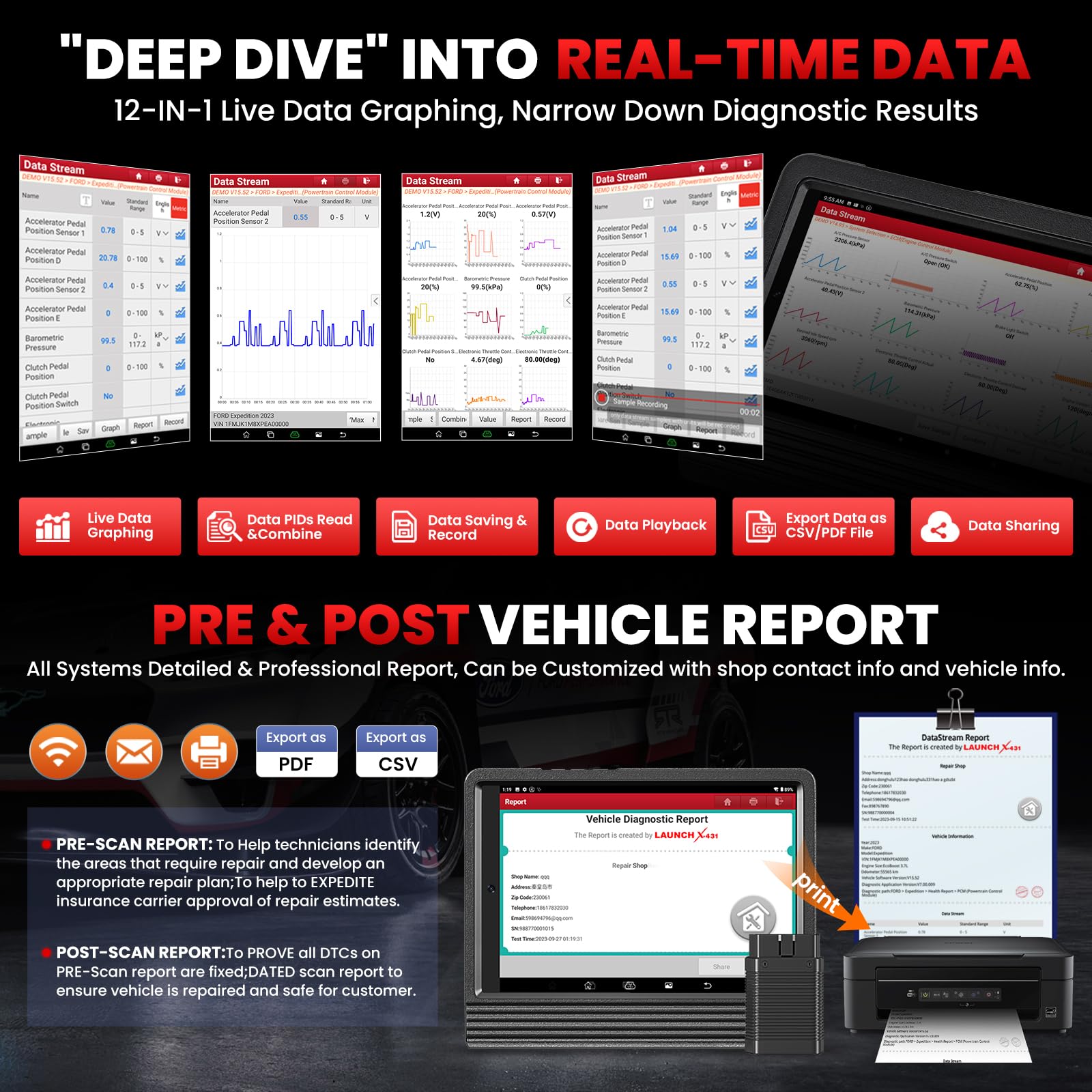
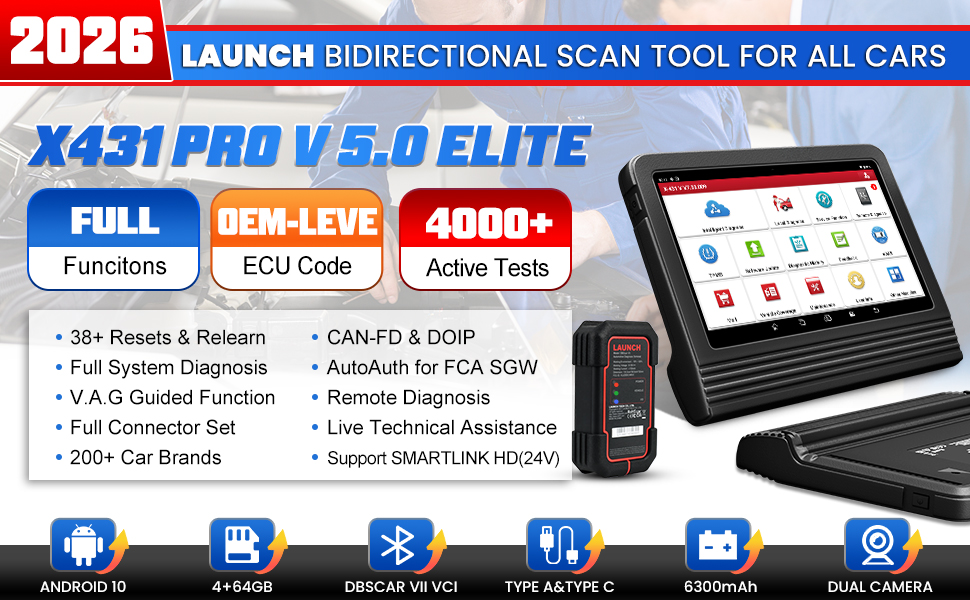
The LAUNCH X431 PRO V 5.0 is a cutting-edge OEM Bluetooth bidirectional scan tool featuring a powerful 2.0 GHz quad-core processor, an 8-inch high-res touchscreen, and dual-band WiFi for ultra-fast diagnostics. Covering over 200 vehicle brands and 200,000 models globally, it offers 4000+ active tests and 38+ reset functions, including online coding and adaptation. With a robust 6300mAh battery and 2 years of free updates, this tool is engineered for professional mechanics and serious enthusiasts seeking comprehensive, wireless, and future-proof vehicle diagnostics.




| ASIN | B01GRN4BRQ |
| Best Sellers Rank | #84,921 in Automotive ( See Top 100 in Automotive ) #471 in Code Readers & Scan Tools |
| Brand | LAUNCH |
| Brand Name | LAUNCH |
| Customer Reviews | 4.3 out of 5 stars 1,044 Reviews |
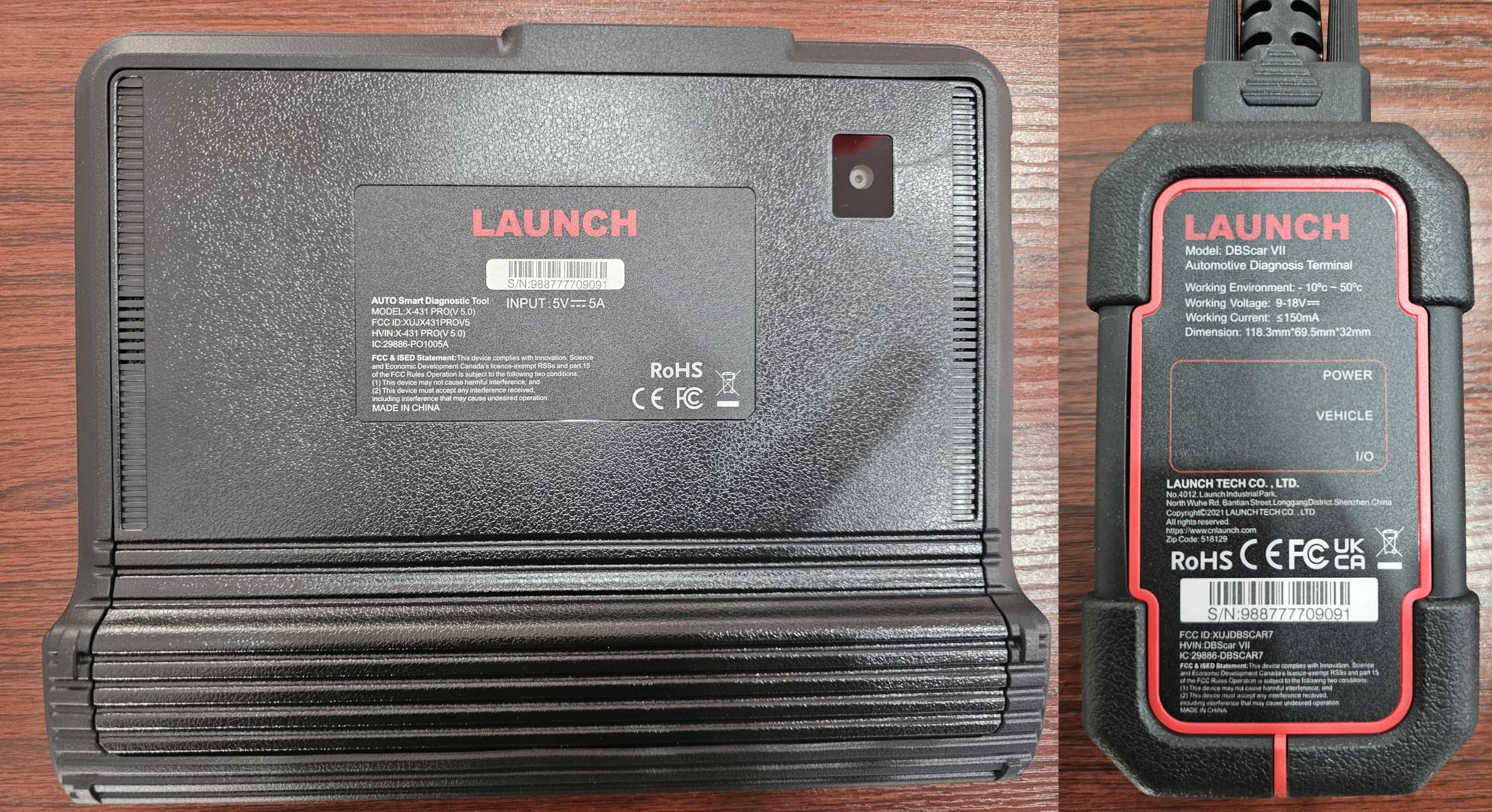
| Included Components | 12 Connectors:Benz-38,Benz-14,BMW-20,Chrysler-6,Ford-6+1,GM/VAZ-12,Honda-3,Kia-20,Mitsubishi/Hyundai-12+16,Toyota-17,Toyota-22,Nissan-14+16, Type-A to Type-C USB cable,Battery clamps cable,Fuse,Cigarette lighter cable, User Manual;Quick Start Guide;Confidential Letter;Software List;Storage Case, X431 Pro V5.0 Host,DBSCAR VII connector,UK/EU/US Plug,HDB15F to HDB15F data cable,HD15M to OBDII 16 ada… |
| Item Dimensions L x W x H | 5.91"L x 1.97"W x 7.87"H |
| Item Type Name | X431 Pro V5.0 Elite |
| Item Weight | 600 Grams |
| Manufacturer | LAUNCH |
| Manufacturer Warranty Description | 5 Years Warranty |
| Native Resolution | 1280x800 |
| Operating System | Android 10.0 |
| Power Source | Battery Powered |
| Product Dimensions | 5.91"L x 1.97"W x 7.87"H |
| Screen Size | 8 Inches |
| UPC | 713893387485 |
| Unit Count | 1 Count |
E**Y
Outstanding Diagnostic Tool for Professionals and Enthusiasts!
I recently purchased the LAUNCH X431 V Pro 5.0 Elite 2024 New Gen, and I couldn't be more satisfied with my purchase. As a professional mechanic, I've used various diagnostic tools over the years, but this one truly stands out. The comprehensive vehicle coverage supports a wide range of brands and models, making it incredibly versatile. The tablet interface is intuitive and easy to navigate, even for those who aren't tech-savvy. The speed and accuracy of the diagnostics are impressive, quickly identifying issues and providing detailed reports that save valuable time. The Bluetooth connectivity allows for a seamless and convenient connection to the vehicle, eliminating the need for cumbersome cables. Regular updates ensure that the device stays current with the latest vehicle models and diagnostic protocols. While the initial setup took a bit longer than expected, once configured, it worked flawlessly. The price may be on the higher side, but the features and reliability justify the cost. It's a worthy investment for any serious professional. Overall, the LAUNCH X431 V Pro 5.0 Elite 2024 New Gen is a top-notch diagnostic tool that has significantly improved my workflow and diagnostic accuracy. I highly recommend it to both professional mechanics and car enthusiasts. Five stars!
M**L
All-Around Great Basic Bi-Directional
Overall a great affordable bi-directional. Has most of the features that a more advanced home mechanic DIY would need or understand. When you get to wanting to use bi-directional equipment, you reach another level of troubleshooting and a level of knowledge YOU need to understand to make sense of what the scan tool is displaying. Remember, it doesn't tell you what's wrong. It gives information and you have to figure out with your brain what the symptoms are pointing you too as the problem. I'm still learning how to use it. It has some evap test that I tried which eliminated some problems I thought I had. Was nice to not crawl under vehicle to get to evap switching valves! Was able to "LOOK" at MAF and TPS values, Fuel trims, Air/Fuel and O2 sensor operations etc, etc. The unit comes with a Bluetooth OBD2 VCI (Vehicle Communication Interface) that sends data to and from the tablet which is actually a Lenovo TB-8505F. The unit uses the camera for taking pictures if you need to. It can be removed from the protective rubber case to add a larger memory card. Since it is a tablet you can load other OBD2 programs besides the X-431 Launch program. It came with other loaded programs. Google, obviously since it is an Android tablet, along with all the normal tablet functions. Just don't let it fill up with crap and download everything in site! Keep a tight rein on it to save speed of operation. I have Torque loaded on it and use the BAFX OBD2 unit since it has good advanced Prius PIDS inc individual batt cell values. Also have to mention that it comes with MANY OBD1 adapter plugs that earlier vehicles used. While I do not really need them, and the data is rather limited that can be extracted from early OBD1, it has the capability including cars from all over the world I haven't even heard of. And finally I must mention that I did need some support from the vendor. They were FANTASTIC! I had a problem with one of the connectors on an adapter cable. Explained the situation and eventually after a few e-mails between us, they graciously sent me a new cable quickly all the way from CHINA! Now I know people are leary of getting things from China. But let me tell you folks, their making some good stuff-- and in some ways even better that things from USA. Just Saying. Make sure when buying from AMAZON that you buy Launch brand scanners through CARDIAG TECH CO. Ltd. It is based in China and you must communicate via e-mail if you need assistance. Replies come back within 24 hrs. Be patient. They must have assistants who speak English because the e-mails are in good english. I dealt with a woman named Doris. Very pleasant and helpful. Did everything they promised including a new cable with tracking info and super fast shipping at their expense. Totally impressed. Remember CARDIAG---don't order it from anyone else. Have fun figuring out problems on you vehicle. Very satisfying when you get it fixed without replacing tons of expensive parts--- just the one that is broke!! Use your brain--not your inheritance!!!
Z**L
A lot of diagnostic capability, but I'm not sure if it's the top dog in scan tools
I used to be an ASE master tech. I also spent several years as a fuel injection specialist. I've moved on from the automotive industry but I still work on my own cars, and I do some favors for close friends. I've used a fair number of scan tools in the past, but when I left the automotive world I also left behind my access to them. For a few years I used an ELM327 Bluetooth adapter along with the Torque app. Excellent bang for the buck but if you're doing much more than reading codes and live data, you start finding its limitations. I bought an AL539b when I started having to do more diagnostic work to keep my own aging fleet on the road. Again, a lot of bang for the buck and I wouldn't be without it even now, but there came a point where I wanted true bidirectional controls and a lot more diagnostic capability. I bought this Launch as part of a lightning deal for less than $750. At the time, nothing could touch it from a price vs. capability standpoint, and even now (3 years later) I still think I got a great deal. This scanner is very capable. I've used it to pull codes, read data, run bidirectional commands and initiate tests on several different OBD2 vehicles from about 1997 to 2018. It has worked well enough on all of them for me to complete and verify repairs. If you're looking for a lot of diagnostic capability at a very good price, this tool is worth serious consideration. When this tool debuted, it was fighting tooth and nail with the higher-end Autel scanners (the 808 and maybe the 908 series). I bought the Launch after doing some fairly in-depth investigation because at the time the Launch seemed to be edging out the Autels by a hair in terms of both performance and reliability. Since then, a couple of other players have entered the game. I know of (but have no experience with) the Topdon Phoenix and the Thinktool Pros, but there are probably others. There are also several versions of the Thinktool, Autel, and Launch offerings (probably the Topdon as well), all at different price points and sometimes with multiple revisions depending on year. If this is starting to sound like a real can of worms, that's because it is. Like I said, when I bought this Launch it was a SCREAMING deal-- less than $750 for a scan tool with full bidirectional controls, a ton of diagnostic ability and the ability to connect to many, many vehicles (even some pre-OBD2 stuff, though I haven't needed it yet). Would I buy it again today? Maybe. If I could get a lightning deal on it like I did in 2019, I would most likely buy it and not look back. For a (pretty serious) home-gamer like me, this thing offers more functionality than I'll likely need for years. However, if you take the lightning deal away, the current price of $900 (as of this writing) makes it a little less expensive than the Thinktool Pros that Ivan at Pine Hollow Auto Diagnostics has been using. The Thinktool looks just a little more useful and perhaps a little more user friendly as well. I really like the network topology feature of the Thinktool, and it seems to communicate pretty quickly as well. It's about $250 more expensive, but it's still pretty tempting. Don't get me wrong. I really like the Launch and it has saved me significant amounts of time on some repairs. I probably couldn't have done much better with any other brand and I don't regret buying it at all. But I'm not sure the choice is as clear-cut today as it was in 2019 when I bought it. If you want a very capable, usable scanner that has good vehicle coverage for not a lot of money, the Launch is a solid choice. It will probably do almost everything you want. But if you're comparison shopping, I'd take a very close look at the Thinktool Pros (and probably the Autel tools as well). Diagnostic capability is advancing at a very high rate, and this price segment appears to be well-populated and very competitive.
B**.
Super reliable
Such a wonderful product, very satisfied, more than what I expected
K**D
Must have item for future cars!
I was skeptical at first. Im not a garage guru be any means either. I have a 2018 ram 1500 crew cab 4x4. Lifter failure hit me at 100k. So I rebuilt the motor. Cam , lifter, oil pump, and water pump. This device did a cam pos relearn, throttle pos relearn, and identified a faulty map sensor signal wire. 1. It's very simple loadup and register. 2. No I didn't buy subscription for SGW. You may have to per vehicle per year and if there is a bypass. You will need a bypass cable. 3. Easy to navigate. But a complex system at first. If you understand how a motor works or communicates. Just cause you clear a code doesn't mean it goes away. I had yo go to the direct system or menu option to clear dtc after fix. I also replaced suspension system and this device is capable to program replacement hubs to my pcm. Im a do it yourself guy. Now everything i did to my trucking a garage would have cost a ton more then this item cost me! I will invest in some add ons like key programmer and tpms accessories. Willing to help friends and family. Yes this item ALREADY paid for itself in mechanic costs. Now a 50% to 75% markdown on helping friends or family i could make a profit if I wanted. If you like working on cars hands down BUY THIS OR BETTER OPTION!!!! you won't regret it!
D**S
Good tool but not recommended. Low quality
I originally reviewed this scan tool at 1 star because the screen powered up like broken pixels. I contacted the company and they weren’t willing to help. They told me they’d send me a new android tablet to replace that one if I would change the review, so I did change it to a 5 star. Bang for buck it’s a solid little scan tool. Lo and behold, they reneged on that and did not offering a replacement for me. I’ve had an intermittently working screen on this scan tool since a month or so after purchase. I provided photos demonstrating the screen issue, zero evidence of damage. To this day I still have the white foam layer that comes new in the box in there. I would recommend buying a different scan tool. A lot of them out there. This one doesn’t offer much for support. It’s also wildly annoying that you have to relog in with WiFi every month. I’ve never used this in a spot where I had access to internet and have to setup a hot spot to do that ever time I open it up.
C**Z
Excellent Aftermarket Scanner, So Far...
10-25-18 I'm reviewing the X431 V Launch Bidirectional Scanner. I have to say I'm quite pleased with it so far. I purchased this about 2 months ago and have given myself enough time to test this scanner on various makes, yrs, and models. This scanner does do both OBD1 & 2, however, it only goes back certain years depending on the make, even though this kit includes the adapters for older. For example, on Toyotas, I think the earliest it would connect to is '90, but on a Ford it may have been '88. I tried to connect to an '86 Chevy and its earliest support was '91 or '92. Also note that OBD1 has very limited bidirectional control and PIDs. I also tested this on a variety of OBD2 vehicles and tested as many of the bidirectional controls as possible. Not all functioned smoothly, but on some models I was quite surprised at the amount of functions I could use. I tried the graphing and combined graphing features, which depending on the vehicle, the refresh rate was quite quick. Keep in mind, the more PIDs you view at once, the slower the refresh rate. So when really trying to pinpoint faults or dropouts in the graph mode, I try to keep it at 4 or less, depending on the system. Sometimes graphing 1 is enough, such as TPS or a known problematic ABS sensor. The battery is sufficient enough to do long term diagnostics on a vehicle. Run time while using it, may last about 4 hrs, I'd say. Much more if just on and running. My biggest gripe is the charge time. I think it's about 4 or 5 hrs to charge it 100% from around 20%. I'll have to time this better. I'm also disappointed it didn't come with a vehicle type charger, as in the Power Port type. I would've also like the Power Port type connector for the OBD1 adapters.... because it only came with the Battery Clamp type. Some OBD1 DLCs are inside the vehicle versus under the hood, and the Battery Clamp type power cable is extremely short. I would've liked the length SnapOn provides for the MT2500 brick. This particular Launch scanner came with the Free WiFi Printer, though this was not what influenced my decision. It was the reviews along with the "seller" reviews... THIS is important, to avoid receiving a 'brick' or have a seller that does not communicate with you. These aren't over the top expensive, but it's still a nice chunk of change to be playing with. My printer arrived the day after my scanner, which took me by surprise, expecting to wait at least 3 days. It was easy to setup and it's convenient to be able to print DTC codes to the customer on a whim. One final note I'd like to add, that this particular scanner is supported directly by a China based company, not the US. Their site does function, but I think it takes a little getting used to, plus your PC may have issues granting you entry to the site, mentioning site may have a virus (I didn't find this to be the case). Continue to try to enter, and you should be fine. I did have issues when I 1st received my tool, but the customer service was phenomenal, which is quite rare today. I'll give the seller the credit and I know not all sellers have this great of communication with their customers. I bought this from the seller "Cardiag Tech CO.,LTD" but fulfilled by Amazon, which I feel is important to list this info. I've come across sellers with variances in their items, including knockoffs, even if listed as same brand. I'll post an update with a durability review.
C**C
Tons of features, gonna take a while to learn it all!
First things first: "Firmware update failed" message when plugging in the VCI to the OBD port for the first time. I fixed this error by unplugging the VCI from the OBD port, then going to the actual tablets settings, click on Connected Devices, select Previously Connected Devices, then select "Forget" on the item in the list. Then plug the VCI back in and the update worked great on the first try. Hopefully this helps if anyone else has the same issue. I just received this item so I haven't had a chance to fully put it to the test, but I did try it out on 4 cars and so far I'm just blown away by all the functionality this thing has! It has more connectors and adaptors than i'll ever need, and the case that holds it all is very heavy duty and stores everything is a common sense manner! Overall the quality of everything seems top notch! This scanner even showed problem with a car that had no lights on the dash! It's a 14' traverse that has no lights on the dash but the launch scanner shows a problem with a window switch that i wasn't even aware of! But the main reason i bought this Launch scanner is for my 00' bmw. My other, muuuch cheaper scanner, showed a problem with the transmission, but the car shifts fine. No other codes found on the cheap scanner. This Launch scanner says the trans is fine, but that there's a problem with the instrument cluster panel. No other codes shown. So i'll have to do some more digging to figure out which one is correct. As far as I can tell the trans and the cluster both work fine, so i'm very confused. But i think once i have more time with this tool and figure out all it can do, i'm confident i'll figure out what's going on! I will update this review once i've had a little more time with the scanner and can try it out on a few more cars! But so far, i'm impressed!!! Well done Launch, well done!
TrustPilot
vor 2 Wochen
vor 1 Monat