We remain fully operational. Our teams are working around the clock to ensure your deliveries continue safely.

Laden Sie die App herunter


Kundendienst
Copyright © 2025 Desertcart Holdings Limited
Laden Sie die App herunter


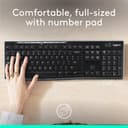
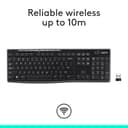
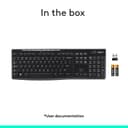
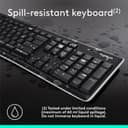
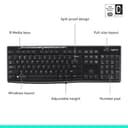


⌨️ Cut the cords, not your flow — type wirelessly like a pro!
The Logitech Wireless Keyboard K270 delivers reliable 2.4 GHz wireless connectivity with a plug-and-play Unifying receiver, ergonomic design for comfortable typing, and smart power-saving features. Compatible with multiple Windows versions, it’s engineered to keep professionals productive without interruptions or battery worries.


| ASIN | B004N627KS |
| Additional Features | Spill Proof |
| Antenna Location | Home, Multimedia, Travel, Work |
| Best Sellers Rank | #136,169 in Computers ( See Top 100 in Computers ) #4,099 in Computer Keyboards |
| Brand | Logitech |
| Built-In Media | USB Receiver |
| Button Quantity | 104 |
| Color | Without Mouse |
| Compatible Devices | PC |
| Connectivity Technology | Wireless |
| Customer Reviews | 4.3 4.3 out of 5 stars (8,926) |
| Enclosure Material | Plastics |
| Global Trade Identification Number | 00097855073358 |
| Hand Orientation | Ambidextrous |
| Is Electric | No |
| Item Dimensions L x W x H | 19L x 146W x 438H millimeters |
| Item Type Name | Logitech K270 Keyboard |
| Item Weight | 1.1 Pounds |
| Keyboard Backlighting Color Support | Single Color |
| Keyboard Description | Wireless, QWERTY |
| Keyboard Layout | QWERTY |
| Language | English |
| Manufacturer | Logitech |
| Model Name | Logitech K270 Keyboard |
| Model Number | 920-003051 |
| Number of Batteries Required | 2 |
| Number of Keys | 104 |
| Number of Sections | 4 |
| Power Source | Battery Powered |
| Series Number | 920003051 |
| Style Name | classic |
| Switch Type | Mechanical |
| Theme | Computing" or "Office |
| UPC | 097855073358 |
| Unit Count | 1.0 Count |
| Water Resistance Level | Not Water Resistant |
P**R
very good price and product thanks regal and amazon platform is good thaks thnks thnks thnks thnks thnks thanks thanks
K**Y
Keyboard is large and easy to use - easy to see the numbers/letters and easy to press.
S**L
Edit 7/24/23: I just picked up a Logitech compact wireless mouse, M325. It did have the unifying symbol on it, and I was able to very easily sync it up with the keyboard. Took about 10 secs for it to do it. I just bought this to replace a keyboard/mouse combo I picked up at the W store about 2 years ago. It's the same model, but this is slightly different. It's white on the bottom, the keys are really quiet and seem smoother, and this one has the unifying dongle to it. My other one was not unifying, and the mouse had gone out. That's when I discovered about the "unifying", and so it was either pay a few more dollars for this keyboard that is unifying and buy a separate unifying mouse, or buy the same combo that isn't unifying which was on sale for 17. And seeing as if one goes out on the combo, you can't just buy another to use on the same dongle, I went this route. I figure in the long run this would be the cheaper option. I had another mouse handy that is not unifying, and it would not sync up with this keyboard. So, if you want one dongle to run both mouse and keyboard, as well as other stuff you need to look for that orange symbol on the dongle or package. Then you need to use the software on the logitech site to sync them together. IMO kinda dumb. Just make everything sync up together. Overall, decent keyboard for me for basic medium web browsing type of use, no gaming. I have the keyboard about a foot away from the monitor, and no issues with it. My old keyboard was still working ok, it just had a bunch of dust and gunk in the keys and a few keys I never use popped off and lost due to my cat digging it up for some reason. I had spilled stuff on it before, and it still worked fine. Battery had lasted, it was going on about 2 years I'd had it.
M**C
The keyboard was purchased as it offers Unifier connectivity. I had never looked at my mouse closely which is a Logi M310. The mouse to my surprise was as well a unifier device. I ordered the keyboard to allow operation of a laptop with the screen closed. Setup was easy after I figured out the process. I had downloaded the Logitech software. I tried to connect the mouse and it was a no go. I did the turnoff the device instruction but no connection. I also reset the mouse thru the software programme. The solution was simple with the keyboard unifier receiver plugged into the laptop port I decided to toggle the actual keyboard on and off and that resulted in the mouse connecting to the unifier receiver that was supplied with the keyboard. The M310 mouse that I purchased a year ago did not come with a unifier receiver. Everything works perfect out of the box on day one.
M**N
This keyboard is everything they say it is, and has a great rebound feel to the keys that professionals like, without being noisy. Syncs with laptop immediately, no delay
TrustPilot
vor 3 Wochen
vor 3 Wochen