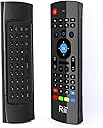
🎯 Master your media center with one remote to rule them all!
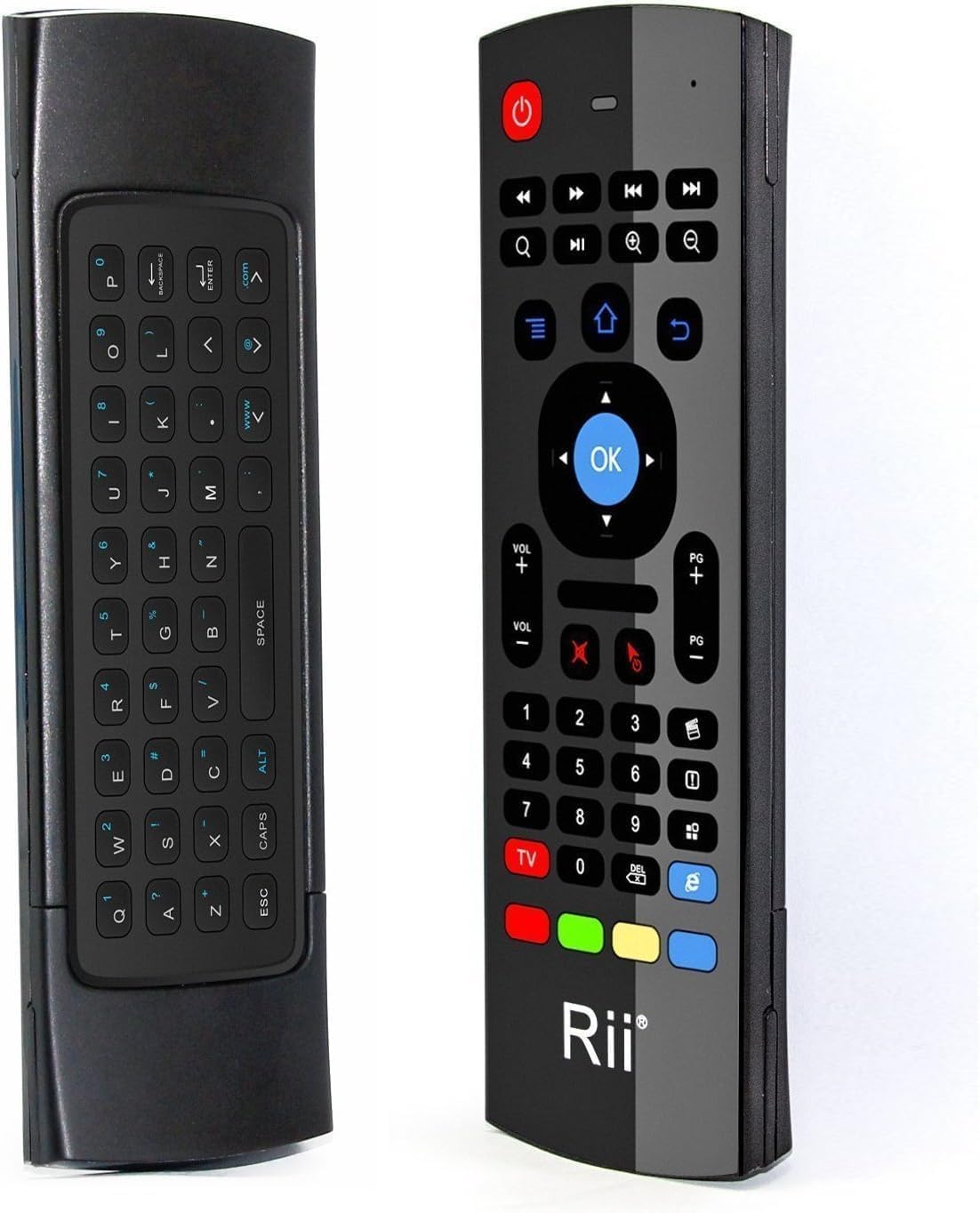
The Rii MX3 is a compact, multifunctional 2.4GHz wireless keyboard, air mouse, and infrared remote control designed for seamless operation with Android Smart TVs, IPTV, Mini PCs, Windows, Mac, and Linux systems. Featuring 6-axis motion sensors for intuitive cursor control, IR learning for custom TV key mapping, and a 10-meter wireless range, it offers plug-and-play convenience and versatile compatibility for a clutter-free, next-level media experience.
| ASIN | B01CL3ZXGO |
| Batteries | 2 AAA batteries required. |
| Battery Type | 2 AAA |
| Best Sellers Rank | #22,095 in Electronics ( See Top 100 in Electronics ) #1,108 in Remote Controls (Electronics) |
| Brand | Rii |
| Color | Black |
| Customer Reviews | 4.0 4.0 out of 5 stars (2,398) |
| Date First Available | March 1, 2016 |
| Is Discontinued By Manufacturer | No |
| Item Dimensions LxWxH | 7 x 4.2 x 1 inches |
| Item Weight | 2 ounces |
| Item model number | FMKRFIRAMT1-IV2 |
| Manufacturer | OEM Computer Keyboards |
| Operating System | Mac OS |
| Power Source | Battery Powered |
| Product Dimensions | 7 x 4.2 x 1 inches |
| Series | FMKRFIRAMT1-IV2 |
G**R
Works straight out of the box
I got this remote to work with my mini PC I got a while back to serve a media center. I got tired of having to use a mini keyboard and mini trackball when I wanted to use my streaming app. I read the instructions and followed them, insert batteries, plug in dongle, turn on PC. The remote was already connected and recognized and ready to go. The keyboard is nice to inter my pin. You can even use the remote to move the cursor like a mouse. The buttons are a good size as is the whole unit for my larger than average hands. I can even turn of the PC with off button so I don't have to get off the couch. The RII MX3 remote is very handy for a PC media center.
B**G
Works As Advertised but Use Caution
I am on a never-ending ergonomic treadmill for my work-from-home setup and while working through some shoulder pain, I though I might try an "air mouse" instead of my trackball. I can tell you that this thing plugged right in and started working basically immediately. I didn't have to calibrate it or run through a config, it just started working (doubly cool because I have my wireless trackball and my wired mouse plugged in at the same time too. I'm seein' double! Three mice!) Here's the problem - I bought this to use for my job as a very important code toucher, specifically I'm building apps by dragging and dropping components hither and yon. I have not yet found a way to hold or click the mouse that doesn't cause the cursor to immediately dip away from my target. I can click big tiles and Youtube thumbnails easily, so this would work for browsing a streaming service, but trying to grab the corner of a rectangular control to drag it bigger was a nightmare. I tried using the mouse sensitivity down button presses but either that doesn't work or it's already at the lowest sensitivity. I have this vision of 3D printing like a little Glock frame/grip with a trigger that clicks the clicker for me, I feel like if I was pulling back instead of pushing down the button, I could be more accurate. But I don't own a 3D printer and I can't design things in CAD so who am I kidding. Anyway, it does what it says it does for a VERY good price but give some thought to what you're trying to use it for. the less accuracy necessary the better.
I**O
It's alright, but not perfect
I bought this for use with my MythTV-based DVR. I was hoping that the remote-side buttons would be reprogrammable, but it turns out they're not. That means I need to change the button mapping in my DVR software instead of the remote, which is annoying because if I decide to break out a keyboard for bigger reprogramming stuff, the shortcuts won't match the mnemonics. However that's not the end of the world. It works. For 90% of what I want it works out of the box. That being said it's not perfect. The gyro mouse is OK, but it's floaty and not entirely accurate, but it's far from unusable. It's intuitive and straight forward, I had no problem figuring it out, and thankfully easy to deactivate because I didn't really want a gyro mouse anyway. The unit also uses the gyro to activate or deactivate the different sides of the remote, so no accidental keypresses from the wrong side. The keyboard side of the remote is... meh. The keys aren't particularly great, and holding it in your hand the edges kind of bite into your skin. Not enough to leave a mark, but you don't want to use it for too long. Don't expect to write anything of length with it. It's good enough for quick searches or short messages. The conventional QWERTY layout makes finding the right keys an easy affair. Annoyingly the Alt and Caps functionality are toggles. You turn on Alt and it stays on until you press Alt again. This would be alright if there were an indicator on the remote for when it's activated, but there is not. Alt is also only for alternate functionality on the remote itself. So forget any keyboard shortcuts that call for the use of the Ctrl or Alt keys, they don't exist. The Alt decals are also annoyingly dark against black keys, making them difficult to read, unless straight on and in direct sunlight. My biggest problem was when it stopped working after a couple weeks. It didn't respond to keypresses correctly, and was just erratic when interacted with. However after removing and reinstalling the batteries the issue went away entirely and hasn't resurfaced ever again. I only bring it up in case it happens to anyone who reads this review, so they know it's a minor problem and easily fixed. None of this is a dealbreaker, though, nor bad enough for me to tell people to avoid it. It's reasonably good for use with a media center, which, of course, is what it was made for. There's definitely room for improvement, but it's not bad. If you're looking for something inexpensive that makes a decent media center remote and an OK keyboard for brief use, then this isn't a bad choice at all.
C**E
Good, but Unreliable
When it works, the air mouse is the perfect pc remote. I use my laptop to reach streaming services I can't get on my PS4, so it's nice to have a remote for it. The air mouse doesn't have any issues, and the keys mostly work (though the alt functions took some figuring out). As a universal remote, I found it useless. The manual is written in extremely broken English, making the pairing instructions indecipherable. Even when assuming what the instructions are trying to say, the pairing doesn't seem to work. Although, mine may have been defective. After about a month and a half, the remote stopped working altogether. I replaced the batteries, which seemed to fix the problem. After less than a week, the remote stopped working again. It seems that the batteries that came with it had corroded and damaged the conductors, but it could be anything. Ultimately, it was a good remote that didn't last long enough to be considered a worthwhile purchase.
A**A
It's super convenient since my bf and I lay on the bed with a projector (connected to the computer) facing the ceiling so rather then getting up to put on another episode or type something in on YouTube this keeps us from letting the cold Canadian winter air under the blankets lol
Z**K
Really nice remote, a life saver really. Good functions and nice feel to using it. A couple of glitches here and there between communication to and from the remote, but this is rare and not a deal breaker, for me at least. Battery life is really good too, haven't had to change the batters since purchasing and using it regularly for the past 8 months. Never had the chance to test out the mic, not sure it even has one tbh.
N**K
it constantly malfunctions
R**M
Helpful
A**R
Didn’t work. Ordered twice and both times it didn’t work. Useless
TrustPilot
vor 1 Woche
vor 1 Woche