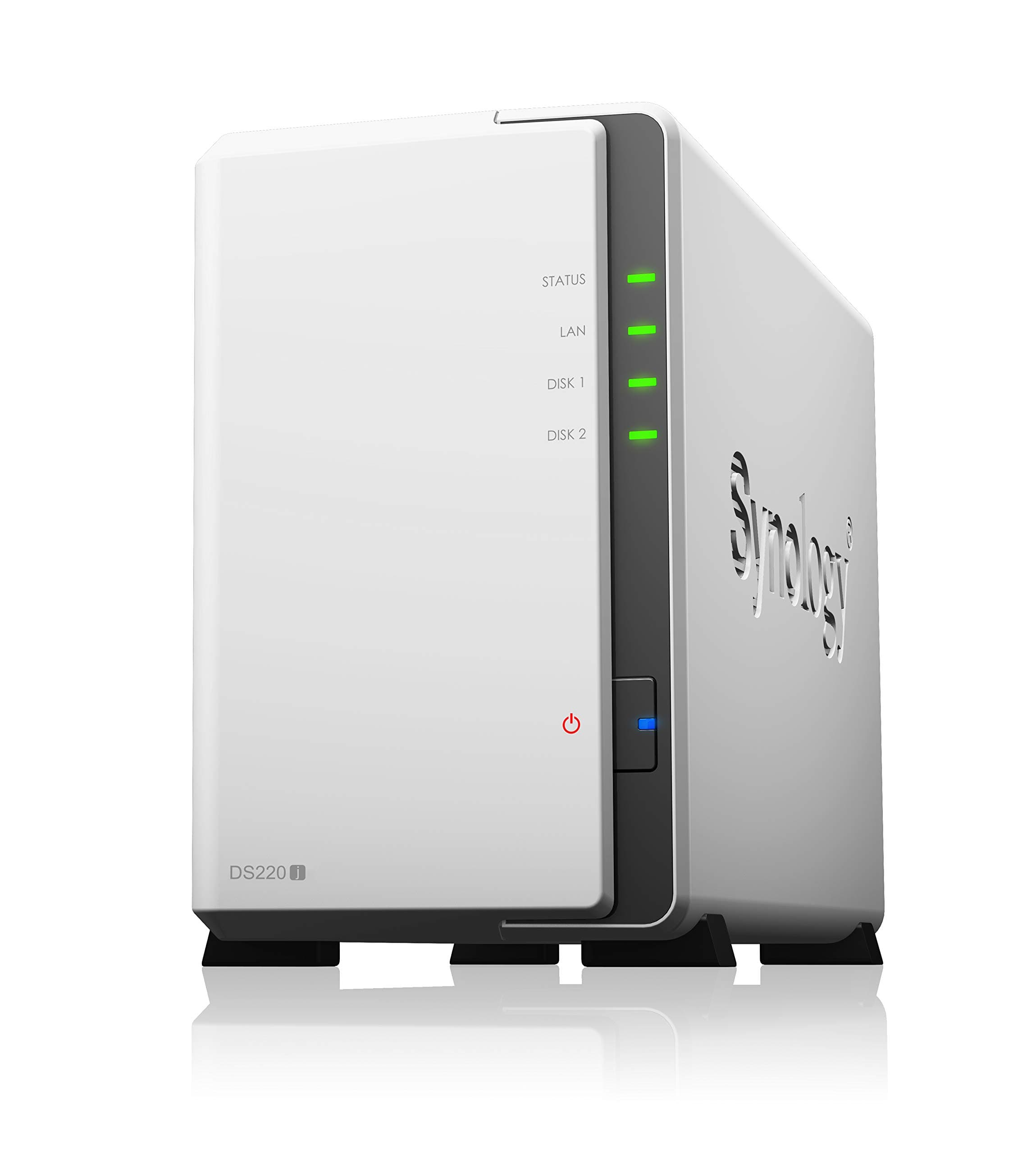
🚀 Elevate your data game with Synology DS220j — your secure, scalable private cloud powerhouse!
The Synology DS220j is a compact, energy-efficient NAS device featuring a 1.4 GHz quad-core Realtek processor, 2 drive bays supporting up to 32TB of storage, and advanced built-in security tools. Designed for easy private cloud setup, it offers seamless file sharing, remote access, and integration of network services, making it ideal for professionals seeking reliable, scalable data management.


| ASIN | B0855LMP81 |
| Are Batteries Included | No |
| Batteries | 1 A batteries required. |
| Best Sellers Rank | #29,099 in Computers ( See Top 100 in Computers ) #21 in Network Attached Storage (NAS) Enclosures |
| Brand | Synology |
| Color | White |
| Computer Memory Type | SDRAM |
| Customer Reviews | 4.5 4.5 out of 5 stars (3,239) |
| Date First Available | 25 February 2020 |
| Form Factor | Compact |
| Item Weight | 880 g |
| Item model number | DS220j |
| Lithium Battery Energy Content | 2.6 Watt Hours |
| Lithium Battery Packaging | Batteries contained in equipment |
| Lithium Battery Weight | 0.19 Grams |
| Manufacturer | SYNOLOGY |
| Product Dimensions | 22.5 x 10 x 16.5 cm; 879.97 g |
| RAM Size | 2 GB |
| Standing screen display size | 3.5 Inches |
A**N
For my backup file
So far so good, the system is easy to setup.
A**D
the Worst synology i got it in my life
the Worst synology i got it in my life every 2\3 minutes disconnect from network
S**N
الشركة ممتازة ومحترمة لكن كجهاز وامكانياته وسعرة بالاضافة انك يجب عليك ان تشتري هارديسك اضافي لا انصح توجد حلول افضل انه مجرد هارديسك
A**D
Amazing, working very well
F**A
Realmente es tu propia nube, muy fácil de configurar y de crear tus respaldos, incluso si no estas en la misma red.
J**O
Después de probar varios NAS, tengo que decir que este me da muy buenas impresiones, y con un servicio de lujo
A**R
Bought this to replace 216play. Build quality wise 216 play was better, housing feels like metal although is plastic, made in Taiwan. This 220J is normal plastic, so feels less premium. No country of origin. But important is working well. Hope it last. My experience HDD fails in 3year or so. The synology fails every 4-5 years. This is my 3rd…
M**N
I wanted to utilize a couple of my large HDD as a NAS (again). The older model that I was using wouldn't accept the size drives I wanted to upgrade to and did not want to continue with drives located inside PC, dealing with the various backups, mirroring, and so forth. Nothing in particular critical or sensitive being stored, just wanted easy access from any device in the house. This unit was highly suggested by various sources and reviewed high so figured it would be a shoe in. I am FAR from some super IT pro, but certainly know enough to be dangerous (to myself) and have dealt with various NAS/FreeNAS/sharing units and setups over the years. This unit didn't seem super intuitive to me insofar as setup. First off, make sure your drives are empty or that there is nothing on them you want to keep. The moment you put them inside the unit it is going to format them. It claims some hot swap ability and that it will auto rebuild the RAID/mirror that it boots to on default. It hasn't been my experience but to be fair I basically had to get on and search every single area of settings to see what I was and was not doing (and am getting ahead of myself) The unit goes through a setup wizard, makes you choose a strong password, asks a couple of questions and you are off. Access to it requires that you map a network drive. Clicking on the icon that shows in "network" just takes you to setup page. On default the unit will make you pick a "strong" password and will refuse anything it deems to weak. I utilize an easy password within my LAN (not the log in) that all the shared media folders utilize. I went through the settings and changed what needed to be done in order for it to allow me to set the password I wanted. Setting no password will not work with Windows (as it wants the password). After I got that set and what I thought was fixed...I kept having issues with the NAS logging me out. Right in the middle of access it would be asking me to re-enter credentials that were already saved within Windows. I had to do delete that profile entirely, set it back up again, and finally got that issue resolved. After that I had an issue where once one user was connected others could not connect, would show a "forbidden" message. Finally after several days of asking around, reading each individual setting, changing power settings and Wake On LAN settings I got everything working the way I intended in the first place. As I mention earlier in the review once you put a drive in, even if it's already formatted to the type this unit wants, it formats it. It's default setup is a mirror so one of the drives is being actively written to and then copied to the other. This sounds all fine and secure....well... When I put my first two 4TB drives in the unit erased them, bye bye movie collection. Fine, had it backed up properly. I let the unit do it's format and seemingly am ready to go. The unit is making hella noise and come to find that one of the drives is on it's way out, must have bumped it too hard. The information was already written back to the drives. I take out the bad drive, install a backup and exactly same model drive I had on hand expecting it to mirror, like it said. Nope. Had to rebuild the data a THIRD time. So here, to me, is the catch. Supposedly it's "mirroring" your data. Supposedly it will auto rebuild a swapped disk. It does so in it's little proprietary Linux style format. Nothing other than devices like this can read it. It's worthless to a Windows computer outside this housing....and it DIDN'T auto rebuild. You get this warm and fuzzy thinking you are buying a unit that is backing up and mirroring your data and in reality you are trapping information in a format that won't mean squat to anything else. IF a disk fails it is IMPERATIVE that you back that data up as a precaution before inserting the new disk it's (supposed to) rebuild for you. Well, what if you don't HAVE space anywhere else, because this was supposed to BE your "safe backup"? IMO it's a cool little unit. I would suggest setting it up as one "striped" drive, because the mirror is a lie like the pie. It works well for simple sharing after you bust your rump to get that functionality as a true LAN and not tied up in all the cloud BS it will try to get you to use. For the price it's ok. There aren't a whole lot of compelling items that compete for what this is. It's workable. Most folks are just "going cloud" and letting it do what it wants. Edit - 2025 Just wanted to say that after many years with the above setup just being static, I upgraded it again with larger HDD and also did a firmware update. It was a game changer. All of the settings that seemed to make no sense were made far easier in the UI and it works as I always hoped it was supposed to.
G**M
The software to access the NAS is extremely slow and irritating to use. Not the most user friendly product to use. Needs a lot of patience to setup.
TrustPilot
vor 5 Tagen
vor 1 Monat