We remain fully operational. Our teams are working around the clock to ensure your deliveries continue safely.

Laden Sie die App herunter


Kundendienst
Copyright © 2025 Desertcart Holdings Limited
Laden Sie die App herunter
Buy anything from 5,000+ international stores. One checkout price. No surprise fees. Join 2M+ shoppers on Desertcart.
Desertcart purchases this item on your behalf and handles shipping, customs, and support to GERMANY.
🔐 Secure your network like a pro — compact power, zero noise, total control.
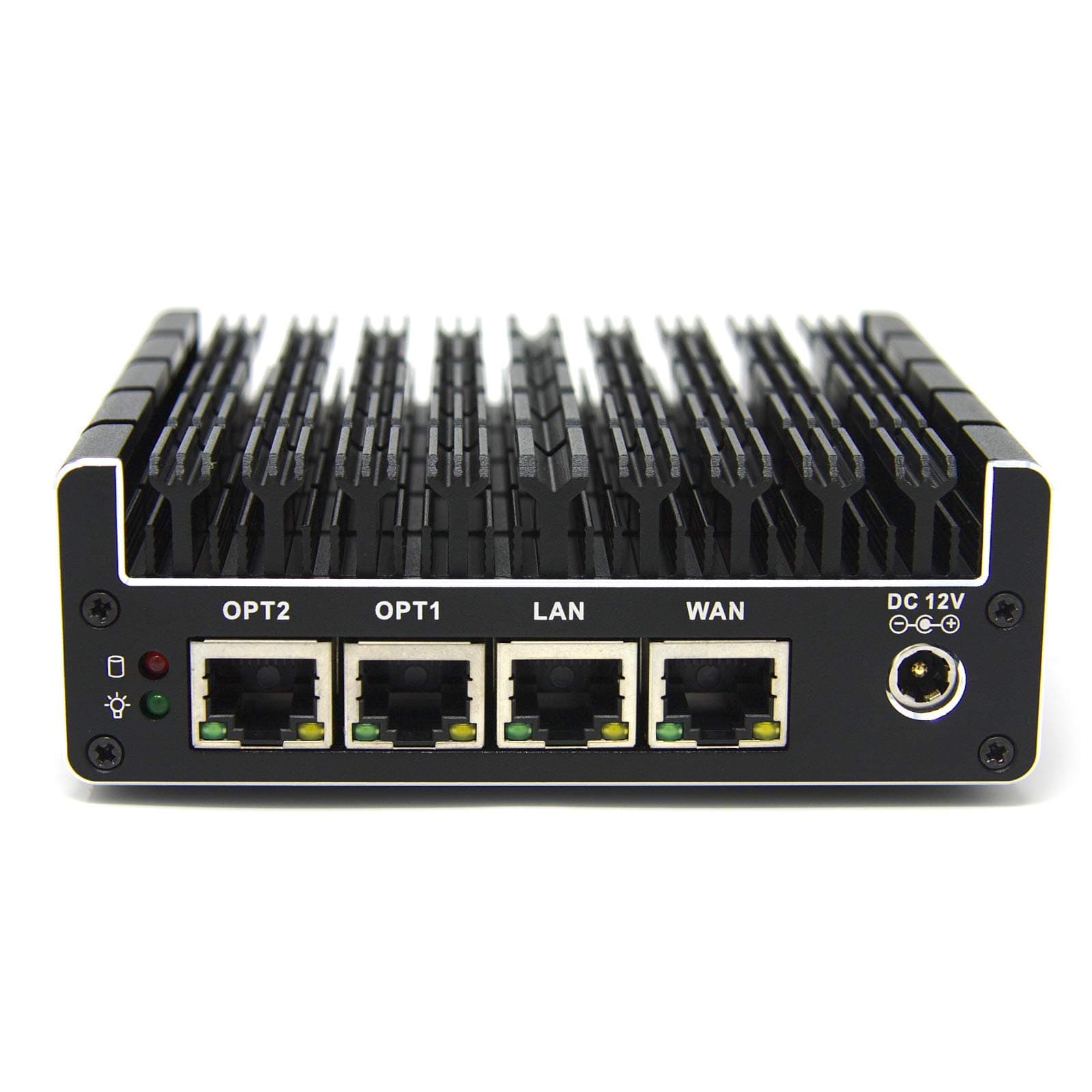
The Protectli Vault 4 Port is a fanless, compact firewall micro appliance powered by an Intel Quad Core Celeron J3160 CPU with AES-NI encryption support. Featuring 4 Intel Gigabit Ethernet ports and barebones design, it offers customizable hardware options and compatibility with popular open-source firewall OSes, making it ideal for professionals seeking silent, secure, and flexible network protection.



| ASIN | B07G7H4M73 |
| Additional Features | Compact |
| Aspect Ratio | 16:9 |
| Best Sellers Rank | #160,226 in Computers ( See Top 100 in Computers ) #701 in Mini Desktop Computers |
| Brand | Protectli |
| Built-In Media | Monitor |
| CPU Model Number | J3160 |
| CPU Model Speed Maximum | 2.24 GHz |
| Color | Black |
| Compatible Devices | No Compatible Devices |
| Connectivity Technology | Ethernet |
| Cooling Method | Air |
| Customer Reviews | 4.4 4.4 out of 5 stars (294) |
| Display Resolution Maximum | 1920x1080 |
| Display Type | LED |
| Graphics Card Interface | Integrated |
| Graphics Coprocessor | Intel HD Graphics |
| Graphics Description | Integrated |
| Graphics Ram Type | DDR3 SDRAM |
| Hard Disk Description | SSD |
| Hard Disk Interface | Serial ATA |
| Hardware Interface | Ethernet, HDMI, USB, USB 2.0, USB 3.0, VGA |
| Human-Interface Input | Buttons |
| Item Dimensions | 11.4 x 10.9 x 3.8 centimeters |
| Item Weight | 1.25 Pounds |
| Keyboard Description | Not Included |
| Keyboard Layout | QWERTY |
| Manufacturer | Protectli |
| Memory Clock Speed | 1600 MHz |
| Memory Slots Available | [EO] 1 or more |
| Memory Speed | 1333 MHz |
| Memory Storage Capacity | 8 GB |
| Model Name | Protectli Vault 4 port |
| Model Year | 2020 |
| Native Resolution | 1920 x 1080 |
| Number of Component Outputs | 4 |
| Operating System | All |
| Personal Computer Design Type | Barebone |
| Power Plug Type | No Plug |
| Processor Brand | Intel |
| Processor Count | 1 |
| Processor Series | Celeron |
| Processor Socket | Socket F |
| Processor Speed | 1.6 GHz |
| RAM Memory Technology | DDR3 |
| RAM Type | DDR3 SDRAM |
| Ram Memory Maximum Size | 8 GB |
| Resolution | 1920 x 1080 |
| Security Features | Encryption Support |
| Speaker Type | external speakers or headphones |
| Specific Uses For Product | Network Security, Firewall Protection |
| Style Name | Compact |
| Total Expansion Slots Quantity | 2 |
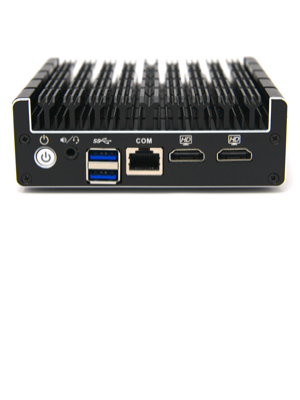
| Total Number of HDMI Ports | 2 |
| Total Usb Ports | 2 |
| UPC | 608415010081 |
| Video Output | HDMI |
| Video Output Interface | HDMI |
| Video Processor | Intel |
| Wireless Compability | 802.11bgn |
| Wireless Network Technology | Wi-Fi |
| Wireless Technology | ethernet |
S**I
Descent pfSense box
I was waiting to buy this lovely piece after many readings about the performance, and when I received it was a big shock. I had already a VM with 1 CPU and 4 GB RAM performing way more better than this tank, the speed of the internet was 80% reduced with a basic routing without installing any single application, while my VM is giving me 10% decreased speed with OpenVPN and pfblocker... It got hot also easily, the temperature got high above 50 degrees in normal operation. I am returning it because of the price, it is quiet expensive comparing to other brands and at the same price after buying the RAM and the mSATA, I can build a mini itx pc with proxmox server running pfsense and openmediavault having 2 TB cloud.
Z**L
Male, ale velmi efektivni, slaby navod.
M**T
Works perfectly, sturdy solid build.
A**X
The barebones Protectli Vault is a fantastic piece of kit for anyone getting in to building their own firewall / router. You need to buy your own RAM and mSATA storage. Buying the barebones kit and getting the RAM and storage separately can work out cheaper than buying it includes, but you run the risk of compatibility issues. I settled on 8GB RAM and a 128GB storage drive and have had no issues. The device is delivered with the AMI bios flashed. If you buy directly from Protectli, you have the choice of AMI (similar to what would be on your normal computer) or Coreboot. AMI works with a lot more hardware but Coreboot has the advantage of being completely open-source. There's some discussion over whether Coreboot brings with it a slight performance increase but I haven't been able to prove it one way or another. I did choose to flash Coreboot to my Vault. This was an easy process of running a live USB with Ubuntu and following the instructions on the Protectli website. The process was a breeze and worked immediately. Once this was complete, I installed OPNsense. The process was as simple as following the install guide on their website. In theory, since this is an x86 platform, you could run almost any OS. Both pfSense and OPNsense work fantastic on the Vault. My Vault has been up for a few weeks now. It's running a number of VLANs with a DHCP server for each. I don't use it for IDS/IPS but plan to in the future. The system has been rock solid and I'm getting the full throughput my ISP advertises. The system idles around 2-3% CPU usage and occasionally spikes to 20% when changing settings in the web interface. Overall, the Vault (FW4B) has been excellent. You certainly don't need 128GB storage, but I'd suggest extending to 8GB RAM if you can afford it since most firewall operating systems load in to RAM when they boot, although 4GB minimum would suffice. This has been a fantastic upgrade to an old desktop running pfSense, the stability is unparalleled and price to performance is absolutely worth it. Whilst the upgradability is limited due to the form factor, the extremely low power draw of the integrated system makes it entirely worth it. I have absolutely no complaints regarding this product and thoroughly recommend it to anyone running a home lab or small to medium business.
A**R
This product is NOT fully compatible with Pfsense or OPNsense. During the installation procedure you can choose from several keyboard maps (Belgian, French, Italian etc) but none of them work. So configuring an Azerty keyboard via the installer is not possible. The same installation software does install correctly on other appliances so there must be an incompatibility. I contacted Protecli and they are aware of the problem.
C**N
je l'utilise depuis un mois et j'y ai installé pfSense et Adguard-Home pour servir comme FIrewall/DHCP/DNS sur mon réseau chez moi. J'ai remplacé la RAM par une barette 8G et le disque par un MSATA de 500G. pour le prix ils auraient pu y inclure 8G de RAM par défaut ... La température du CPU ne dépasse pas les 60°C.
TrustPilot
vor 2 Wochen
vor 2 Wochen