We remain fully operational. Our teams are working around the clock to ensure your deliveries continue safely.

Laden Sie die App herunter


Kundendienst
Copyright © 2025 Desertcart Holdings Limited
Laden Sie die App herunter


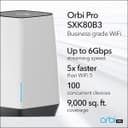
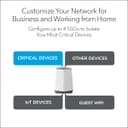
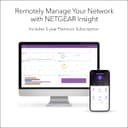

🚀 Elevate Your Connectivity Game!
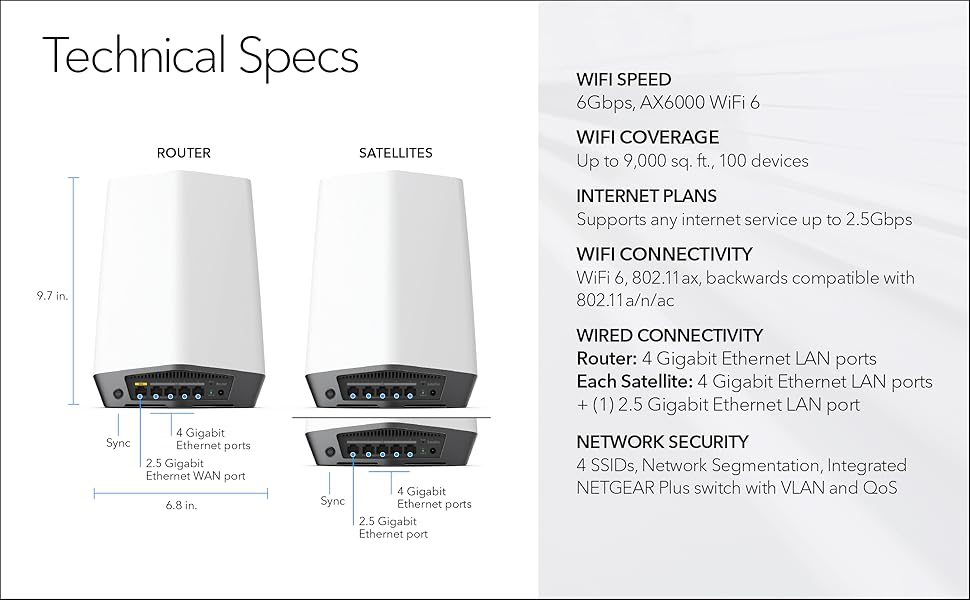
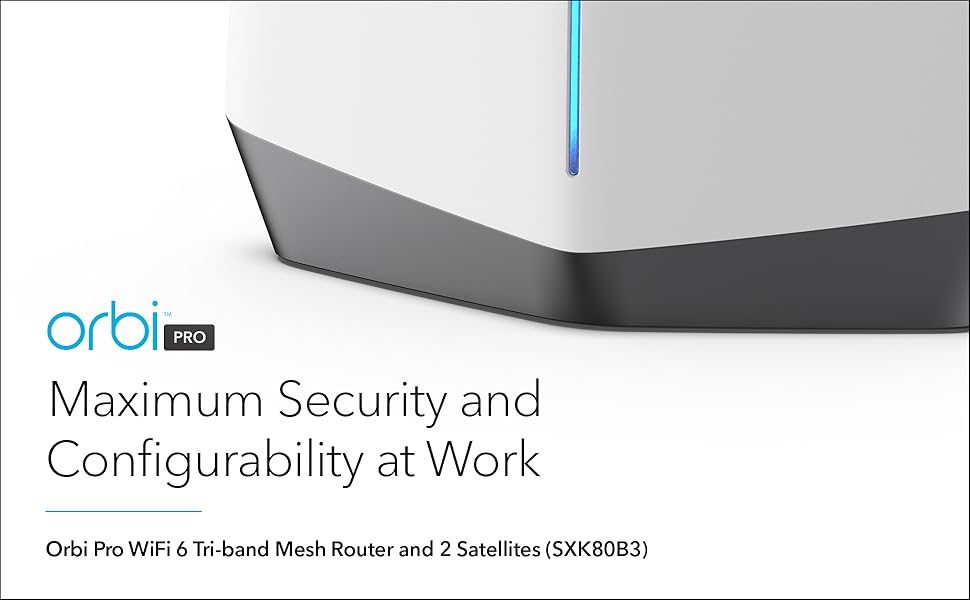
The NETGEAR Orbi Pro WiFi 6 Tri-band Mesh System (SXK80B3) is designed for both business and home use, offering advanced features like 4 SSIDs, VLAN support, and QoS for optimal performance. With coverage of up to 9,000 sq. ft. and the ability to connect up to 80 devices, this system ensures fast, reliable internet with speeds up to 6Gbps, making it perfect for streaming, gaming, and professional conferencing.




| ASIN | B08FXS1MK9 |
| Antenna Location | Business |
| Best Sellers Rank | #51,565 in Electronics ( See Top 100 in Electronics ) #363 in Whole Home & Mesh Wi-Fi Systems |
| Brand | NETGEAR |
| Built-In Media | One (1) Orbi Pro WiFi 6 Router (SXR80) / Two (2) Orbi Pro WiFi 6 Satellite (SXS80) / Three (3) wall mounts with screws / One (1) 2m Ethernet cable / Three (3) 12V/3. |
| Color | white |
| Compatible Devices | Gaming Console, Laptop, iPhone |
| Connectivity Protocol | ethernet, wi-fi |
| Connectivity Technology | Ethernet, Wi-Fi |
| Control Method | App |
| Controller Type | vera |
| Coverage | Up to 9,000 sq. ft. |
| Customer Reviews | 3.8 3.8 out of 5 stars (90) |
| Data Transfer Rate | 6000 Megabits Per Second |
| Frequency | 2.4 GHz |
| Frequency Band Class | Tri-Band |
| Is Modem Compatible | No |
| Item Weight | 7.04 ounces |
| LAN Port Bandwidth | 6000 megabits per second |
| Manufacturer | Netgear |
| Maximum Upstream Data Transfer Rate | 2000 Megabits Per Second |
| Mfr Part Number | SXK80B3-100NAS |
| Model Name | SXK80B3-100NAS |
| Model Number | SXK80B3-100NAS |
| Number of Ports | 6 |
| Operating System | NETGEAR Firmware |
| Other Special Features of the Product | QoS, WPS |
| Security Protocol | WPA3 |
| UPC | 606449150605 |
| Unit Count | 3.0 Count |
| Voltage | 240 Volts |
| Warranty Description | 5 year limited warranty |
| Wi-Fi Generation | WiFi 6 |
| Wireless Compability | 802.11ax |
D**S
A whole new WiFi Expirience!
I figured that this was going to be noticeably better than the crappy cable company issued router, but I didn't expect to be blown away. When I first got it, my better half and I had WiFi 5 capable devices and our internet subscription was rated at 400mb down / 20mb up, [28ms ping time]. It was pretty exciting to see exactly that on our devices - all the time, as where on our old router, the speed was at best a fraction of that. So clearly, it was nice to see that we were finally getting what we've been subscribing to via WiFi for the first time. We just recently got WiFi 6 capable phones and upped our internet speed to 1GB down, 40mb Up and we now consistently average 790 Down and 40mb Up on our phone and new laptops. She has her own SSID, I have mine, and we created a IoT Channel for our WiFi devices around the house. No matter what we're doing; Hosting Zoom sessions, streaming HD movies, name it, there's never a hiccup with the data stream. And the fourth SSID is turned on when we have guests, and we turn that off when they leave. Sure, there are more technical ways to get into reviewing this router, but plain and simple, I can't imagine that there's anything else out there that would work as well ... OH! and we can walk pretty far from the house and still enjoy being connected to our own WiFi, hence our 21 character alphanumeric passwords! ;) We're elated with our investment into this setup and highly recommend it!!
B**Y
Easy set up and provides what it advertises.
Had an old nighthawk in a 20,000 square foot warehouse. Just wasn’t doing the job any longer. Installed this system in less then an hour, which included installing two satellites up high on the walls. Blazing WiFi speeds and great coverage in the whole warehouse.
Y**U
Do not waste your money!
This review is for the Netgear Orbi "Pro" SXK80 B3, so that came with two additional satellites and I made a huge mistake and added SxS80 for a total of 3 satellites. It's been over 3 months now and this is the most money $1400 I have ever spent on router and repeaters in my 20 plus years of experience with networking for personal use at my home/office. The good, the box looks good. That's about it. The bad. Everything else. Support, don't even waste your time. But what has really got me to write this review, is that this expensive router keeps dropping on me every day. No matter what I change and talk to the useless support, it keeps dropping. It is so frustrating, to spend this much money and have a much worse experience than a cheap router that I upgraded from. I wish I never wasted my money or time on this @#$@#$. I will never buy another netgear device in my life. lesson learned. So, do not waste your money or time.
T**S
Highly Recommend Orbi Pro WiFi 6 Business Tri-Band Mesh System
This is the BEST WiFi system I have ever deployed. Our home/office is in a 13K sf, 116 year old house with thick walls and lots of plaster, brick and i-beams. Netgear's Orbi Pro WiFi 6 Business Tri-Band Mesh System blasts through the entire property. We finally can enjoy the 1gb download and upload speeds promised by our ISP in each floor of the house. The transfer speed of 6gb of data in our network is fantastic. If you need to push and pull A LOT of data and not get bogged down by other users on your data pipe, I recommend this system.
N**A
It didn't work
I am not sure if we received a bad piece but we tried to connect this router but it was not able to send signal out. Now we have got another router at less than half of Orbi's price and it is working perfectly fine. We returned thos one.
K**N
Good mesh router, but needs improvement
Bought this mesh router system for my house 1,800sq and my parents in law suit house (960sq, about 20' separating the two). 1 point loss for the satellite nodes losing internet, semi infrequently. My parents node did cross two concrete walls, but would lose connection a few times a day for about 30 seconds. For the node from the main house, I had an exterior security camera that would also drop connection every two or three days. Second point loss, network traffic monitoring is missing, not really great where I would want to see which devices go where and how much data. Point also lost that parental control would NOT let me block specific devices during set hours. The setting home network, and employee network worked great, no issues. For creating guest network, if my system was up for a month, after hitting the agree to terms, network would still not let you connect.
TrustPilot
vor 1 Monat
vor 2 Wochen