We remain fully operational. Our teams are working around the clock to ensure your deliveries continue safely.

Laden Sie die App herunter


Kundendienst
Copyright © 2025 Desertcart Holdings Limited
Laden Sie die App herunter


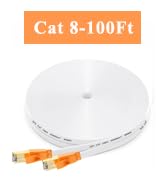
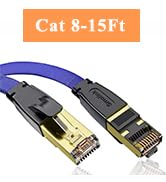
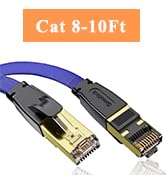
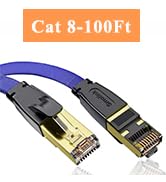
⚡ Upgrade your network game with the fastest, sleekest Cat8 cable on the block!
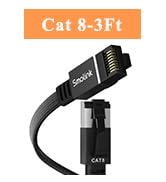
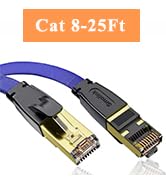
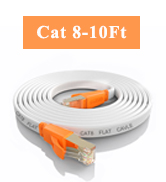
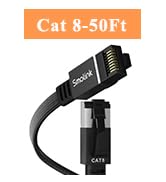
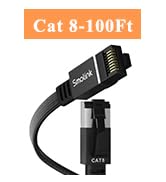
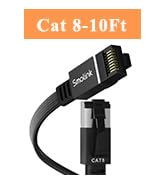
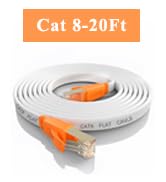
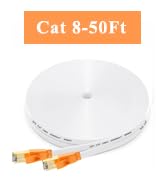
The Smolink Flat Cat8 15ft Ethernet cable delivers ultra-high 40Gbps speeds with 2000MHz bandwidth, featuring a flat, flexible design for easy installation and space-saving. Its S/FTP shielding and 24K gold-plated RJ45 connectors guarantee stable, interference-free connections. Weatherproof and UV resistant, it’s perfect for both indoor and outdoor use, compatible with all RJ45 devices including gaming consoles, routers, and smart home products.




| ASIN | B089KMHFMF |
| Best Sellers Rank | #16 in Cat 7 Ethernet Cables |
| Brand Name | Smolink |
| Cable Type | Ethernet |
| Color | White |
| Compatible Devices | Laptop, Printer, Router, Xbox |
| Compatible Phone Models | VoIP phones |
| Connectivity Technology | Ethernet |
| Connector Gender | RJ45-RJ45 |
| Connector Type | RJ45 |
| Customer Package Type | Standard Packaging |
| Customer Reviews | 4.7 4.7 out of 5 stars (12,024) |
| Data Transfer Rate | 40 Gigabits Per Second |
| Ethernet Cable Category | Cat 8 |
| Frequency | 2000 MHz |
| Indoor Outdoor Usage | Indoor, Outdoor |
| Item Shape | Flat |
| Item Weight | 0.3 Pounds |
| Manufacturer | Smolink |
| Model | SMOLINK-CAT8-ETHERNET-CABLE |
| Model Name | Smolink Ethernet Cable 15 FT, Cat 8 Ethernet Cable |
| Number of Items | 1 |
| Number of Pins | 8 |
| Other Special Features of the Product | 40Gbps High Speed, Flat Structure, Tangle Free, UV Resistant, Weatherproof |
| Outer Material | Polyvinyl Chloride (PVC) |
| Recommended Uses For Product | Any device with an RJ45 port, including Routers, Monitor, Modems, Printer, Smart Watch, PS3, PS4, PS5, Server, Projector, DVD Player, Patch Panels, Switches, Laptop, Scanner, Tablet, Notebooks, PCs, Network Cards, Macs, PoE Devices, Xbox Series X, Xbox Series S, Xbox One, VR, PlayStation Other Video Game Consoles, TVs, Hubs, Motherboards, RJ45 Adapter |
| Specification Met | IEEE |
| UPC | 686878976137 |
| Unit Count | 15.0 Feet |
O**R
Well-built cable that delivers a perfect connection with Eero Max 7
This Cat 8 Ethernet cable is sturdy and well made. The flat design makes it easy to route neatly along walls or under furniture, and the white color blends in cleanly with most setups. The gold-plated connectors fit tightly and hold firmly in place, providing a solid and consistent connection. It delivers excellent performance with the Eero Max 7 system — fast, stable speeds and no signal drops, even during high-bandwidth use. The S/FTP shielding effectively prevents interference, keeping the connection clean and reliable even when other cables or power cords are nearby. A high-quality, dependable Ethernet cable that performs exactly as promised. Ideal for ensuring maximum network stability and speed.
R**2
Works great, durable and long cable.
These are really good and decent cat 8 cable. I will note that the first thing to note is that this is a shielded cable so it is weatherproof for longer durability. These are great for running in and out of the house (although I am not one for running cables outside the house) as it is very easy to flatten out but it is a bit hard to shape this cable how you may want it. I normally just pin the cable against the wall I am running it against. It blends in pretty well with my white wall so I barely notice it much. The cables will work with any Ethernet port from what I can tell whether it is cat8, 7 or 6. Another thing is that this is definitely a good upgrade from the older cat 6 and 5 cables. The cable is very flat and thin so that the cable can be very easy to run behind your computer or against the wall if needed. The cable is relatively long running at fifteen feet so you can be sure you will have more than enough cable to get from your router to your devices in a larger room. My recommendation is to use this to hide your cables against the wall. The reason being is that if you have a white wall, most people will not really notice the cable running along it. I keep it close to the bottom of the wall so it really is not that noticeable and the white wall makes it very hard to see. I normally use this for my firewall to my model router. Again this is a pretty flat cable so you can run it against it and it will not look too bad if the color of the wall is white. There is only one cable but for the length you get, the price is reasonable. You get a decent transfer speed which is great and you do not get much interference. The speed is pretty fast depending on your router/switch/modem. Overall this is a great cable to have and I highly recommend it for anyone wanting to upgrade their Ethernet cable while having the ability to be backwards compatible with cat 6 or 5. This also is weather proof so it has more durability then other cables would.
M**P
GR8 Product
works well, connects well, good value for the money, good cord length and completely functional for what I needed.
J**.
Cheap
i don’t know about everyone saying this cable is crap. I get decent speed from it - tho not better than a regular 6a cable, its still worth the money. In the congested hours its fairly low, around the 300-400 mbps down, at night i often hit 800/990 mbps (download/upload). I recommend it because its cheap, not because its a legit cat8 cable - most likely its not… I guess you get what you pay for. 1 gigabyte (1000/1000) connection was used when measuring through this 50ft cable.
D**N
Rapid charger
Works great but is a little bigger than I thought it would be
S**R
Solved PS5 connectivity issue
Why did you pick this product vs others?: We use Ethernet from our PS5 to our EERO to prevent lag when playing Fortnite. The PS5 was often giving us LAN connectivity errors. This cable fixed the glitch. Have been using it for months without a single error. I like the orange ends which stand out and make this cable easily identifiable. I also like how it’s white and flat. I got some cheap cable clips from the dollar store and it fits right in them and sits flush against our white molding.
Y**E
its very good cable
very good cable
G**S
Bandwidth speed bump for devices and extenders. Excellent for the price.
Updates 11/19/20 Both cables cat 8 50ft and 3ft cat 8 working weird but it turned out to be my ax 1500 overload. I didn't even download anything big the last few weeks except development tools mx linux update, ide, python libraries,java ide, etc. After reboot it is alright again. Lesson I learned is, i need a better router that could pump out more bandwidth. On my other distro on centos 8, i removed the ip link thinking that something messing it up but losing the ethernet connection. Now i have to reconfigure it again. UPDATES: I actually bought a 50 ft and a 3 ft. Will buy more! Thank you for the nice item. I recently upgraded my Internet service to 400 Mbps 2 days ago. Before that my service was 100 Mbps. It is hard to simulate the pre-400 Mbps service. I didn't keep record (screen captures) and if I did they are somewhere. I like the flat cable because it is easier to setup. I can tape it to the wall and it can go below the door without the worry of ripping it up. Simply amazing. I am hoping it will last and for the price, it really worth it. What I need is to get a 2.5 Gbps LAN card. Look below for the Pro for these cables. 100 Mbps service Wi-Fi With just Wi-Fi, I am mostly between 60 Mbps to 100 Mbps depending on distance. At 5ghz is is faster obviously but with 2.4 ghz sometimes it fell below 60 Mbps or around 20 to 30 Mbps. However, with 2.4 ghz, I am getting a greater distance thus I it is suitable for my IOT devices. I also have AC1200 extender I am using at my garage. Ethernet I was connected to AC1900 extender using cat7 with AC1900 connected to AX1500 through wi-fi. I was consistently getting between 80 Mbps and 110 Mbps. 400 Mbps service Download and Upload speed varies every time you are testing them due to various reasons. Wi-Fi ac1900 extender, 5ghz, wi-fi alone - 106.6 Mbps, 19.5 Mbps ax1500, 5ghz, wi-fi alone - 178.1 Mbps, 19.0 Mbps The day before I was getting above 200 Mbps consistently but today it is 170 Mbps to 180 Mbps. I simply paid for the upgrade service online and waited for the router to reboot itself. The process was around 4 to 5 minutes or so. Cat 8 - Smolink ac1900 extender, 5ghz, cat 7 - 413.9 Mbps, 23.6 Mbps ax1500, 5ghz, cat 8 - 489.4 Mbps, 23.6 Mbps I am planning to get a 2.5 Gbps LAN adapter and at least an AX6000 router (with DDOS protection, WPA3 and other good stuffs) and above. Someday in the future I will upgrade to 940 Mbps service. They said they don't have a contract so you can turn it on and off. With 2.5 Gbps and security features, I could run my web server and other servers with less worry. Now, I need to upgrade my own firewall device using RPI4. Update: 12/1/2021 These cables are still running great. I haven't upgrade my router yet because of the strong signals. However, I might have to upgrade them now since I am planning to add 11 new security cameras and 14 security devices around my house and compounds. I bought them during Black Friday and Cyber Monday deals from Amazon, Woot and Sam's Club. My current router even with the extenders might not able to maintain consistent bandwidth with so many devices.
TrustPilot
vor 2 Wochen
vor 4 Tagen