
Laden Sie die App herunter


Kundendienst
Copyright © 2025 Desertcart Holdings Limited
Laden Sie die App herunter


✍️ Elevate your digital creativity with precision and power in one sleek stylus!
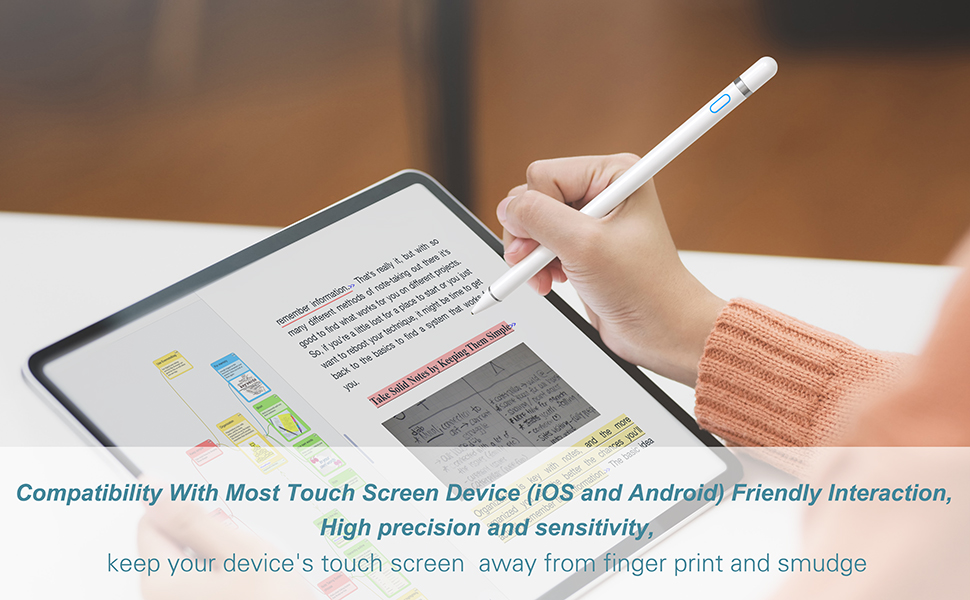
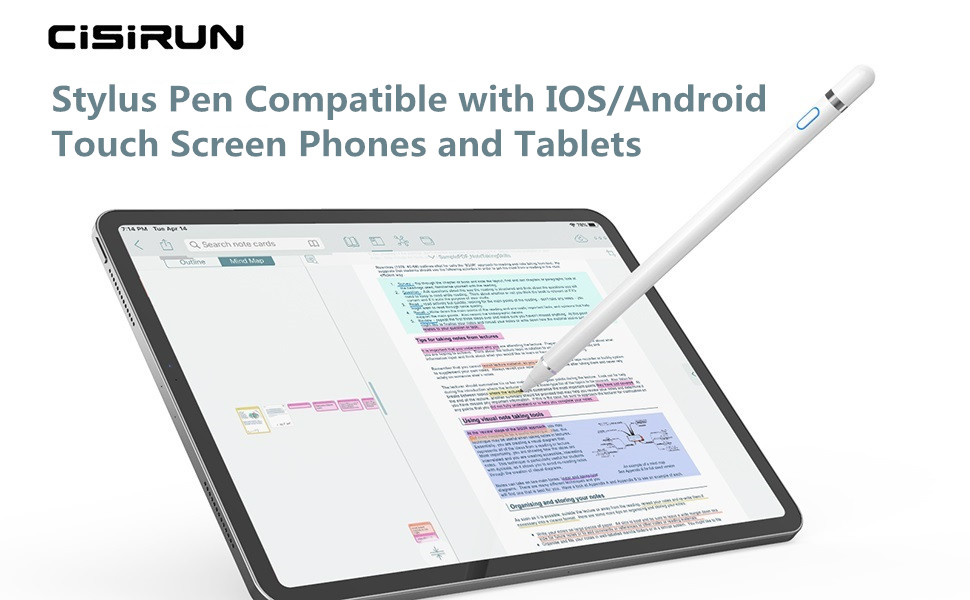
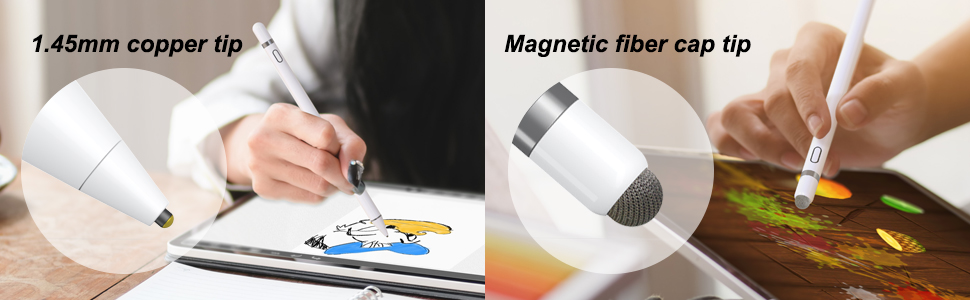
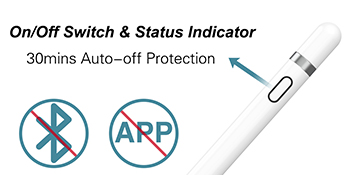
The CiSiRUN Stylus Pen features a 1.45mm ultra-fine copper tip for exceptional accuracy and low latency, supporting 10 hours of continuous use and 30 days standby. Its dual-tip design ensures uninterrupted use, while universal compatibility covers most iOS and Android touchscreen devices without requiring Bluetooth or apps. Lightweight and easy to use, it’s a professional-grade stylus designed for seamless digital interaction.
| ASIN | B083DPYXF1 |
| Best Sellers Rank | 1,209 in Stylus Pens |
| Guaranteed software updates until | unknown |
| Item model number | K811 |
| Manufacturer | CiSiRUN |
| Package Dimensions | 19.4 x 4.5 x 1.7 cm; 40 g |
K**E
Fantastic quality
This is actually the 4th time I’ve bought this product, once for my daughter for Christmas, then for 2 nieces as they loved it and wanted their own, and this time to replace daughter’s lost stylus. Daughter uses it for digital art as well as games and general tip tapping. It’s got brilliant accurate connection to iPad and phone, you can use different pressures, it’s robust, holds charge for a long time and is so easy to set up and use. Great value for money, would definitely recommend for anyone considering an apple pen but wanting a cheaper option.
B**R
Works perfect on 10.5 iPad Pro
This stylus works great on iPad Pro 10.5 inch I needed a new stylus after my old one gave up the ghost after a few years. I’ve bought newer versions of stylus’ that haven’t worked on a 10.5 iPad Pro. So was so relieved and pleased when this stylus worked straight out of the box. It works! it does what it says on the tin and was cheaper than the newer versions of stylus.
S**N
Affordable Stylus for iPad Pro
I ordered this pen to draw on my ipad Pro, when it arrived it felt well made and has a little weight to it,it comes with a charging cable and spare nib. It was simple to connect to my ipad just through the add blutooth option. I downloaded a good drawing app and gave it a try and discovered the following points. 1. Accuracy isnt great but its not bad you have to hold the pen at a slight angle to get it to respond on screen. 2. It does not seem to respond or only responds slightly if you have the pin tip touching the screen vertically (hope that makes sense?) 3. There can be a tiny lag. 4. There is no magnetic holder for attaching to an ipad. 5. it does not come with a case. Apart from the things listed above you quickly get used to the little quirks and just adapt to how it responds and works. It is what it is and thats a good but not perfect, affordable stylus, one you would also be happy to let the kids use.
B**E
Good
Only used afew times , but was ok , :-)
A**H
Brilliant Pencil
I have a new Generation 7 ipad and was looking around for a suitable pencil for it. I came accross this one which is a lot cheaper than most and I wasnt disappointed upon purchase and using it. It chargers very quickly for a start, its lightweight and has a good grip, it dosent slide from your fingers and its so easy to use. I like to use it to flick from page to page etc. so it has a sponge tip for this and it draws with ease no scratches or marks. Very happy with the item.
N**L
Semi-functional, stylus alternative
I was using a rubber-topped alternative previously, and this has definitely proved to be a better option for those using the pen for writing/drawing. The pen is lightweight and comfortable to hold and glides nicely over the screen of my ipad. It's also straightforward to charge and operate generally. Not sure why, but the pen can often produce wobbly lines as opposed to straight ones (in Procreate). I've tried charging the pen, ensuring my hand isn't in contact with the screen to cause interference, and even tried warming up the screen/pen to assist but nothing seems to iron out the issue completely. Calibration also feels slightly off. However, at the price it's hard to be truly frustrated.
L**N
It’s ok, but stopped working after a few months
I bought this for my daughter as she’s loves to create digital art. It worked great in the beginning but unfortunately stopped working a few months after use. It’s well looked after and kept clean. The fine tip end just wouldn’t connect with the sensitivity on the screen. We tried it on other devices to see if would help resolve any connection issues, but it still wouldn’t work. It’s a shame because it was a great tool.
A**Y
Low cost, good indication of charged state and exceptional in a specialised use
My experience of a comparable Apple pen used with my iPad Pro, is that the Apple pen is sleek, well-designed and accurate in making its markings. But mine died stone dead after a period of non-use. For a pen costing over £100, that is an annoying and abject failure. The new CiSiRUN pen is just as sleek, at a fraction of the cost. Its built-in ON/OFF switch makes it a clear winner. You can't turn the Apple pen off, so discharge when not in use seems inevitable, ultimately. This can be very bad for the internal battery. The new pen can be turned off, preserving charge. It has clear colour indications of charging and charging completion. Quite unlike the completely "dumb" and expensive Apple pen I owned. When switched on for use, an attractive blue glow is seen around the push button on the new pen, a sure indication that it has charge. Unused and switched-off, it seems to hold charge for weeks. The Apple charging connection, seems to me an ugly afterthought, requiring plugging into a lightning port. The pen then sticks out in an obtrusive and mechanically-inelegant arrangement. The new pen has a covered miniature USB port allowing virtually any 5v usb charging lead to be connected to it. As regards accuracy in use, the new pen is not first-rate. It's ok but neat writing is impossible. It is good for crude sketching. The recent circle, square and rectangle improving software by Apple works well with this pen, potentially enabling good results with simple drawings. The pen can be used when switched-off, with the rubber cap on it. This is not especially accurate, results are like the old touch-screen writers. Is the pen any good? I'd say an emphatic yes. Whilst not a precision writer, it is excellent for learning the ropes with a number of sketching apps, for making rough notes and touch control. It's low cost is attractive, being far from extortionate. Kids can become familiar with electronic pen use, and will learn a lot, without risking much capital. The only way to get better results is to pay more, or very much more. One final note is that I use the iPad Pro with a protective glass screen. There is no scratching by the pen's smooth copper tip, and operation seems unaffected by this covering. 30-01-2021: I just tried the pen on the Hack Green HF SDR site. This is familiar to many radio amateurs. I find it excellent for operating the rather small controls on the receiver. Using a finger instead is clumsy; it usually covers over one or more buttons being operated. The pen is especially useful for operating the frequency-selection cursor. Touching low at the sides of the cursor, allows each side to be selected deftly, to alter the upper and lower bandwidth limits. This is a great improvement over using the fingers. The pen remains sleek in design, functional, economical and a pleasure to use, as exemplified just above. Splendid.
L**I
Il ne fonctionne pas sur ipad pour écrire et dessiner vraiment déçu de l'achat
A**R
I use mine for gaming and writing texts with the mesh end, don’t use pointy end at all. The mesh gives sensitive taps and good glide across screen, but if you play a lot, like me, get replacement tips from the start, you’ll wear out the mesh in 3-4 months. It doesn’t break, but gets dirty and less responsive and doesn’t glide as it should. Replacement tips are very cheap. Update 2 years later: still use it, still excellent. Replacement tips were disappointing, but the original one can be renovated by gently rubbing it against the pal with dish detergent and then left to dry. Don’t rub to hard or the mesh will become too soft.
J**N
Ive used it a couple of times, and it works fine! I have a galaxy tab A. It arrived charged which was nice. It has a glossy finish, like the back of some iPhones. The back nub works great to! It’s like flocked or something, which means it slides on the screen really nicely, unlike those other ones.
K**I
Niestety rysik jest bardzo nieprecyzyjny, linia powstaje ok 1-3 mm od miejsca styku rysika z ekranem w zależności od kąta pochylenia co powoduje, że rysik nie nadaje się do pisania ani rysowania więc w zasadzie jest bezużyteczny. Sugerowałem się dobrymi opiniami, ale bardzo się zawiodłem.
C**N
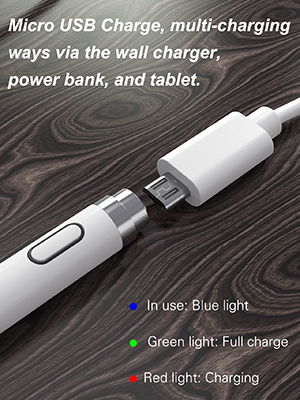
Ho acquistato questo prodotto per essere più precisa nel disegno in digitale. Come qualità prezzo è ottima. È compatibile con tutti i dispositivi. È munita di cavetto USB per ricaricare la penna, istruzioni e due tappi che vanno a coprire l'ingresso del cavetto, uno con il gommino e uno senza. Il gommino sul tappo è molto resistente, non è come quelli che compri dai cinesi o al supermercato. La penna funziona semplicemente schiacciando il tastino posto in cima. Quando è acceso ha una luce blu, quando è scarico lampeggia, quando è sottocarica è rosso, quando è carico è verde. Non essendo bluetooth purtroppo rileva il tocco. La batteria dura all'incirca 2/3 giorni, dipende da quanto si usa. È un problema quando si ricarica perché il tappino, dato che non è attaccato, si potrebbe perdere. Per il resto io ve lo consiglio
TrustPilot
vor 2 Tagen
vor 2 Monaten