We remain fully operational. Our teams are working around the clock to ensure your deliveries continue safely.

Laden Sie die App herunter


Kundendienst
Copyright © 2025 Desertcart Holdings Limited
Laden Sie die App herunter
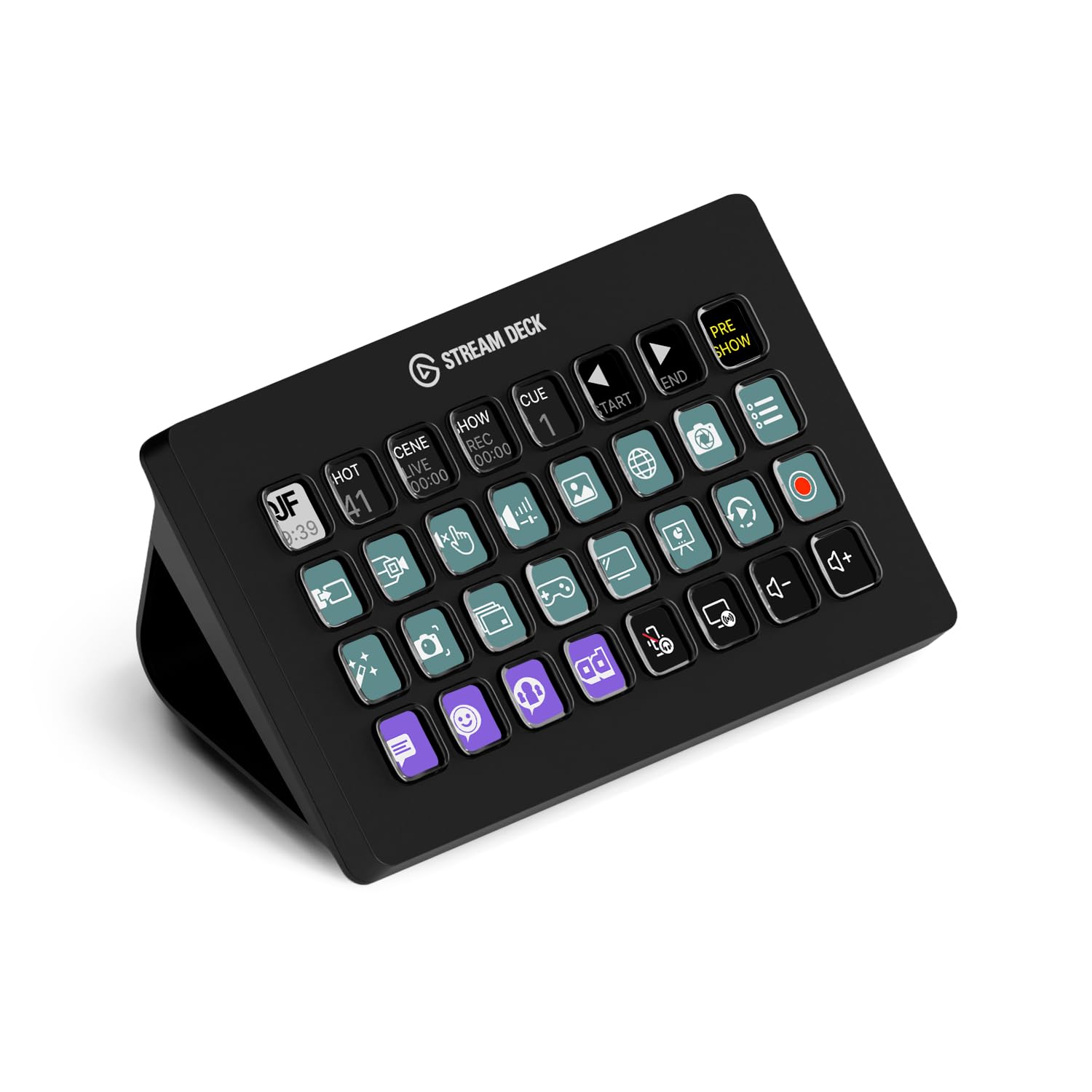
🎥 Own Your Stream, Command Your Creative Empire
The Elgato Stream Deck XL is a professional-grade live production controller featuring 32 customizable LCD keys that trigger unlimited macros and actions across popular streaming and creative apps. Compatible with Mac and PC, it offers seamless integration with platforms like OBS, Twitch, YouTube, and Spotify, providing instant visual feedback and effortless customization through its dedicated app. Designed to elevate productivity and streamline complex workflows, it’s the ultimate centerpiece for content creators and professionals seeking precision control and dynamic studio management.


| ASIN | B07RL8H55Z |
| Antenna Location | Broadcasting/Streaming |
| Best Sellers Rank | 3,708 in Computers & Accessories ( See Top 100 in Computers & Accessories ) 374 in Keyboards, Mice & Input Devices |
| Box Contents | Stream Deck XL, USB-C to USB-C Cable, Magnetic Stand, Quick Start Guide |
| Brand | Elgato |
| Brand Name | Elgato |
| Button Quantity | 32 |
| Colour | Black |
| Compatible Devices | Televisions, Desktops, Laptops, Tablets, Smartphones |
| Compatible devices | Televisions, Desktops, Laptops, Tablets, Smartphones |
| Connectivity Technology | Wired |
| Connectivity technology | Wired |
| Country of Origin | Taiwan |
| Customer Reviews | 4.8 out of 5 stars 8,187 Reviews |
| Enclosure Material | Plastic |
| External Testing Certification | Não Aplicável |
| Global Trade Identification Number | 00840006610373 |
| Item Dimensions L x W x H | 18.2L x 3.4W x 11.2H centimetres |
| Item Type Name | Elgato Stream Deck XL |
| Item Weight | 410 Grams |
| Keyboard Description | Multimedia |
| Keyboard Layout | QWERTY |
| Keyboard description | Multimedia |
| Language | English |
| Manufacturer | Corsair |
| Model Name | Stream Deck XL |
| Model Number | 10GAT9901 |
| Number of Keys | 32 |
| Power Source | USB power |
| Product Features | 412511031 |
| Product Warranty | 2 year manufacturer |
| Recommended uses for product | Broadcasting/Streaming |
| Special feature | 412511031 |
| Style Name | 32 Keys |
| Switch Type | Mechanical |
| UPC | 840006610373 |
| Unit Count | 1.0 Count |
N**.
A Brilliant Piece of Kit.
Where has this been all my life? The difference this makes to my workflow is phenomenal.. Its easy to set up, the interface is stable and intuitive and you can program it to do nearly anything you want on your PC. I`ve been using it with:- - Normal Windows tasks and shortcuts. - My D.A.W.`s (Digital Audio Workstations), e.g. Ableton Live, Acid Pro 8, Music Maker. - Flight Simulation software, Microsoft Flight Simulator 2020, FSX, Aerofly and others. - Many Steam Games. - Calibre, (editing Book metadata etc). - Accessing favorite websites. And these are just the things I`ve thought of so far.. Basically if you can do it with a keyboard, then this unit can do it with a single button press, its a macro button unit on steroids.. You can store shortcuts, websites, key combinations or sequences under each button, You can use folders to extend the number of macro`s/buttons available in a profile, you can store different profiles, and you can even play games on it. The device is aimed at streamers but can be used with virtually any windows software to create single button shortcuts. The device is well constructed and connects via USB 3, it has a USB 3 Type 3 female jack on the actual unit and is supplied with a good quality (replaceable) lead to connect it to a USB 3 Type A connector. (I`m told it will also work on USB 2). The display is bright and adjustable and can be configured in detail. In addition to button programming or configuration, you can choose what icon each button shows, the font can also be changed. This is a Highly recommended piece of kit for anyone who wants to increase their workflow, whether they are a streamer or just a normal PC user.
N**O
This is a great product
An amazing product really happy with it I use it every single day to boost productivity and it helps out streaming to so I can focus more on the game and chat insted of the stream itself it is verry easy to use and verry easy to set up it's size is perfect for me with 32 programmable buttons that I use all of its functionality is great to just pressing a single button to do things
D**K
Fantastic for productivity.
It's a shame I can only give this five stars. This is an unsung hero for simple productivity. I have several spreadsheets, websites and documents that I constantly refer back to. Assign each one to a button on the deck, and a simple button press opens each one up instantly. There are so many features on the Elgato that I haven't even touched yet, but it saves me time every single day. It's set and forget. Once you have set up a button, it's done. It's my favourite desk device.
O**R
Awesome product, great software, great hardware
Extremely pleased with my purchase. I have setup 3 panels of buttons on my (Large variant 32 button variant) which are known as profiles. You can switch to another profile by setting up a button, say in the corner of your panel, to go to the next panel. Alternatively you can load a profile in the simple to use software that comes with it. I use it with the game Elite: Dangerous on PC and Windows 10. You can configure all the buttons to be any macro of your choice. The macro may be a sequence of buttons or launch of program option(s), include delays, write text with character depress mini-delays if necessary, launch a link into a browser, all sorts. There is plenty of support from keen users who've written their own macro utility libraries which are available for you to download if you want also. I had a lot of fun configuring my Stream deck with specific stuff for the game Elite:Dangerous and making or using icons from the internet which are beautifully lit up on the really ergonomic and nice feel button pad in bright colours and clearly backlit. You can give each button some text also and position it/font it how you like. I have set two buttons for Toggling Live Stream to Twitch and one to record. However, I rarely stream really. For me the joy is in using the button pad to perform numerous operations in game in an automated manner. Furthermore, I've only touched the tip of the iceberg since I've only configured it for one game; namely Elite: Dangerous. Highly Recommended. 5 Stars all round. PS What on earth does the word "Sheerness" mean? I've googled everywhere and every product review that Amazon asks you to make asks you to rate sheerness. I know it's a place in the UK but the word has no definition. Why is Amazon asking us to rate products based on a word so obscure that even google with it's access to a plethora of worldwide information doesn't know?!
P**P
Great computer accessory
I’ve used stream decks a lot with Companion for various live events applications and they work really well. It’s always been very reliable, and the item feels really well made and sturdy. The XL version is great giving so loads of buttons, but the other form factors are equally good, but I find one you start using one you just want more buttons!!
E**1
Incredibly useful. Most satisfied I've been with a purchase in a long while.
I bought one in the Black Friday sale since my first ever gaming keyboard didn't come with dedicated macro keys. I'm not a streamer, I just needed some keys for macros and wanted to be able to change their labels digitally for easy identification. WOW! I found myself creating shortcuts for everything. This is pretty much quickly replacing my Windows Start Menu and then some. You can have 10 pages of buttons, and each page can have folders, nested within folders, etc. You can even have many profiles, which you can load in with buttons, so technically an endless number of buttons! Highly customizable. There are also many plugins available, allowing you to do more than create macros, launch/close apps, etc: like controlling your lights, AC units, spotify, discord, wireless speakers, etc. etc. The software is cleanly designed, intuitive and easy to use. You're obviously going to have to put in the time to make it do more and/or look snazzier, but it's worth it. I haven't been this excited by a purchase in a long time. Way to go, Elgato.
I**R
As a product it is really good but has limited use if you’re not a ‘streamer’
Initially purchased as a button box for my driving simulator and it works really well for this. However, that hobby lasted a few months and then I was left with trying to find a use for the stream deck for productivity on my PC. I struggled to find suitable shortcuts/macros that were beneficial to have on the stream deck - they needed to be quicker and more convenient than a keyboard shortcut. For example I wanted to press a button on the stream deck and open Apple Music, select a particular playlist and start playing - couldn’t get it to work. The actual product is well made and looks great - just not for me.
J**S
Stream deck - a wealth of new options at a press of a button.
I should state from the outset that I'm not a "streamer", so won't be using this product to its fullest. That said, as a PC user & gamer, the amount of options this device opens up is amazing. Every type of volume / video / music option, folder options, opening games, not needing to tab out of things, macros, hot keys, temperature, weather, notifications et al.... are catered for. You can customise every single part of the look of the deck - gifs, screensavers, icons, text, colour etc - or just download icon packs. Extremely easy to change and edit. Having separate volume controls for discord users was a Godsend! Extremely well made. Heavy item. The magnetic dock holds the main deck if you choose not to lie it flat. The USB braided cable is a decent length. You will spend days just testing out the customisation and layouts. Plug and play with a simple Elgato download alongside it. Had a quick play with controlling a smart plug and light - works on my deck with a press of a button. The streamer options are even more thorough. If you use OBS and have multiple audio/video sources, this tool will give you complete control over all of it. On a side note, I opted for the XL instead of the Plus as the dials looked cool, but all of it can be done on the XL with presses and the screen saver looks great over all the buttons. Try the phone app version of the stream deck if you are hesitating buying this. Once you get the overall idea, you'll be glad you bought this. My first Elgato product - more than happy with it.
TrustPilot
vor 2 Monaten
vor 5 Tagen