We remain fully operational. Our teams are working around the clock to ensure your deliveries continue safely.

Laden Sie die App herunter


Kundendienst
Copyright © 2025 Desertcart Holdings Limited
Laden Sie die App herunter
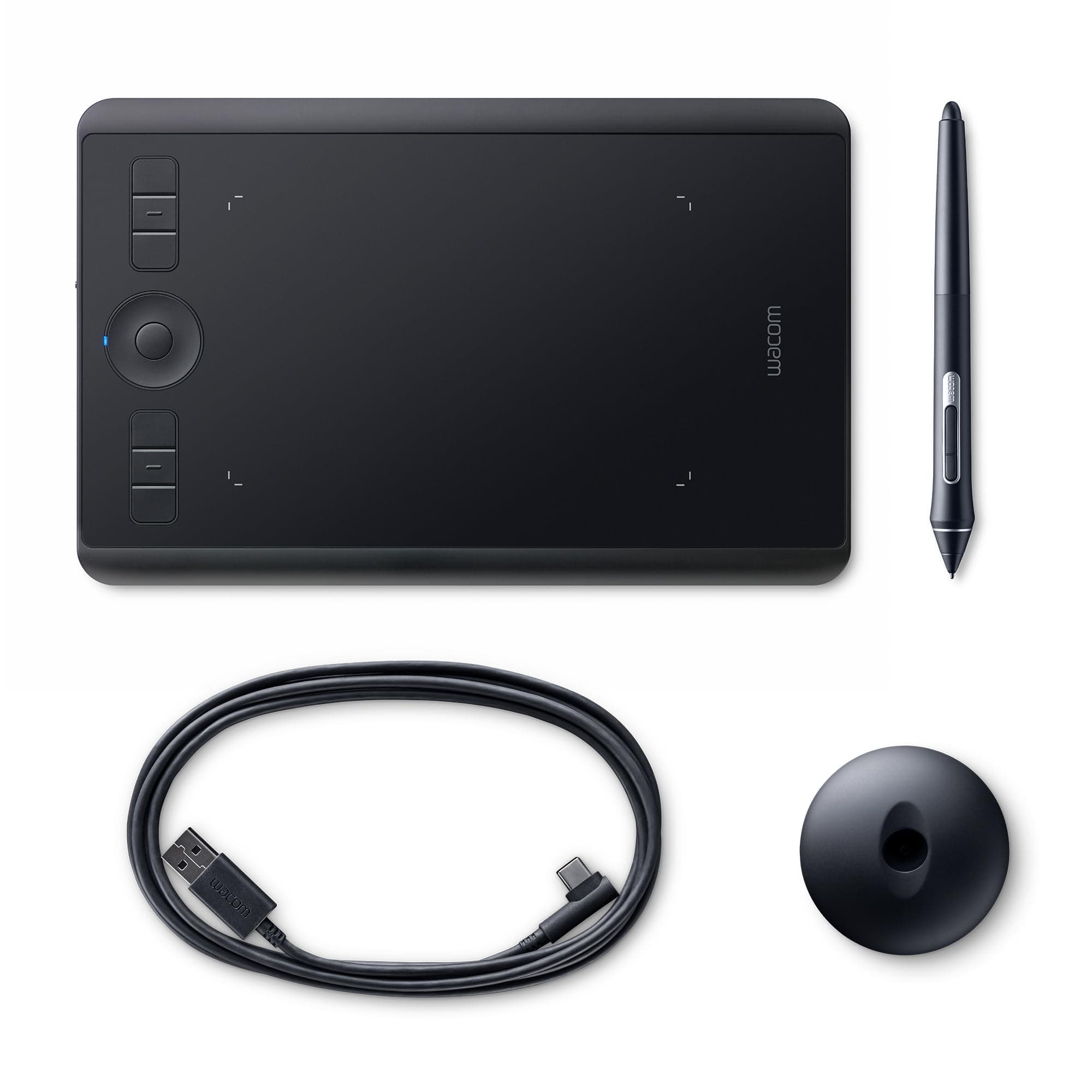



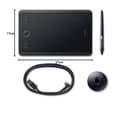
🎨 Elevate your digital canvas — create like the future depends on it!
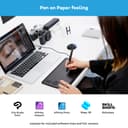
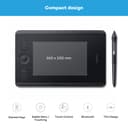
The Wacom Intuos Pro S is a compact, professional-grade pen tablet featuring 8192 levels of pressure sensitivity, 6 customizable ExpressKeys, and multi-touch support. Designed for digital artists, graphic designers, and 3D modelers, it offers seamless Bluetooth and USB connectivity, an award-winning slim design, and a natural pen feel with the battery-free Pro Pen 2. Ideal for enhancing productivity and precision in creative workflows.


| ASIN | B07RC6F518 |
| Active Surface Area | 459 square centimeters |
| Best Sellers Rank | 4,718 in Computers & Accessories ( See Top 100 in Computers & Accessories ) 14 in Graphic Tablets |
| Box Contents | Digital Pen, Pen Holder, USB Cable |
| Brand | Wacom |
| Brand Name | Wacom |
| Colour | Black |
| Compatible Devices | Desktop, Laptop |
| Connectivity technology | Bluetooth, USB |
| Customer Reviews | 4.4 out of 5 stars 721 Reviews |
| Display Type | LCD |
| EU Spare Part Availability Duration | 2 Years |
| Global Trade Identification Number | 04949268621922 |
| Item Dimensions L x W | 26.9L x 17W centimetres |
| Item Weight | 450 Grams |
| Manufacturer | WACOM |
| Model Name | PTH460K0B |
| Model Number | 4949268621922 |
| Model name | PTH460K0B |
| Native Resolution | 60 levels/inch |
| Network Connectivity Technology | Bluetooth, USB |
| Operating System | Windows |
| Operating system | Windows |
| Pressure Sensitivity | 8192 Levels |
| Pressure sensitivity | 8192 Levels |
| Product Features | Extra-Slim, Programmable Press Key, Shortcut Key, Stylus Dock |
| Product Warranty | 2 year manufacturer |
| Screen Size | 10.6 Inches |
| Special feature | Extra-Slim, Programmable Press Key, Shortcut Key, Stylus Dock |
| Specific Uses For Product | Digital painting, professional graphic and fashion design, photo editing, 3D modelling, illustration |
| Target Audience | Digital artists, graphic designers, photographers, 3D modelers, illustrators, home workers, students, teachers |
| Unit Count | 1.0 Count |
M**S
Quality tablet, good price - money well spent
I felt I needed to get a tablet to elevate my Photoshop skills - make paths with pen tool etc. I think Wacom is probably the professional choice. I wasn't sure whether to buy the 'small' or 'medium' and my decision was largely influenced by the difference in price - I bought the 'small' size. Fortunately, it was perfect - any larger and it would have been an awkward fit on my desk. I actually can't see any reason to get anything bigger, as if you're using if for PS, you really only need to use a tiny area in one corner of the whole surface. There are some good YT videos on setting up and working with a Wacom tablet - I watched ones by PHlearn and Piximperfect both were really helpful. It does take a bit of time to get used to working with a tablet, but a few things made me instantly love it - in particular using the brush tool on a mask - especially Curves in Screen blending mode for 'dodging' and in Multiply for 'burning'. The opacity of the brush changes according to the pressure you use on the tablet and the process feels so much more intuitive and enjoyable than using a mouse and the results are clearly better.
O**R
Easy to to use, great product
I bought this tablet last week, and it worked fine with the UBS cable, however the bluetooth connectivity could not be established. I contacted Wacom's customer support and they indicated I should get a replacement. I contacted Amazon, and they shipped a new tablet right away. Excellent customer service!!!! The tablet is super easy to setup. I am using it in a MacBook Pro (Catalina) for Lightroom and Photoshop. It has loads of options for customisation, which can be applied to all apps, or to specific apps (for example, I can setup the pen's buttons with specific commands in Lightroom and different commands in Photoshop). I purchased the small tablet, which is good size to use in the desk and also very light and convenient to carry in the backpack. Great product, highly recommended.
A**O
The most natural connection between pen and screen I've tried
I use this mostly with Lightroom for editing and masking photos but I also use Illustrator and Photoshop. Lightroom's amazing new masking features (in 2022) make it more obvious to use a graphic tablet rather than a mouse. It encourages you to use masking more and do a better job of it. I'm impressed with how totally natural this feels. The connection between pen and screen is pretty much real as far as I'm concerned, and you soon don't think about it – you just use it. Things like pressure sensitivity are perhaps less important for photo editing, but it's still very useful to be able to brush on a less dense mask in some areas just varying pressure. I'm happy I chose the smaller size. I'm mostly working on detail in photos so don't need a huge expanse of tablet to make sweeping brush strokes. It means I don't have to move my hand as far, but I never feel like I've lost any sort of fine control. I had a cheaper Wacom tablet years ago and gave up on it because it felt a bit crude. This is light years ahead. I really like that it's wireless (and it makes no difference to how well it works, wired or wireless) and the programmable buttons and touch sensitive wheel (like the scroll wheel on an old iPod) will be more useful once I've decided what to use them for and developed muscle memory. The option to use the tablet as a touch pad with your fingers is nice to have too and works well. The pen is very nicely balanced and I really like the weighted stand for the pen (separate to the tablet so you can place it where you won't knock it over all the time – something that drove me mad with my last Wacom) that has a bunch of spare nibs inside it. It's a nice, quality package that feels worth the money. The software is pretty easy to use and highly customisable – you'll probably need a few weeks of experimentation though. You have to download it from the Wacom website to set the tablet up but it was easy enough. The feel of the pen (you get two types of nib) is mostly just perfect for me – smooth and silky with a perfectly judged amount of drag that makes it feel like a great pencil on smooth, expensive paper. But if you get the slightest amount of dust or grit on it, it suddenly feels scratchy and awful, so if you're like me you'll spend a lot of time wiping the tablet surface and the nib. I don't know how you'd avoid this but it is a bugbear. Another slight downside for me is that the battery life isn't as good as I expected. It doesn't come close to my wireless keyboard or mouse, but I suppose it's doing more. You can use it while it's charging though so it's not a huge problem unless you like to use it on your lap. Occasionally, Bluetooth doesn't connect automatically and I have to select the tablet manually in the Bluetooth menu of my Mac. This can be quite irritating. I'm not a graphic artist so I can't tell you what this is like for drawing, but for photography it's something of a game changer and a good purchase despite a couple of niggles.
V**Y
Wow, excellent product best Magic Trackpad or mouse Alterntative
Absolutely love it. I do some light photo work so it is so much better than a mouse and just the perfect size. But this has also been a joy to use for daily use of my Mac. It gives me so many options to interact with all software, it has completely replaced my mouse. It has also been brilliant to work with while editing Word documents. I cannot recommend this enough even if you don't draw/ edit images. Way more versatile than a Magic Trackpad or any mouse I have used.
C**?
Great for photo editing.
I'm a little longer in the tooth and was wary of moving away from a keyboard and mouse to this tablet but since using it, I've found it to be extremely good. It does take a bit of getting used to and I haven't quite got comfortable with using the switch on the pen, in place of clicking the mouse but more use will hopefully put that right. I was torn between a medium size table and the small but after reading that quite a few people were cutting down the active area on a medium tablet, I opted for the small and it's proved, so far, to be a good choice as far as photo editing goes. I've even reduced the active area on the small tablet and it's been fine. However, if you are an illustrator, it may be a different call and I would suggest reading reviews from artists to see which size would be good for you. The setup was fairly straightforward, the tablet was recognised straight away and took me through the setup, which was a little confusing to begin with but some careful reading, it all became clear(ish) and it updated via the wacom website, I haven't yet designated too many functions but what I have works well for me and I'm enjoying the more accurate way of editing, you have much more control over what you want and where you want and it's a lot quicker. I've altered the sensitivity of the pen, which helped to control the movements and stopped me selecting things I didn't want to. Going back to the mouse for other tasks is odd, it feels enormous and heavy after using the pen. Overal, it's been a good purchase. The pen does take a bit of getting used to but it's definitely worth persevering with. Don't expect it to go completely smoothly to begin with and you'll be fine. I forgot to mention that a lot of the reviews I looked at before buying, said that the surface of the tablet was slightly rough and caused the nibs to wear down very quickly. When I got the tablet, it was wrapped in a thin plastic film, which I cut a small hole in to allow the power lead to be connected but left the rest of the film in place, which gives a nice smooth surface for the pen to run over. So far, the nib hasn't visibly worn, so the film will stay on.
T**E
Wonderful Wacom Drawing Tablet
I use this for all manner of Image & Video editing jobs. Super quality and a must for anyone wanting to interface with software where using a mouse just went cut it...highly recommended
J**U
Perfect
The latest Wacom is so much softer, thinner and smoother to use than previous models. Wacom have no competition, there really isn't a similar tablet in the marketplace that has the same level of accuracy and responsive feeling.
K**V
Glitchy Wacom small
Good product well made problems with Photoshop and Lightroom a bit glitch and not practical to use sorry but a waste of money for me as I bought it for photo editing
TrustPilot
vor 1 Monat
vor 1 Monat