


⌨️ Elevate your typing game with ergonomic precision and customizable power!
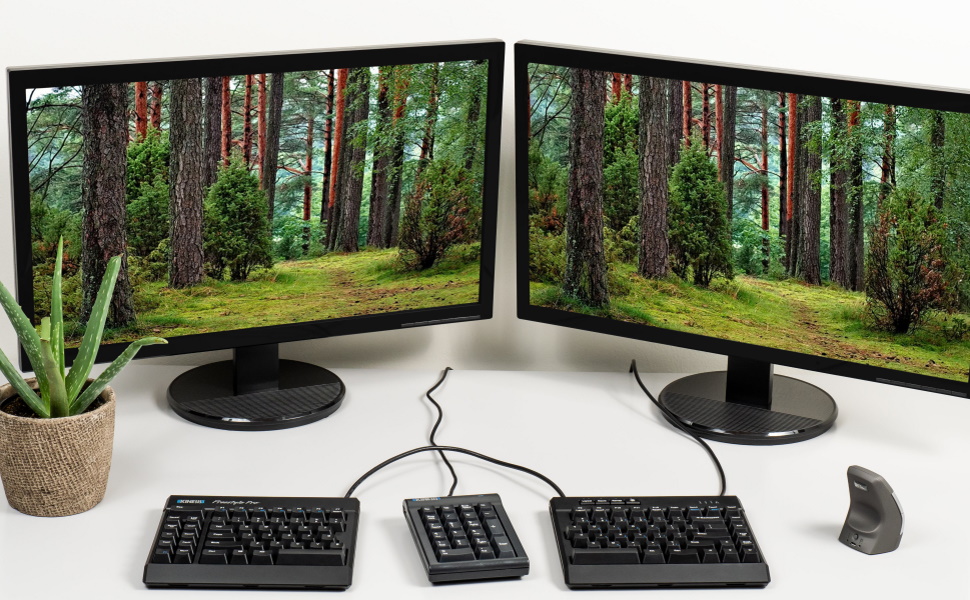
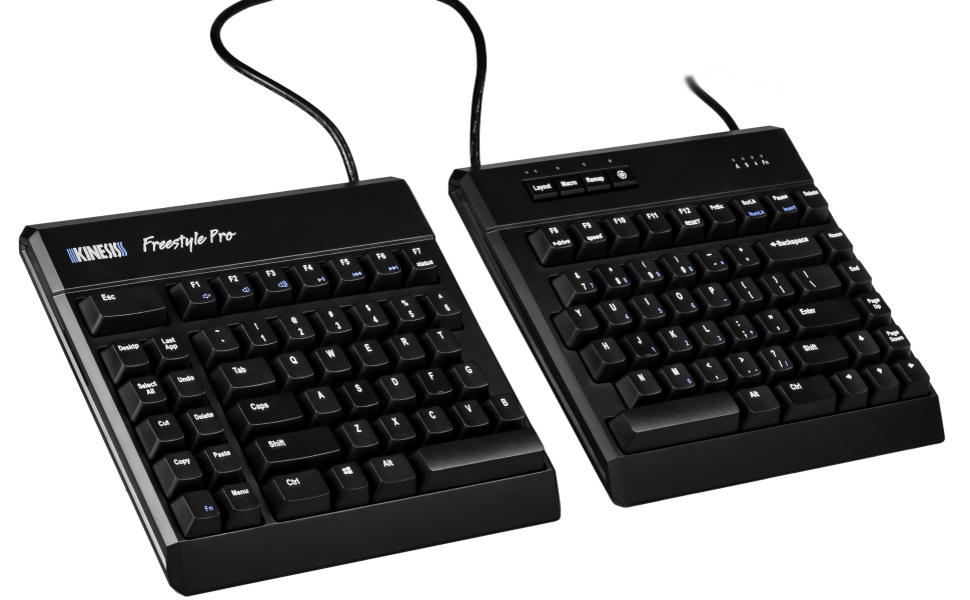
The Kinesis Freestyle Pro is a premium ergonomic split mechanical keyboard featuring low-force Cherry MX Brown tactile switches, a zero degree slope to minimize wrist extension, and a fully programmable SmartSet engine that works across Windows, Mac, and Dvorak layouts. Its adjustable 20-inch linking cable allows personalized separation for optimal comfort, making it a top choice for professionals seeking both health-conscious design and high-performance typing.

| ASIN | B07CX9KQRQ |
| Antenna Location | Office |
| Best Sellers Rank | 19,402 in PC & Video Games ( See Top 100 in PC & Video Games ) 720 in PC Gaming Keyboards |
| Box Contents | USB Cable |
| Brand | Kinesis |
| Brand Name | Kinesis |
| Button Quantity | 94 |
| Colour | Cherry Mx Brown |
| Compatible Devices | PC |
| Compatible devices | PC |
| Connectivity Technology | Wired |
| Connectivity technology | Wired |
| Customer Reviews | 3.9 out of 5 stars 261 Reviews |
| Enclosure Material | Plastic or polymer |
| Generation | 1st Generation |
| Global Trade Identification Number | 00607998890004 |
| Hand Orientation | Ambidextrous |
| Item Dimensions L x W x H | 18.4L x 39.4W x 3.2H centimetres |
| Item Weight | 2.6 Pounds |
| Item height | 1.25 inches |
| Keyboard Backlighting Color Support | Single Color |
| Keyboard Description | QWERTY, Ergonomic |
| Keyboard Layout | QWERTY |
| Keyboard description | QWERTY, Ergonomic |
| Manufacturer | Kinesis |
| Mechanical Keyboard Switch Model | Cherry MX Brown |
| Model Name | Freestyle Pro |
| Model Number | KB900-brn |
| Number of Keys | 94 |
| Number of Sections | 1 |
| Power Source | AC Adapter |
| Product Features | Adjustable |
| Product Warranty | 1 year manufacturer |
| Recommended uses for product | Office |
| Series Number | 900 |
| Special feature | Adjustable |
| Style Name | Cherry MX Brown |
| Switch Type | Tactile |
| UPC | 607998890004 |
| Unit Count | 1.00 count |
| Water Resistance Level | Not Water Resistant |
C**Y
Bought for work, works great.
I work in an office where I am tasked with inputting lots of different spec sheets, some are the same and other have aspects which are the same. I bought this keyboard as the macro functions seemed to be something I could use. This keyboard has improved my productivity greatly, it has also relieved the mental stress of having to type the same data over and over again. The macros are recorded at whatever speed I type but played back at a much faster rate (which you can choose through the settings). All of this is done with no software on the company's computer, which they will not allow. It did take a while to get to grips with the keyboard but after a few weeks I can say my fingers have got used to the no. 6 being on the "wrong" side for me, also the American layout of the enter key. I do not suffer with any sort of RSI so I cannot vouch for it's ability to alleviate your pain. I do find though that it is very hard to use flat, so I have it propped up about 15mm by a small shelf which gives me the right angle. You can buy the stand but I haven't really seen the need yet. All in all after 6 months of use I can recommend it if you need the macros.
T**S
Quality can be subpar
I have the same keyboard at work and decided to get one for home. Returned the one I got as the right half was giving a very loud and noticeable metallic ping.
P**N
Only US distribution
Very nice keyboard, a bit ticketty tlack the key. The programming feature saved me of returning it, I was able to program the backslash and pipe into the menu letter.
M**C
Super disappointing and did not work properly.
I spent weeks going over reviews and watching YouTube videos of different mechanical ergonomic keyboards and eventually went for this Kinesis Freestyle Pro as the one that had most of the things I wanted: ergonomics, a truely split keyboard, key remapping, compatible with Mac and Windows and Macro programming. I wanted a keyboard that I could work with my Mac Mini and then also my work laptop in Windows, remapped for programming and then another layer for writing. Firstly, the Freestyle Pro feels a little cheap. I't heavy enough and won't move on your kesk, but the whole whing is plastic and doesn't have a premium feel for the £200 price (with tenting accessory). The connection to the PC is still USB A which may be a problem for some with newer machines and the leads can not be disconnected if damaged.The lead you get isn't the braided kind either - plain plastic sheath. You have to buy the tenting kit separately, which is another £30 on top of the £170 for the board. You don't get any wristrests with it either and have to paid for those separately too. Out of the box, this was connected and I started typing. A little awkward at first but getting used to it. This review is typed on the board. It's a US key layout - so the enter key is small and on the home row and there is no backslash key next to the Z - just a shift key. The key 2 is labelled with an @ sign to shift to but when you do this you get ", like a UK keyboard and when you press the backslash kye with or without modifiers, you get a # or ~ and not the backslash and 'pipe symbols it is labelled with. No problem, I thought, I will remap the problem keys to something better. You press the Smart set key and F8 to load a small flash drive to your PC, which has settings, layouts and an app for remapping the borad. A very neat idea. Unfortunately, you remap each key by pressing the one to change and then pressing the key with the symbol on to remap to. Pressing all the keys on the board with and without shift / ctrl or Alt did not give me a backslash and I need the backslash daily for server -aths etc. This is a deal breaker. I can't do my job without it. I also couldn't find any way to move a shift character from one key to another. So if you wanted to map the quote to the 1 key rather than the exclamation mark, you can't. A nice idea is the programmable macro keys on the left hand board. You can program these in the app or edit the text file on the drive. Another nice idea is the number pad layer you can get by pressing the fn key - this turns the right hand pad into a numeric keypad although the keys seemed mapped in a strange way to me. The default typing layer seemed to be changed a couple of times in the few hours I was using this. This could be me though butyou need to press the SmartSet button and a number to set it to a different layer and I didn't have any set up and it's not something you can press by accident. I believe this was another fault as the SmartSet key is way out of the way. Typing on the Freestyle Pro is OK. I thought it would be nicer but there is an annoying metalic ping on mine, the keys feel a bit 'scratchy' and again, not premium. I'm returning mine as it seems to be faulty and labelled incorrectly. If it worked, I might have kept it as I like the idea of the programmable macros, remapping the keys and having the two sides at shoulder width apart - although I notice I am still aching after a few hours of using this - maybe that would have went away with further use. Tried to use this without the tenting kit but that ached worse. Back to my Logitech Ergonomic. Can't recommend this for the high price and cheap feel and the other issues I've had in such a short time. Super disappointed as I really wanted to like this and have that keyboard that just worked and did everything I needed.
TrustPilot
vor 1 Monat
vor 2 Monaten



