Desert Online General Trading LLC
Dubai, United Arab Emirates
Desert Online General Trading LLC
Dubai, United Arab Emirates




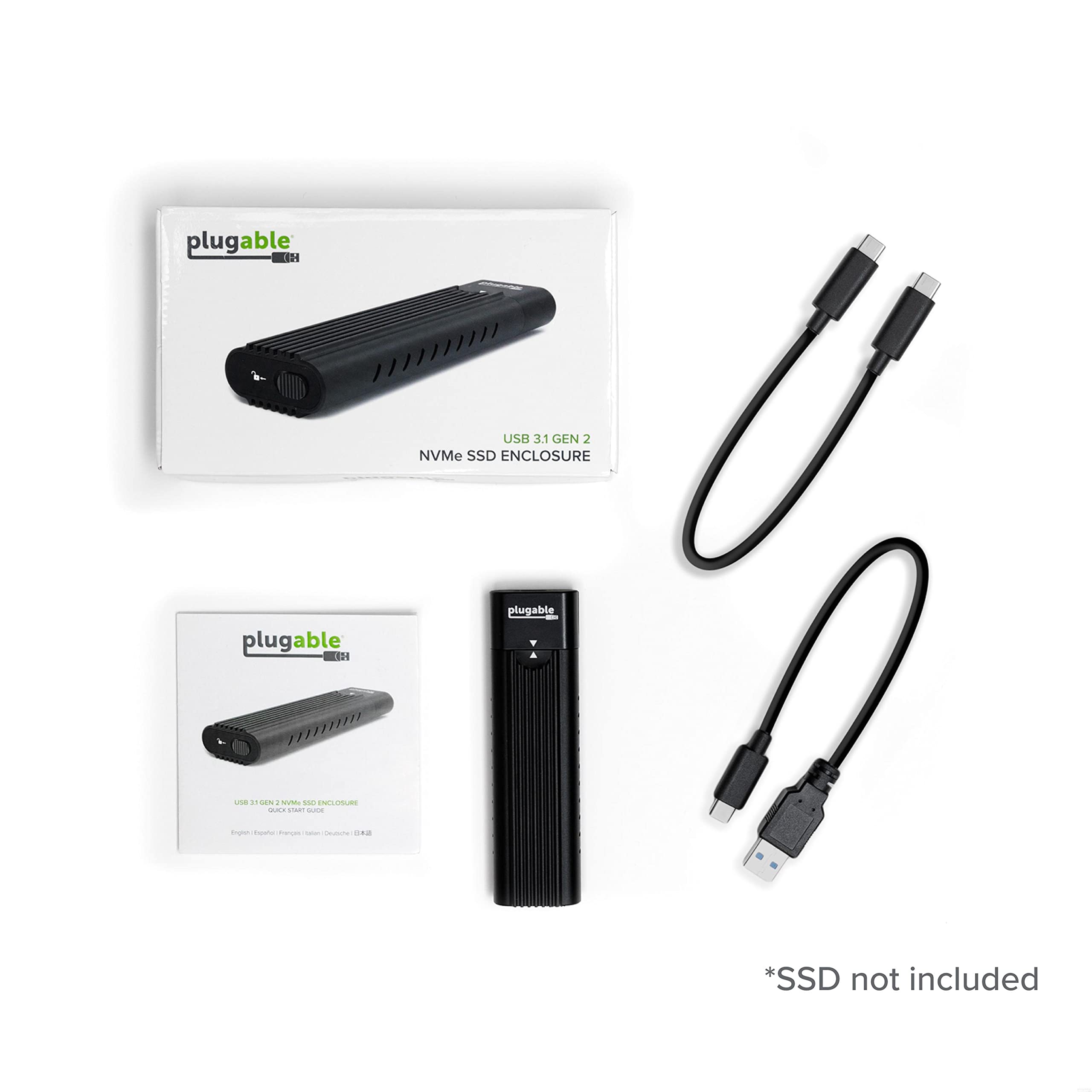
🚀 Unlock lightning-fast storage on the go — no tools, no limits!
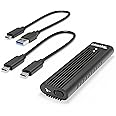
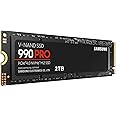
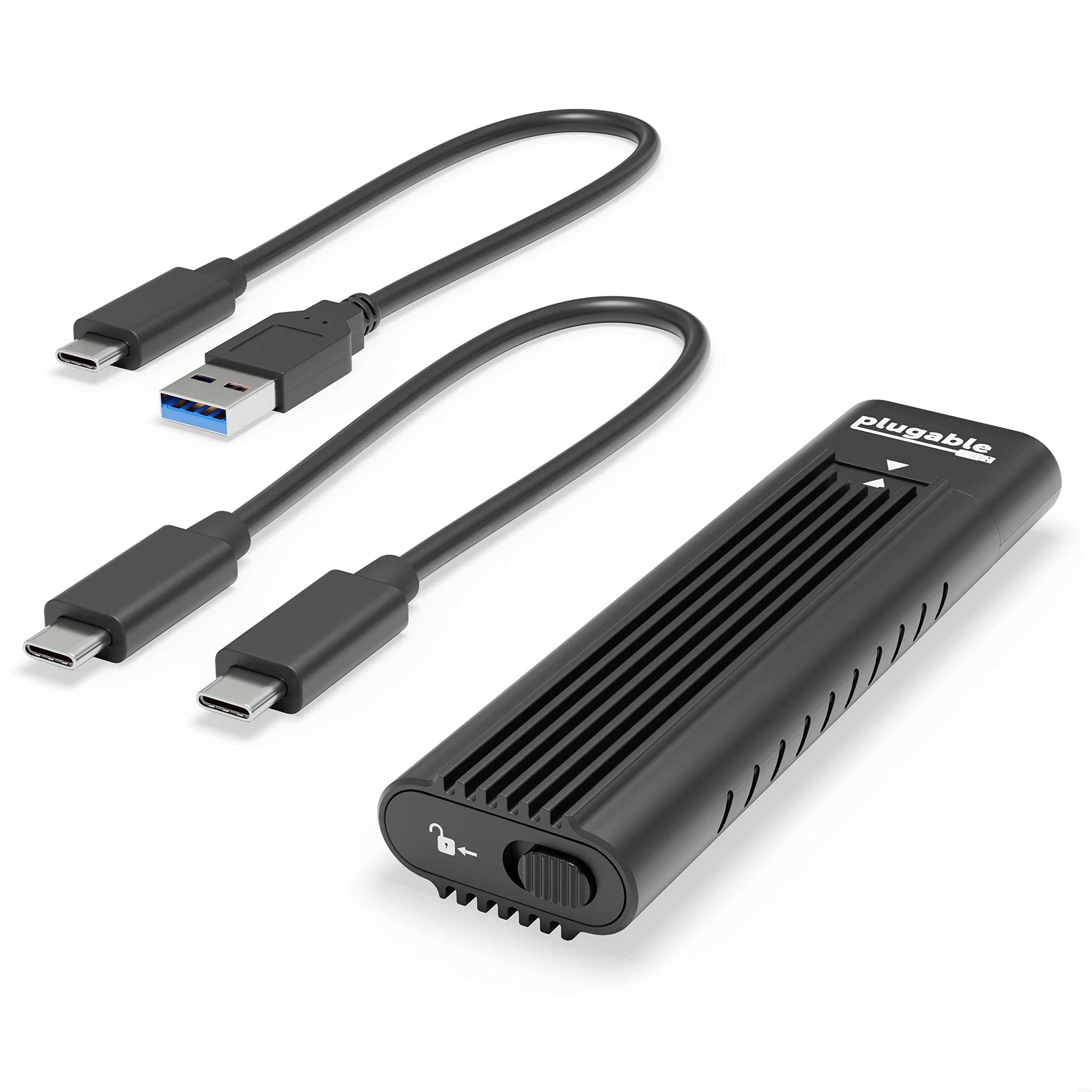
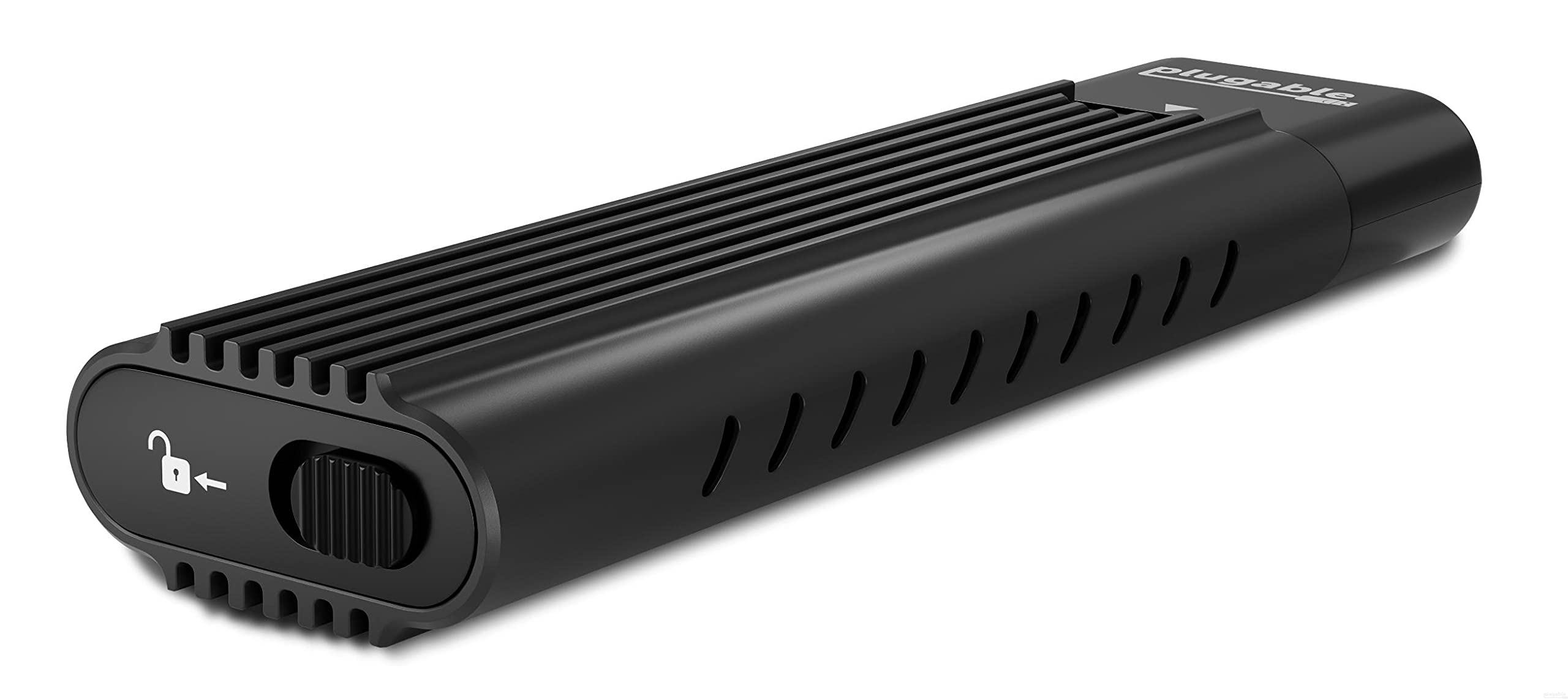
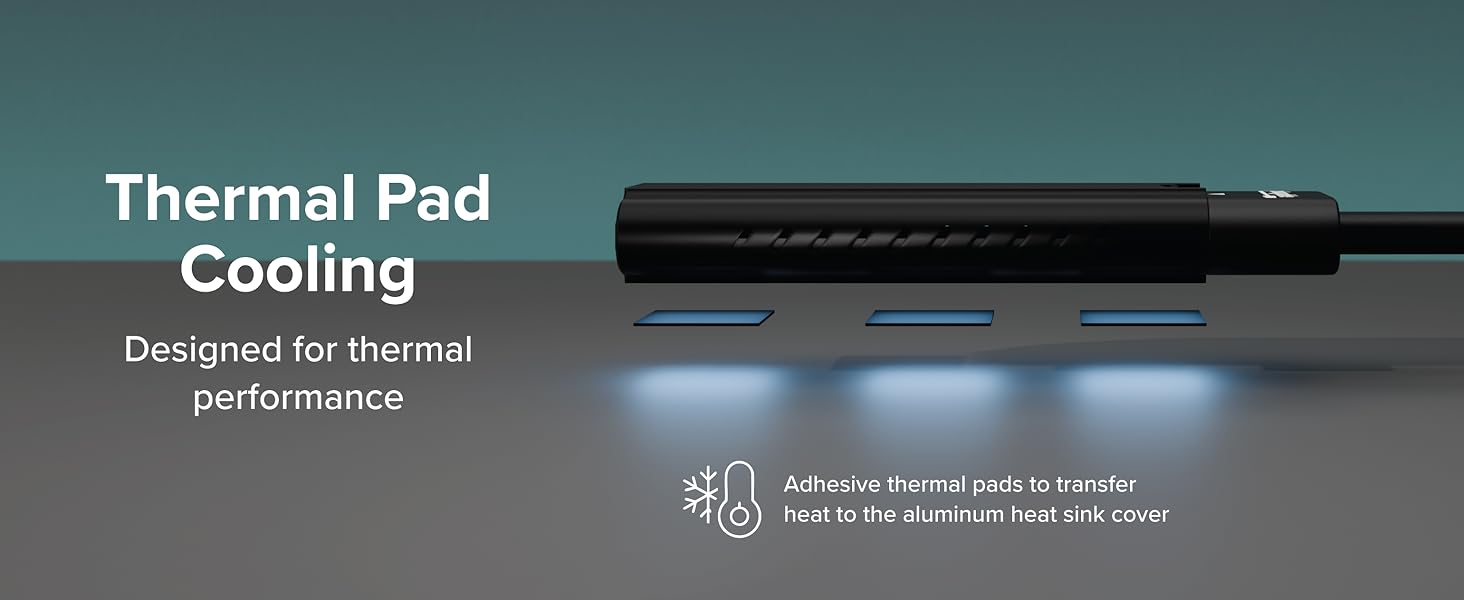
The Plugable M.2 NVMe SSD Enclosure delivers up to 10Gbps transfer speeds via USB-C, USB4, and Thunderbolt 3/4, supporting PCIe Gen 3 and 4 M.2 NVMe SSDs (2230-2280). Its tool-free design enables quick SSD installation without drivers, compatible across major OS platforms. The compact aluminum case with heatsink fins ensures optimal thermal management, making it ideal for professionals needing fast, portable, and reliable external storage solutions.
| Hard Drive | Solid State Hard Drive |
| Brand | Plugable |
| Series | Plugable USB 3.1 Gen 2 Tool-free NVMe Enclosure |
| Item model number | USBC-NVME |
| Hardware Platform | Windows |
| Item Weight | 3.21 ounces |
| Product Dimensions | 7.87 x 3.54 x 1.18 inches |
| Item Dimensions LxWxH | 7.87 x 3.54 x 1.18 inches |
| Color | Black |
| Hard Drive Interface | PCIE x 4 |
| Manufacturer | Plugable |
| ASIN | B07N48N5GR |
| Is Discontinued By Manufacturer | No |
| Date First Available | January 25, 2019 |
R**S
Fast, Sleek, Modern, Dependable, Affordable
Fantastic! Works with the Western Digital Gen 4 PCIe NVMe 8 TB. Flawless. Easy. Very nice design. Verry high-speed.I bought this to replace an external USB-to-PCIe NVMe enclosure I'd bought shortly after the introduction of PCIe NVMe SSDs. The old one wouldn't work with the newer PCIe 4 NVMe SSDs. THis worked flawlessly and in a minimalist form factor and pretty darn close to the theoretical speed limit for USB 3.1.
J**E
Works with Linux Mint and is TRIM compatible!
I got this enclosure primarily for checking and formatting new NVMe drives and to restore images of the OS in my Linux Mint laptop to a spare drive, both to have a spare I can quickly swap into my laptop, should the one in it go belly up, and to verify the image is good (I use Clonezilla and it can be a bit iffy). I have two of these: one in a desk drawer and one in my laptop case.The big draw for this enclosure for me was it is TRIM compatible. Most SSD enclosures, both 2.5" and M.2 NVMe, are not TRIM compatible. It also works well with Linux Mint out of the box but isn't TRIM compatible out of the box; a udev rule has to be created first (I'll add directions for that at the end of this review since the only ones I've found on the "interwebz" are incomplete).Besides being Linux and TRIM compatible, the advantages include its light weight, compact size, ease of use, and reasonable price.There is one serious disadvantage, though: cooling is less than stellar. Since it uses a sliding shell, it's necessary to put thermal pads directly onto the chips of the SSD. This fine if one is going to leave the SSD permanently installed and not be swapping them out in and out all the time like I am. I tried putting the thermal pads inside the shell but they hung up on the edges of the chips on the SSDs and peeled loose so I just don't bother with them.Fortunately, the 512GB Samsung 970 Pros I use most of the time do not overheat when formatting and restoring images to them. I only write 37GB to them at any one time so overheating has not been a problem so far, even without the thermal pads (they get quite toasty, though, but not too hot to handle). If I were to write, say, around 100GB or more, I would want to leave the cover off so the chips can get some air.I have formatted a couple of 8TB NVMe SSDs in this enclosure without any problems but I didn't dare try to populate one of them (the other is a spare) because I didn't want to risk BBQing them. Once formatted, I installed in the laptop and populated it from backups.At a later date, I may try to find a one piece Thermal pad that is adhesive on one side only to fit inside the shell and bevel it at one end to see if it will allow the chips on an SSD to slide over the pad without hanging up.Despite the cooling issue, I gave this five stars since it still works well for my intended purposes. Your "mileage" may vary.Here are the directions for creating a udev rule to enable TRIM compatibility in Linux Mint, etc.1. Verify the Vendor ID and Product ID.Run lsusb in the terminal with the device plugged in. If you aren't sure which device in the list is your SSD, unplug it and run lsusb again and see which device disappeared. (Don't forget to unmount the filesystem before you unplug it.)Every device has an ID value in the list. For example, the ID for this enclosure is “0bda:9210”. The Vendor ID is the first part and the Product ID is the second part. My enclosures have the Realtec chips in them.2. Create a udev rule. In the terminal, copy and paste this line and hit Enter.sudo nano /etc/udev/rules.d/50-usb-ssd-trim.rulesType in your password, then hit Enter again.Copy and paste this rule into the text editor (all one line; the correct IDs for this enclosures has already been added):ACTION=="add|change", ATTRS{idVendor}=="0bda", ATTRS{idProduct}=="9210", SUBSYSTEM=="scsi_disk", ATTR{provisioning_mode}="unmap"Pressing CTRL+O, then ENTER, then CTRL+X will save and close the file in Nano.Now, the next time you plug in your device via USB, TRIM should work.Edit: I got a chance to see how good the warranty from Plugable is and I'm happy to report that it is excellent. After about a year of use, one of my Plugable NVMe enclosures went belly up.I reached out to Plugable at https://plugable.com/products/usbc-nvme to make as warranty claim. They requested that I describe the problem and to do some diagnostics on the failed unit. After I did that, they immediately sent me a replacement that arrived in a timely manner. I didn't have to send back the dead one.
F**L
Plugable carrier worked good. Read My Tips
I bought this SSD carrier because I needed to clone a bigger SSD for my C: drive in my desktop. It worked well for that purpose. Here are a couple of tips based on my experience:1. Make sure your SSD is a NVME type and not SATA type. SATA won't work in this carrier.2. Make sure the SSD is plugged in all the way. The instructions say don't force it but you have to force it a little or it won't plug in all the way. If you can see the contacts on the SSD connector after it is plugged in it is not plugged in all the way.3. If you are doing a clone operation like me the carrier will get hot because of all the constant writing to the SSD. Blow a fan across it while you are doing the clone operation. It makes a difference in keeping it cooler.
N**Z
Legitimately works for cloning from a Samsung PM961 with Windows 10 to an Adata XPG SX8200 Pro
While I have no benchmarks from CrystalDiskMark or from other SSD tools while the SSDs were in the enclosure (EDIT: the benchmark above is only for the Adata SSD while already in the laptop); what I have done for sure is use Macrium Reflect to clone my HP Omen 15's Samsung PM961 128GB SSD for a larger Adata XPG SX8200 Pro 512GB SSD with a thermal pad (but only applied after removing from this enclosure), and it does it pretty nicely. I tried to use a TeamGroup L3 EVO 120GB SSD via a SATA to USB 2.0 adapter prior since I got impatient at first (EDIT: The reason for this is it took a while for the enclosure to arrive at my residence, and I was almost willing to do the tedious task of removing the original nVME SSD after cloning to the SATA SSD, placing the new nVME SSD onto the laptop, boot via the SATA SSD, cloning to the new nVME SSD, and then booting to the newly cloned nVME SSD) and had to adjust partitions as a result, and Macrium Reflect showed it took 52 minutes. When the enclosure arrived and the Adata SSD was inside it took 38 minutes - the enclosure did get quite hot to the touch so I had a small fan blowing on it to keep it cool.After replacing the drive which took a while since for each set of screws I had to open there was one that was really tight and difficult to remove (case, battery, the SSD screw itself); Windows 10 booted up normally almost as if nothing happened. I did have to reactivate Microsoft Office and uninstall/reinstall Vegas Pro 14 and the resolution of Dishonored 2 was changed to be really small all of a sudden; so there were a few minor hiccups but the performance of the Adata SSD itself (which I do have a benchmark while already in the laptop) is working as intended and is even cooler than my previous SSD - and the laptop tends to get really hot while gaming or FFMpeg video encoding.Longevity is the only question as some reviewers have had issues with the enclosure lock. For now though it seems good. Although I lost the rest of the replacement thermal pads and rubber pegs :(EDIT: Actually found the thermal pads and pegs, thankfully! :)EDIT 2: Three months so far and it still works with my Samsung PM961 inside, and the enclosure lock still works fine. Yes it does heat up considerably but that is expected for nVME SSDs, and I suppose the JMicron controller that bridges between nVME to USB isn't the most efficient (unfortunately most enclosures like this use the same controller so switching to another won't guarantee it would be any different from this enclosure). It's not the end of the world and it doesn't take a long time to cool itself after use (you can blow a small fan to it if you're really concerned).As for some concerns with file transfer speeds, the max real-life speeds of USB 3.1 is also slower than nVME PCIe 3.0 x 4, and connecting this enclosure to a slower port like USB 3.0 or even USB 2.0 will lower it even further; also if you are copying files from an HDD to an SSD via this enclosure, you will be limited by the HDD's speed. Which is why it's understandable that this enclosure will seem slow; for it to top at 100-120MB/s is unsurprising (from personal test of copying files from HDD to this one and vice versa) and for it to go much lower at even 15-20MB/s can happen and is not confined to this enclosure (happened to me on copying from a different computer with USB 2.0 port only, other flash drives behaved the same way with transfer rates).
A**R
Simple to use, effective, fast
Quick and easy way to gain access to your M.2 slot hard drives. Fast, efficient. Due to its slim size you can convert your old ssd into an external backup drive, or glorified usb drive. Faster than the typical mechanical external drive, too.
D**Z
Easy
easy to instasll works GREAT!
S**X
cUALITY
Nice thANK YOU
TrustPilot
vor 2 Wochen
vor 2 Wochen